Pressing the red button on a DSC marine VHF sends a short digital message, not a voice call. How does a DSC distress call work, and what exactly does that message contain? Most sailors who own the radio have never pressed the button, so they either rely on the manual or don’t know the answer. This article follows one alert from the button to the people who receive it, and points out where the chain breaks when the radio is set up badly.
If you want a comparison of radio models and features, this article covers which marine VHF features actually help when you are calling for help. This one is about what the radio does with the button.
What an MMSI is and what it is tied to
An MMSI (Maritime Mobile Service Identity) is a nine-digit number that identifies one vessel’s radio. It works like a phone number for DSC: when your radio transmits a digital message, the MMSI lets everyone who receives it know who sent it.
The first three digits are the Maritime Identification Digits, which show the country that issued the number. The rest identifies your vessel within that country’s system. Numbers beginning with 0 are used for coast stations and group calls, and numbers beginning with 8 are used for group calls between vessels. A normal vessel MMSI starts directly with the country code.
The number is only useful if it is linked to a record. In most countries, the issuer of the MMSI also keeps a database entry with the vessel’s name, a description, and emergency contacts. Depending on where you live, the issuing body may be a radio licensing authority, a national telecommunications regulator or a recognized boating organization. The rules differ by country, so check with the authority for your flag.
When a distress alert arrives, the rescue coordination center (RCC) can look up that record. It tells them what kind of boat they are looking for and who to call ashore to confirm you are really at sea. That second use matters more than it sounds, because calling a shore contact is one of the fastest ways to separate a real emergency from an accidental press.
Your MMSI is also entered in your AIS transponder, if you carry one. The two should match.
Pressing the button: what the radio sends and what it leaves out
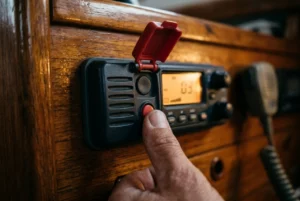
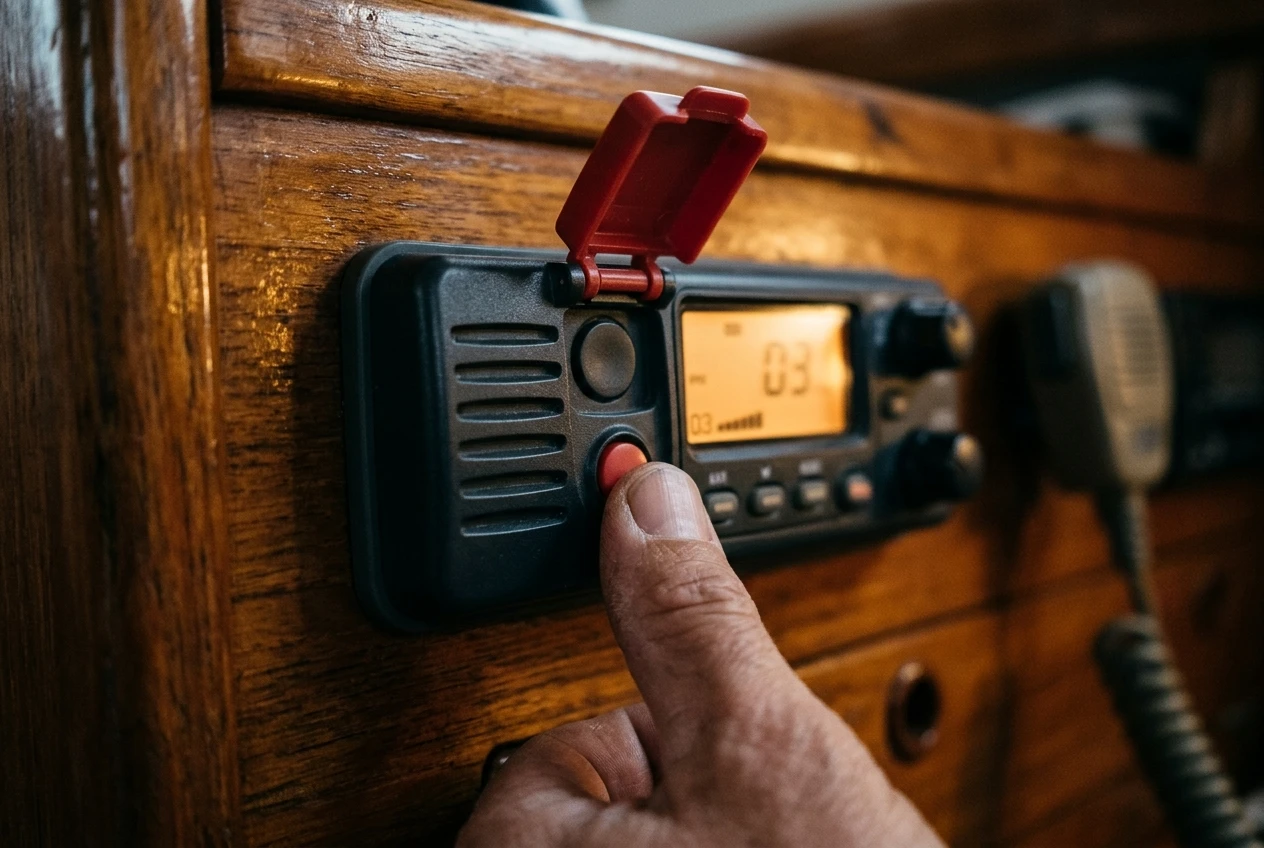
On most DSC radios, the distress button sits under a hinged red cover. You lift the cover and hold the button down, usually for about five seconds, while the radio counts down. Releasing it early cancels the alert on most models, which is the main protection against accidental sends.
Once the countdown finishes, the radio transmits a digital burst on VHF channel 70, the channel reserved for DSC. The burst lasts a fraction of a second. It contains:
- Your MMSI, which identifies the vessel.
- The word “distress”, which is a coded call category that makes every DSC radio in range sound an alarm.
- The nature of distress, if you selected one. If you did not, the alert goes out as “undesignated”.
- Your position and the time of that position, if the radio has a position source.
It leaves out almost everything else. It does not carry your voice, the number of people aboard, a description of the problem beyond the nature category, or your heading and speed. The RCC gets those details later, from the database record and from the voice call that follows.
After sending, the radio repeats the alert automatically at intervals of a few minutes until it receives an acknowledgment. That repeat is deliberate: the first transmission may reach no one, and a boat that is sinking or on fire may not leave anyone free to press the button again.
Why the position field decides how fast help can find you
The position field is the part of the alert that turns a call for help into a place to go. Without it, rescuers know who is in trouble but not where, and the search begins from your last known position, a radio bearing, or a guess.
A DSC radio gets its position in one of two ways. A built-in GPS receiver is the simplest. Otherwise, the radio takes position data from a chartplotter or separate GPS over an NMEA cable. Many radios can also hold a manually entered position, but they send it with the time you entered it, and it goes stale as the boat moves.
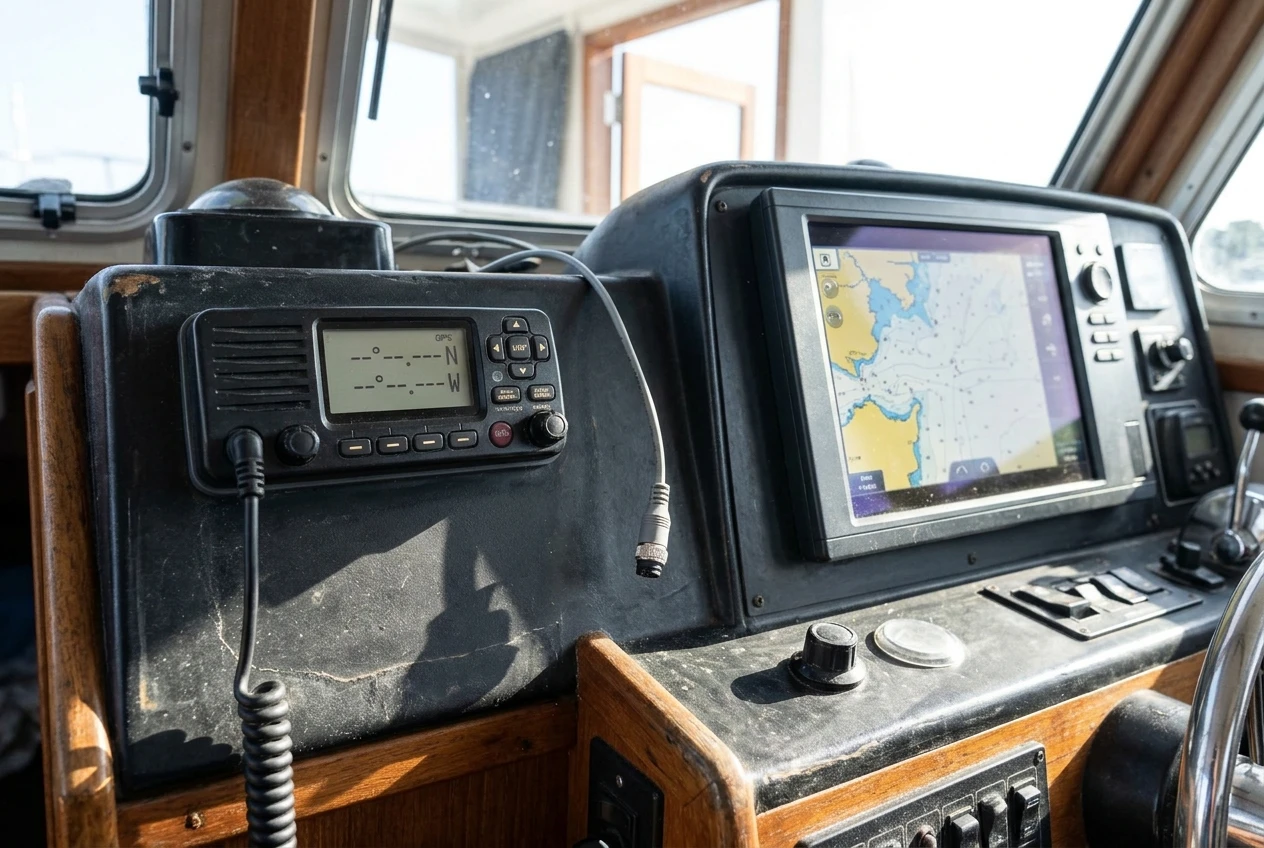
There are two ways this fails quietly. First, a radio with no position source will still send an alert, so the button seems to work and the screen shows “sent”. The only difference is that the position field is empty. Second, a connection that was working at the dock may have dropped, for instance, because a plug worked loose or the chartplotter was switched off to save power. Some radios show a “no position” warning or a flashing latitude and longitude. Learn what yours shows when the feed is missing.
Also check the time stamp. A position that is hours old is far less useful than a live one, and some radios keep showing the last fix after the feed fails.
Who hears the alert, and what the acknowledgment tells you
VHF travels roughly line of sight, so the alert reaches anything that can receive channel 70 and is within range of your antenna. That means two groups of listeners:
- Coast stations. A coast radio station or coast guard that monitors channel 70 receives the alert, reads the MMSI and position, and passes the case to the RCC responsible for that area. How this works in detail depends on the country.
- Other vessels. Every DSC radio in range sounds an alarm and displays your MMSI and position. A nearby ship or yacht may respond first and be much closer than the coast.
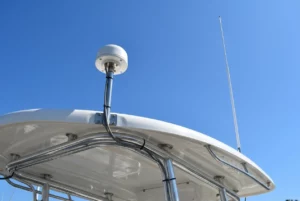
Range depends heavily on antenna height. A masthead antenna on a sailboat reaches much farther than a handheld at deck level, and coast station antennas are usually high. Offshore, far from both coast stations and other boats, a DSC alert may reach nobody. That’s why offshore boats also carry an EPIRB, which is covered in the piece on EPIRB vs PLB.
When a coast station receives the alert, it sends a DSC acknowledgment back to your radio. Your radio sounds and shows that acknowledgment. This tells you the alert was received by a station that can act on it. It does not tell you a rescue craft is on its way, though the call that follows will usually settle that quickly.

If no acknowledgment arrives, the radio keeps repeating, and you should assume nobody has heard you and move to voice on channel 16 and your other means of alerting.
When you have time: choosing the nature of distress and following up by voice
In a fast emergency, press and hold the button and let the alert go out as undesignated. A sent alert with position is worth more than a perfectly categorized one that never got sent.
If you have a few seconds, press the distress button briefly rather than holding it; on most radios, this opens a menu of nature-of-distress categories. The usual list includes:
- Fire or explosion
- Flooding
- Collision
- Grounding
- Listing, in danger of capsizing
- Sinking
- Disabled and adrift
- Abandoning ship
- Piracy or armed attack
- Man overboard
Pick the one that fits, then hold the button to send. The category tells receivers what kind of help to bring. A vessel on fire and a vessel adrift with a fouled prop need different responses.
After the DSC alert and acknowledgment, switch to channel 16 for voice. Use the standard format: “Mayday” three times, “this is” and the vessel name three times, your MMSI, then “Mayday” and the vessel name again. Follow with your position (latitude and longitude), the nature of the emergency, the number of people aboard, and anything else that helps rescuers find you. Read the position from your instruments, because the receiver may not have yours or may need to confirm it.
The digital alert gets attention and identifies you. The voice call carries everything the alert cannot.
If you send an alert by accident, do not just switch off. If the model allows, cancel it on the radio, then call on channel 16 to say it was a false alarm, giving your vessel name, MMSI, and position. A coast station that receives an alert and hears nothing further may start a response that costs a lot of time and money.
The three setup failures that make DSC useless
Most failed DSC alerts don’t come from a broken radio. They come from three setup problems that nobody notices until the button is pressed.
1. The MMSI was never programmed. Many radios leave the factory with no MMSI stored. The radio will still transmit voice, and the screen will look normal, but the DSC button either does nothing or sends an alert with no identity. Entering the MMSI is a one-time job, and many radios limit how many times you can change it, so enter it carefully. Some require a dealer to reset it if you make a mistake.
2. There is no live position feed. As described above, the alert will go out without coordinates. Check that the GPS source is connected and that the radio shows a current position and time.
3. The registration is out of date. The MMSI record holds your vessel details and emergency contacts. If you changed boats, changed phone numbers, sold the vessel, or never registered at all, the RCC may have wrong or missing information. Don’t move an MMSI from one vessel to another without updating the record, and a radio that came with a second-hand boat may carry the previous owner’s number. Registration rules differ between countries, so confirm the process with the authority that issued yours.
All three failures look like a working radio. You find out only by checking.
A ten-minute check to run on your radio before the next passage
You can do this at the dock without transmitting a distress alert.
- Find your MMSI in the radio. Open the radio’s settings or information menu and read the MMSI it holds. Compare it with the number on your registration paperwork. If the radio shows nothing or shows zeros, it needs programming.
- Check the position screen. The radio should show your current latitude, longitude, and a time that matches the clock. If it shows dashes or an old time, trace the GPS connection. Determine whether the source is the radio’s built-in receiver or an NMEA cable from the plotter, and test it with the plotter on, then off.
- Confirm the registration record. Contact the authority that issued the MMSI, or use its online service, to confirm the vessel name, description, and emergency contacts are current.
- Read the manual for the cancel and nature-of-distress steps. Know how long to hold the button and how to release it early.
- Check that the AIS MMSI matches. If you carry AIS, make sure it holds the same number as the radio.
- Do not test with the distress button. If you want to test DSC, use the radio’s individual call function to another DSC radio or follow the testing arrangements of your national authority. Some countries allow a test call to a coast station for DSC, and others do not, so look up the rule for your area.
Tell the crew where the button is and what the countdown does. Anyone aboard who might need to use the radio should have seen it once.
Before your next passage
Before your next passage, check that your MMSI is programmed into the radio, that it is registered with the right details for your country, and that the radio has a live position feed. Then read how to wire your safety electronics so they survive a house bank failure, because a correctly set up DSC radio is no use if it loses power at the moment you need it.
This article was created with AI assistance and reviewed by a human editor.
Disclosure: This post contains Amazon affiliate links. If you buy through them, we may earn a small commission at no extra cost to you.
About The Author