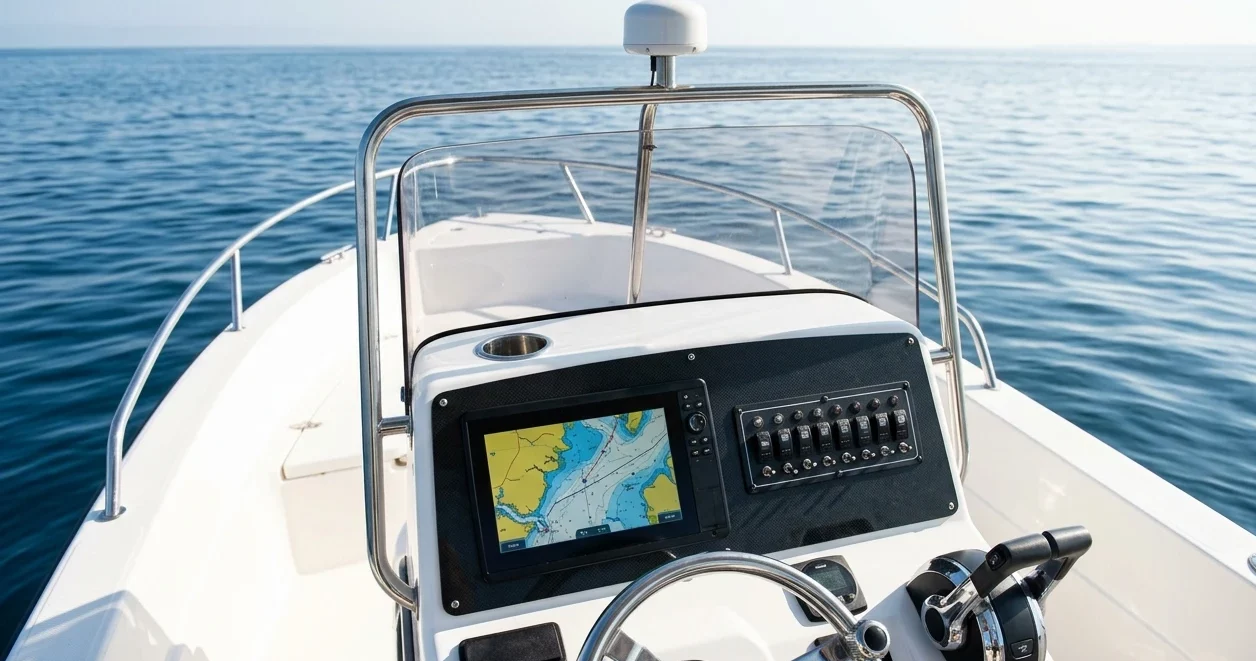
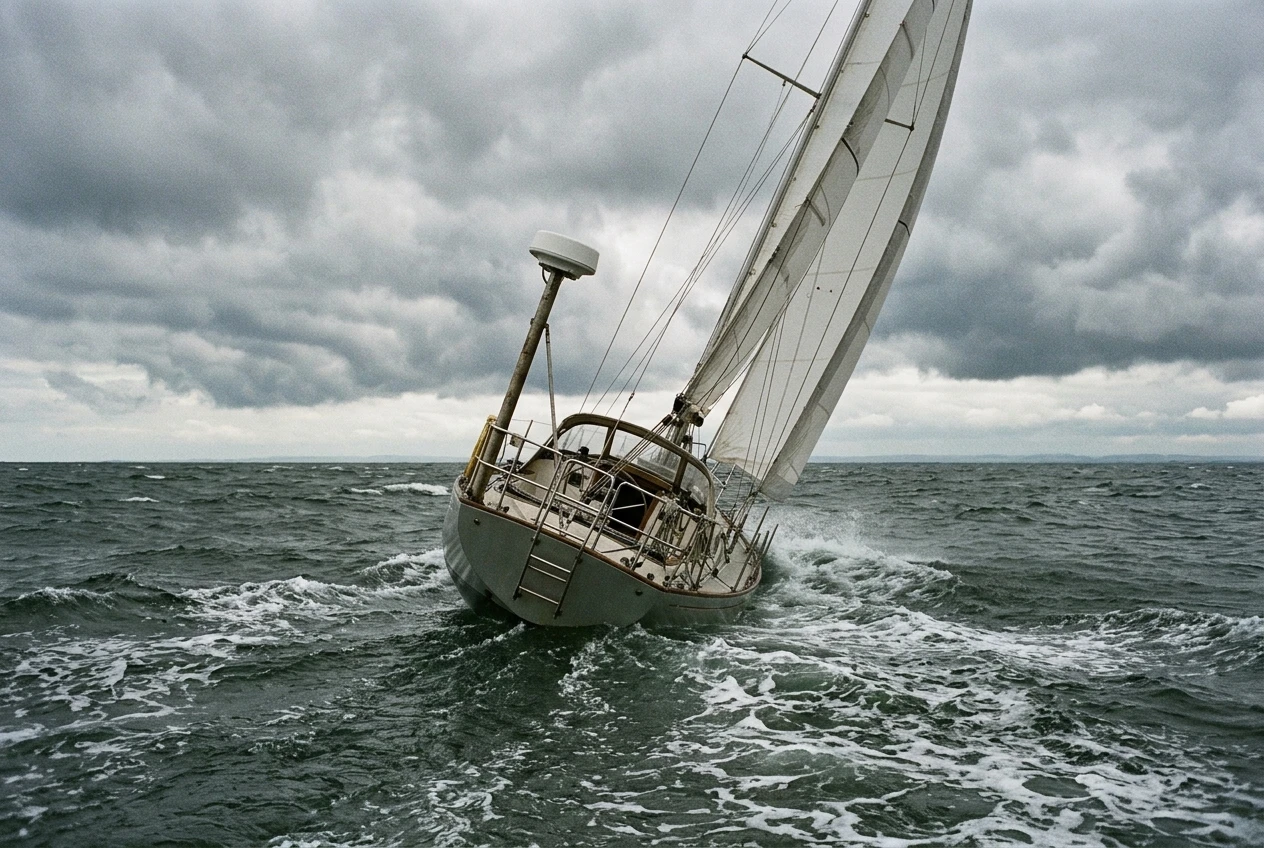
The best marine radar for small sailboats is the one your battery can run through a foggy night and still start the engine in the morning. Most radar advice assumes a larger boat with a large house bank and a mast that shrugs off extra weight aloft. On a small cruiser, every hardware choice has a cost in amp-hours, weight or mounting compromise, so the useful way to compare options is by what each one costs against what it adds to your awareness of what is around you.
This article goes through those choices in order: scanner type, power draw, display route, mounting, and operating habits. It does not cover whether to buy radar or AIS first, how to network a radar to a chartplotter, or how to run a night watch. Each of those has its own article, linked where it matters below.
What a small boat needs radar to do, and what it can leave to bigger ships
A small sailboat needs radar for three jobs: seeing vessels in fog or at night that carry no AIS, spotting squalls and rain cells approaching, and confirming the position of land or a buoy when visibility closes in. All three work at short and medium range, usually a few miles out to perhaps a dozen.
Long-range detection is a job for ships. A cargo vessel has the height and power to find a coastline or a storm many miles away. Your boat does not need that. A scanner low on a small mast sees a short distance to the horizon anyway, so paying for range you cannot use only adds weight and draw.
The more useful specification at your scale is how well the radar shows close targets. Small returns near the boat, such as a fishing boat, a buoy or another yacht’s hull, matter more than a distant coastline. Set your requirement before you shop: short-range clarity, modest power draw, a scanner light enough for your rig.
Dome or open array: what the scanner choice means for weight, mast loading, and heel
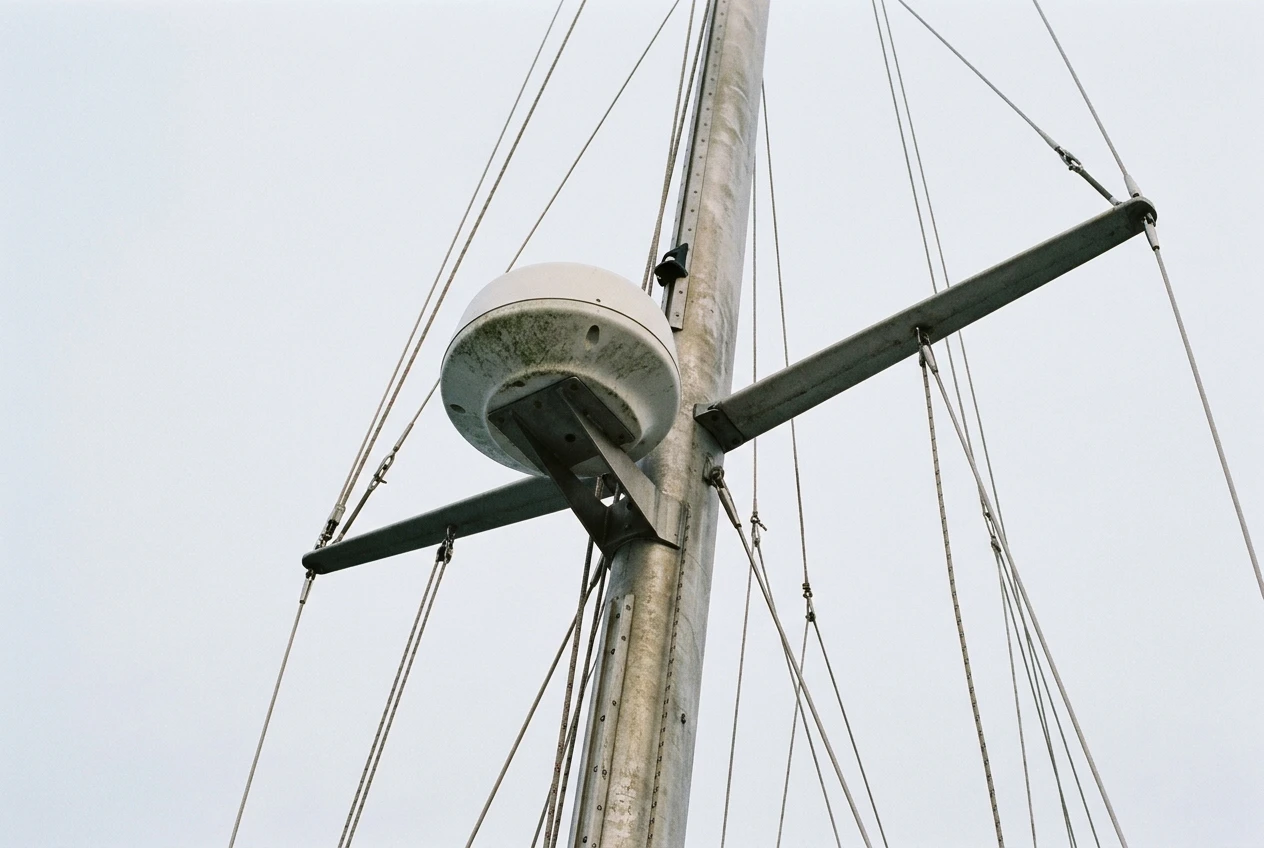
Radar scanners come in two forms. A dome (radome) houses a rotating antenna inside a weatherproof cover. An open array is an exposed bar antenna that spins in the open.
Open arrays are longer, which generally gives a narrower beam and better separation between two close targets. They are also heavier, catch more wind, and are harder to fit on a small mast or pole. Domes are lighter, smaller and sealed, and they are what most small-boat owners end up with.
For a small cruiser, the practical comparison runs like this:
- Weight aloft: a dome is the lighter option. Weight high on the mast increases pitching and rolling, and a small boat feels it more than a large one.
- Windage: an open array exposes a large rotating bar to the wind. A dome presents a smooth shape.
- Heel: both tilt with the boat. A dome’s compact shape suits mounts that heel with the hull, such as a mast bracket.
- Resolution: an open array wins on paper, but the improvement matters most at longer ranges than a small boat uses.
Check the manufacturer’s stated weight and the mast or pole manufacturer’s load rating before you decide. For most small sailboats, the dome is the better fit.
Solid-state or magnetron: how transmit and standby power draw differ, and where to find the real numbers on a spec sheet
Magnetron radars generate their microwave pulse with a vacuum tube. Solid-state radars use electronics instead of a tube. This difference affects your battery in two ways.
A magnetron needs a warm-up period before it can transmit, and during that time it draws power without giving you a picture. A solid-state unit is generally ready to transmit almost at once. That matters if you plan to keep the radar off most of the time and switch it on when you need it.
Solid-state units are also generally associated with lower transmit power draw. Treat that as a direction to verify, not a promise, because models differ widely.
The real numbers are on the manufacturer’s specification sheet, not the marketing page. Look for these entries:
- Power consumption while transmitting, in watts or amps at 12 V.
- Power consumption in standby, which is a separate figure.
- Whether the figure is for the scanner alone or includes the display.
- The supply voltage range the unit accepts.
If a sheet gives watts, divide by the supply voltage to get amps. As arithmetic only, not a specification: a unit drawing 1 amp for 10 hours uses 10 amp-hours. Do this sum with the real figures for each model you are considering, and compare standby and transmit separately, because you will spend a lot of your time in standby.
If a sheet gives only one number and does not say which mode it covers, ask the manufacturer or a dealer before buying.
Where the picture shows up: dedicated display, chartplotter overlay, or tablet
The display is a second power load, and it can cost more than the scanner. You have three routes.
Dedicated radar display. A purpose-built screen for cockpit use, often with a physical control layout that works with wet hands. It adds a separate device to power, mount, and wire.
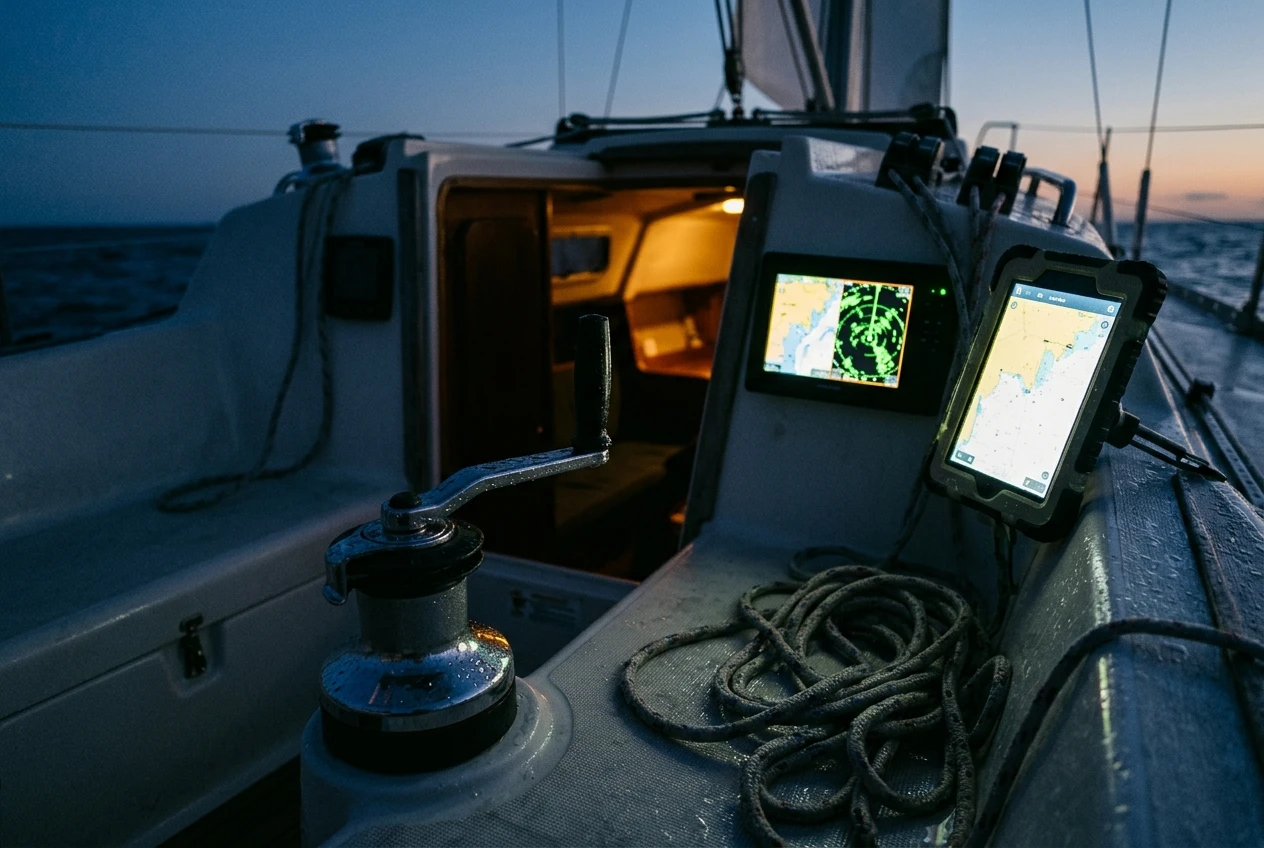
Chartplotter overlay. If you already have a compatible chartplotter, the radar picture can appear on that screen, and the plotter can overlay it on the chart. This saves buying a screen and keeps one device running instead of two. It does depend on compatibility between the radar and the plotter, and the wiring and settings are where overlays most often fail. The article on how to connect marine radar to a chartplotter covers the cables, networks and settings in detail.
Tablet or phone. Some radars send their picture over a wireless connection to an app. This avoids a dedicated screen and can be a low-draw way to view the picture. Check three things first: whether the radar you are considering supports it, how the tablet’s own battery and charging fit your power plan, and whether the screen is readable in daylight and usable with wet hands.
On the battery question, the chartplotter overlay is usually the most economical choice if you already run a plotter, because the screen is already on. A tablet may be the cheapest if the radar supports it and the device is charged separately.
Mounting a scanner on a boat that heels: mast, radar pole or backstay, and what each does to the picture
Radar sends its beam in a fan shape, wide vertically and narrow horizontally. When the boat heels, the fan tilts. At moderate angles, the beam still covers the water ahead. At greater angles it points partly at the sea and partly at the sky, and close targets on the low side can fade from the picture.
Mounting position decides how much height you get, what blocks the beam, and how much load you add to the rig.
- Mast mount: gives the most height, which extends the distance at which you can see low targets. It also adds weight aloft, needs a cable run along or through the mast, and can be blocked by sails or spreaders depending on the bracket position.
- Radar pole: usually at the stern. It puts the weight low and the scanner within reach for service. The height is lower, and the rig and backstay may block part of the beam astern or ahead.
- Backstay mount: places the scanner on the backstay, on a bracket designed for the purpose. This adds load to the stay, so check the bracket’s rating against your rigging. The scanner then sits in the line of the mainsail’s leech and the stay itself, and may swing as the stay moves.
Whichever position you choose, mount the scanner above head height for anyone sitting in the cockpit, because the radar beam is microwave energy. The manufacturer’s installation manual gives the minimum safe distance for each model, and you should follow it.
Before you drill anything, sit in the cockpit and look at where the rig, boom and sails sit relative to each possible mounting point. Any structure that blocks the beam will show as a gap in the picture.
Running radar on a budget: timed transmit, standby and range habits that save amp-hours
Once you’ve chosen the hardware, how you operate the radar determines your total draw. Three habits help.
Use standby between looks. Standby draws less than transmit on any unit, and a solid-state radar returns from standby quickly. Switch to transmit when you need a picture, then back to standby. On a magnetron unit, remember the warm-up period, so standby is the better choice than switching fully off if you will need it again soon.
Use timed transmit if your radar has it. Many units offer a mode that transmits for a few sweeps and then rests for a set interval. It keeps a regular picture of the surroundings at lower average draw. Look in your unit’s manual or menu to see whether it is offered and what intervals it allows.
Choose the range that suits the situation. Short range gives a detailed view of nearby targets, and that is what a small boat uses most. Check the manual to see whether range settings affect power draw on your model, because this varies between designs.
Alongside these habits, put the radar into a written power budget for the boat. The article on how to calculate a power budget for your boat’s safety systems shows how to list each load, its draw, and your expected hours of use, so you know whether the bank can carry radar through a full night in fog.
Questions to ask before you buy, and when AIS should come first
Put these questions to the seller or the manufacturer before you commit:
- What is the power draw in standby and while transmitting, at 12 V?
- How long is the warm-up time from standby to transmitting?
- Is timed transmit available, and with what intervals?
- What does the scanner weigh, and what mounting hardware is included?
- Will it show on my existing chartplotter, or does it need its own display or an app?
- What cable length is supplied, and what does the manufacturer recommend for a run up a mast?
- What is the minimum safe distance from the scanner for people aboard?
Next, test the answers against your own boat. Can the mast or pole carry the weight? Can the bank carry the draw for the number of hours you expect to run it? Does the display route suit your boat’s existing electronics?
If several answers come out badly, the sensible move may be to fit AIS first. AIS shows vessels that transmit, uses less power than radar, and needs no scanner aloft. It does not show vessels that carry no transponder, rain, or land. The article on radar versus AIS for sailboats sets out what each one misses and how to choose which to buy first.
A small-boat radar choice comes down to measured figures: the weight on the rig, the amp-hours in standby and transmit, and the display route you can power and wire. Set those against what you need the radar to do in fog, at night, and in traffic, and the right model usually becomes clear.
This article was created with AI assistance and reviewed by a human editor.
Disclosure: This post contains Amazon affiliate links. If you buy through them, we may earn a small commission at no extra cost to you.
About The Author


