Simrad Marine Navigation systems have made a real impact in the boating and fishing world.
If you spend time on the water, whether for work or recreation, having reliable and advanced marine navigation technology goes a long way in making your experience safer and easier. As someone who has relied on navigation equipment in all kinds of water and weather, I pay attention to real performance and ease of use over flashy marketing claims. I’m going to walk you through what stands out about Simrad’s advanced marine navigation technologies and give you a practical look at how they compare to other choices, especially Garmin.
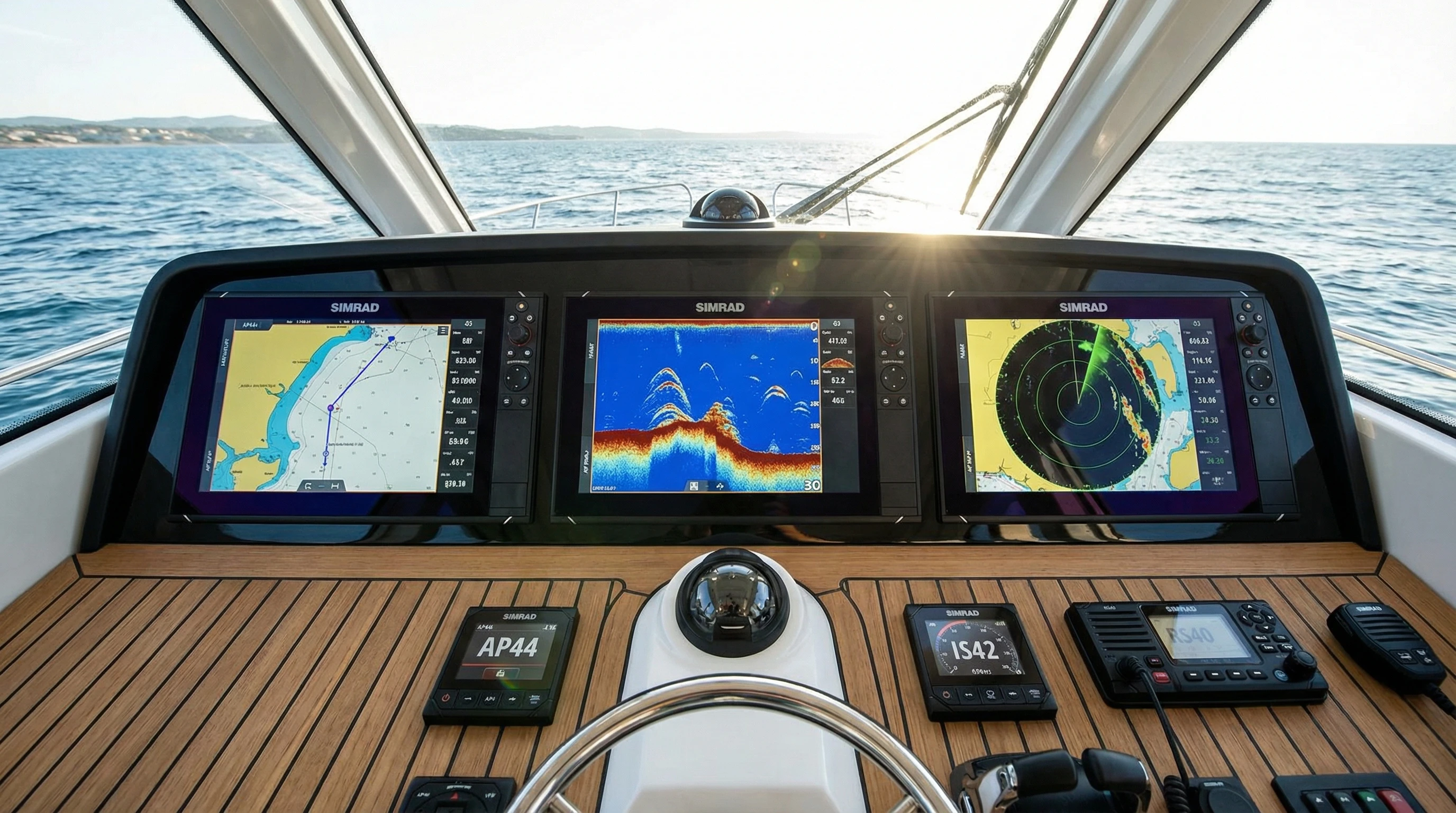
Understanding Advanced Marine Navigation Technology
Modern boating relies heavily on technology for navigation, safety, and even fishing success. Back in the day, boaters had to rely on paper charts, compasses, and a good dose of experience. Today, advanced marine navigation technology puts real time mapping, radar, sonar, autopilot, and smart integration right at your fingertips. Simrad Marine Navigation systems have become known for their intuitive interfaces and a lineup of high performance features designed for both seasoned mariners and newcomers.
Growth in marine electronics matches how people are boating today. There’s more focus on touchscreen controls, networked systems, mobile integration, and cloud based data. From my experience, the switch to integration, where radar, sonar, charts, and even entertainment work together in one hub, has completely changed how I find my way and enjoy long days on the water. This all in one approach saves me time, gives me confidence when plotting courses, and helps me react quickly to changing weather or busy waterways.
Essential Features in Simrad Marine Navigation Systems
When considering Simrad Navigation Systems Features, I look first at real world usability. Here are some of the core features that stand out in Simrad’s advanced line for 2026:
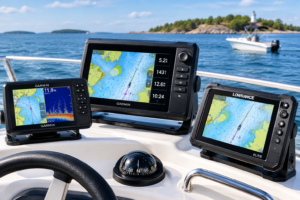
- MultiTouch Displays: Simrad’s GO and NSS EVO3S displays are sunlight readable and very responsive. I can pinch, swipe, and tap just like on a smartphone, which saves a lot of time during unexpected course changes.
- Radar Integration: High detail radar isn’t just for commercial boats. Simrad Halo pulse compression radars give me clear images of shorelines, obstacles, and weather fronts. I especially value the dual range viewing that lets me watch distant and closeup targets side by side.
- ForwardScan Sonar: This sonar gives me a real-time picture of what’s ahead under the boat. It’s especially helpful in shallow waters or unfamiliar harbors, giving extra peace of mind when depth changes quickly.
- Autopilot: Simrad Autopilot systems are known for reliable course keeping. I can set routes, hold headings, or steer to waypoints even in choppy conditions, freeing up time for other onboard tasks.
- Chartplotting: Built-in chartplotters use C-MAP and Navionics mapping. I adjust views, create custom routes, and sync my charts between devices. The detail and updates available on Simrad systems keep planning and navigation current and accurate.
- Connectivity: Simrad supports NMEA 2000 and Ethernet networking, so I can integrate compatible sensors, engine data, and even control music and lighting from the same screen.
Having all these features accessible from one intuitive interface isn’t just convenient, it helps avoid distractions and make informed decisions quickly. This is something I value anytime weather or traffic gets unpredictable, as a distraction at the wrong moment can create a real hazard.
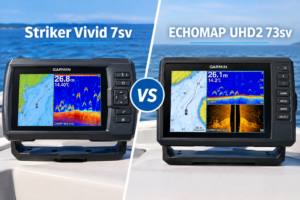
Simrad vs Garmin Navigation Comparison
The Simrad vs Garmin Navigation Comparison is a common question I hear from boat owners. Both brands are leaders in marine electronics, but each has its own focus. Here’s how the main differences look from someone who has used both extensively:
- User Experience: Simrad’s interface feels closer to a smartphone. Garmin menus are straightforward, but sometimes require more steps for the same task. Simrad’s more visual presentation gives me peace of mind when switching screens on the fly.
- Sonar and Imaging: Both brands offer high definition sonar. I find Simrad’s ForwardScan and StructureScan HD to excel in structure and bottom detail, while Garmin’s Panoptix is popular for its realtime live views, especially with anglers who want to track moving fish.
- Radar: Simrad’s Halo Radar refreshes quickly and delivers detailed images even in crowded areas. This is key for me when I’m running inshore channels or approaching marinas at night. Garmin radars are solid but tend to lag slightly behind in refresh rate and multitarget tracking.
- Network Integration: Simrad tends to support more third party integrations and sensors. I find this helpful for future upgrades or customizing a setup. Garmin’s system is a bit more closed, sometimes limiting mix and match options.
- Charts: Availability is similar, as both accept Navionics charts, but Simrad’s C-MAP integration gives extra layering and custom options I appreciate for long passages or unique waypoints. Overlaying weather and tide data onto chart displays feels seamless in Simrad’s system.
- Price: Both brands offer a range for different budgets. Simrad sits just above Garmin for the high end models, but the extra features and integration justify that for my priorities, especially if you’re running a larger vessel or want future proof technology.
Both brands get good reviews, but if you value full integration, radar performance, and an easy to learn interface, Simrad often comes out ahead in real-world use. Reading Simrad Navigation User Reviews is helpful, most users praise how upgrades and multidevice syncing constantly improve the experience over time. Owners often remark that Simrad feels faster, more stable, and better able to handle system expansions.
How to Use Simrad Navigation Technology
Getting the most out of Simrad Marine Navigation doesn’t require an engineering degree. Here’s how I approach learning and using each system:
- Start with the Display: I usually power on the multitouch unit dockside. Going through menus, tapping functions, and customizing the layout helps make sure I’m not fumbling around when underway. Familiarizing myself with icons and quick shortcuts saves me stress later on.
- Set Up Networking: Once the display is running, I connect the system to NMEA 2000 sensors, engine data, and radar. The Simrad device frequently recognizes these automatically, making setup mostly plug and play. Double-check connections to avoid issues underway.
- Load and Update Charts: Before heading out, I load up the latest C-MAP or Navionics charts. Simrad makes it simple to update via WiFi or SD card. Keeping maps current is super important, especially for changing coastlines and shallow areas. Always back up user data before updating to prevent headaches.
- Test Sonar and Radar: In open water, I check ForwardScan or StructureScan sonar for bottom detail and hazards. Turning on the radar gives me real time updates on vessels, buoys, or weather cells, which helps avoid surprises in limited visibility.
- Create Routes and Waypoints: The drag and drop route planning is easy even for beginners. I like to set home, anchor points, nearby marinas, and fishing spots as waypoints, using custom names and icons for quick reference.
- Practice with Autopilot: Manual operation is always an option, but using Simrad Autopilot on a straight stretch saves time and reduces fatigue. I usually run test tracks to see how the autopilot handles waves and adjusting course. Practicing in calm weather builds confidence for tougher conditions.
Simrad’s system tends to get easier the more you use it. There are plenty of official guides and community videos out there, and I also recommend joining forums to learn from real users’ experiences. Over time, muscle memory helps in emergencies, and you’ll find yourself accessing advanced features without thinking twice.
What to Consider When Choosing Advanced Marine Navigation Systems
Picking out a Simrad system is easier if you keep some key considerations in mind. My advice is shaped by mistakes I’ve made and successes I’ve had upgrading boat electronics:
- Display Size: Bigger screens are easier to read from the helm, especially on choppy water. I recommend at least a 9″ display for most boats, though smaller options are available for kayaks or smaller center consoles. A larger display also makes split screen viewing of sonar, radar, and charts much more useful.
- Network Capability: If you plan to expand your system or add sensors (like engine or fuel monitoring), look for models that support Ethernet and NMEA 2000 connections. This keeps your system future ready and makes adding new components simple.
- Radar Integration: For longer trips, open water crossings, or fishing in fog or low light, radar integration adds extra safety. Make sure your chosen display supports Halo or other Simrad radar options. Radar overlays on digital charts are a big confidence booster at night or in poor visibility.
- Sonar Features: If you fish a lot or run in shallow water, advanced sonar like ForwardScan or StructureScan should be high on your list. The difference in target detail can be striking, especially when compared to entry level fish finders. Accurate sonar helps avoid grounding, find fish, and check anchor spots.
- Software and Firmware Updates: Regular updates keep your system running smoothly and add new features. Simrad’s update process is pretty smooth, but check model compatibility online before choosing. Some older units might not receive every new feature, so choose with an eye for future updates.
- Ease of Mounting: Consider how the system will fit at your helm. Some Simrad displays support flush or bracket mounts, and you’ll want to choose what matches your layout for both visibility and comfort. Double check your dash space and power requirements before ordering.
Careful research helps buyers make informed decisions, but talking to other boaters who use their electronics often gives extra insight that manufacturer specs sometimes miss. Firsthand accounts help highlight durability, screen readability, and handling of real-world issues like salt corrosion or overheating on hot days.
Radar and Sonar, Two Big Advances in Simrad Technology
Radar and sonar have both seen major advances in the last few years. In my experience, Simrad’s Halo Dome and Open Array radars deliver some of the clearest images on the water. They work fast and adjust automatically for rain, sea clutter, and moving targets. Being able to overlay radar data on your digital charts helps me spot changing conditions before I see them outside, preventing potential close calls with obstacles or other vessels.
Likewise, ForwardScan sonar is helpful for precise docking, anchoring in new bays, or exploring uncharted spots. I’ve used it to pick safe paths through rocky areas that would otherwise be risky. Combined with detailed mapping, it’s become a key tool when running unfamiliar waters. The ability to make out obstructions before finding them the hard way is a big step up in safety and stress reduction.
Connectivity and Integration with Simrad Navigation
Modern Simrad Navigation Systems Features usually include mobile connectivity, so your smartphone or tablet can display charts, radar, engine data, and alarms. I often upload routes from my laptop at home, sync them to the helm display, and share location info with crew or fishing buddies easily through the Link app. This makes trip planning and sharing catches or favorite routes much simpler.
Integration with external devices is another strong point. For example, I can view engine diagnostics, control onboard audio, and view security cameras all from the Simrad screen. This saves space and declutters your dashboard, letting you focus on navigation while still controlling all the essentials for comfort and safety.
Top Simrad Marine Products 2026
- Simrad NSS EVO3S Series: Fast processors, bright displays, and full networking make these a top choice for serious boaters and anglers. The responsiveness and software stability are standouts, and the display is clear even under glare or with polarized sunglasses.
- Simrad GO Series: Targeted at smaller boats and day cruisers, the GO series combines chartplotter, sonar, and radar support in a compact unit. The quick setup and compact footprint make it great for limited space.
- Simrad HALO20+ Radar: Fast boot times and 360 degree scanning for seeing weather or obstacles minutes before they become an issue. I appreciate the quick startup when I’m running short hops or just want to check for distant storms.
- Simrad AP44 Autopilot Controller: Works with newer and older Simrad systems, offering precision and easy switching between manual and automated steering. Even solo boaters will appreciate the extra set of “hands.”
- ForwardScan Sonar Module: Great addon for safety and precise depth awareness. It pairs well with the NSS EVO and GO displays, providing a unique edge when exploring new anchorages or tight channels.
These products combine userfriendliness with the latest tech, and constant updates keep them feeling current longer than many competitors. The hardware is rugged, the software updates come regularly, and Simrad continues to add features requested by actual users, making your investment last longer.
Common Issues and User Experiences with Simrad Navigation Technology
Reading Simrad Navigation User Reviews gives me a better idea of what to expect than spec sheets alone. Most users rate Simrad’s reliability and clarity highly, especially on longer offshore runs or crowded waterways. The main complaints tend to be setup complexity for large multidevice systems, and occasional slowdowns during software updates Simrad support is usually quick to help with updates or troubleshooting, based on what I’ve seen reported and experienced myself.
One piece of advice is to keep firmware updated and use compatible SD cards for chart updates. This avoids most technical headaches. Another common suggestion is to explore online forums and help videos for solutions to unusual issues. Fellow owners often have workarounds that aren’t listed in manuals, and the Simrad community tends to be responsive and passionate about sharing fixes and tips.
Practical Tips for Making the Most of Simrad Marine Navigation
After years on the water, I’ve picked up a few habits that make life much easier with advanced navigation gear:
- Regularly back up waypoints, routes, and user data to an external device or the cloud. This protects you from accidental erasures or software glitches.
- Clean display touchscreens with a soft, damp cloth to preserve sensitivity and visibility. Avoid harsh chemicals or paper towels, which can scratch or smudge screens.
- Update software before busy boating seasons for smoother performance and bug fixes. Test the system locally after each update to catch any missed settings or new features in a safe environment.
- Double check connections if adding new devices. This avoids communication dropouts or sensor issues down the road. Label cables where possible for faster troubleshooting later.
- Practice using radar overlays, splitscreen sonar, and autopilot features in calm conditions so they’re second nature when you need them. The more familiar you become with these, the less you’ll have to think under pressure.
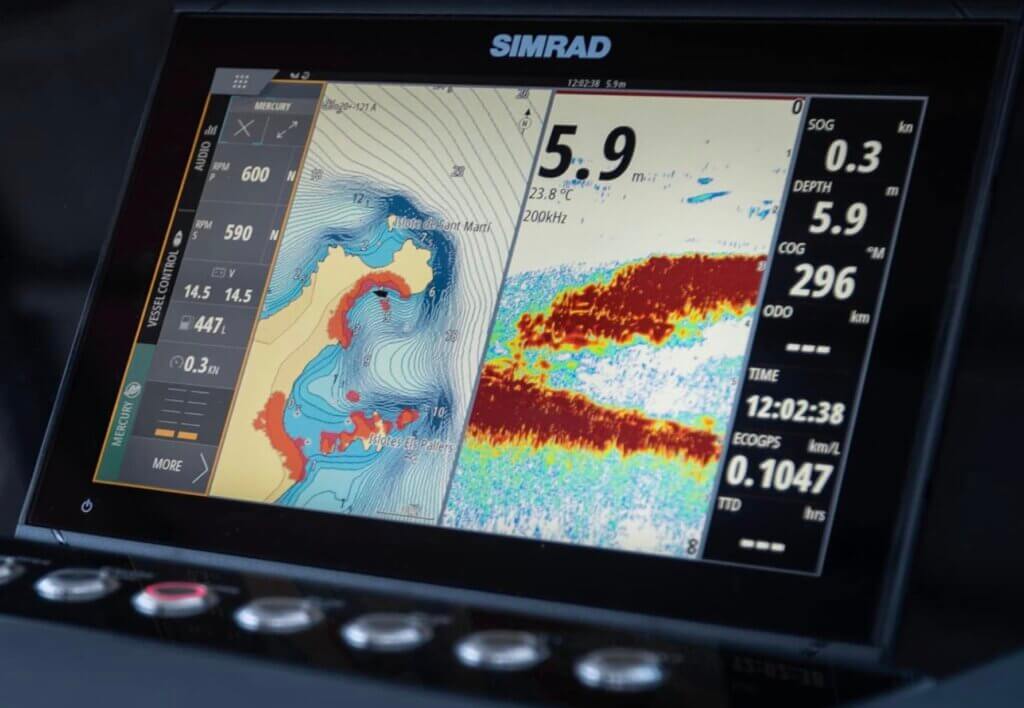
Good prep and regular use make advanced features a real asset, not just tech you forget about the next season. Troubleshooting is easier when you’ve already explored menus and settings in low stress situations, so make regular practice a habit.
Frequently Asked Questions
Here are some questions I’m often asked as someone who’s spent a lot of time with these systems:
Question: How do I update my Simrad Marine Navigation system’s charts?
Answer: Use WiFi or an SD card to download the latest charts from Simrad’s website or C-MAP. Follow display prompts to install updates. Backup data first and check compatibility for your specific model.
Question: What’s the learning curve like for a complete beginner?
Answer: Simrad’s touch display and menu system are pretty userfriendly, though it can take time to explore all features. I suggest starting with chartplotting and GPS, then adding in sonar, radar, and autopilot functions as you get comfortable. There are helpful tutorials on Simrad’s official site and YouTube channel.
Question: Can I use older transducers or sensors with new Simrad navigation displays?
Answer: Many Simrad units support backward compatibility through adapter cables or configuration options. However, check Simrad’s compatibility lists online to make sure before buying or installing new gear.
Why Simrad Remains a Top Choice in Advanced Marine Navigation Technology
Simrad’s combination of reliable hardware, high clarity displays, and broad integration makes it a favorite for boaters who take their time on the water seriously. As technology continues to move quickly, Simrad’s commitment to regular updates and support keeps even older models competitive, which I’ve appreciated on more than one upgrade cycle.
For any boater or angler thinking about their next navigation upgrade, putting Simrad Marine Navigation systems on the shortlist makes sense. With practical training, regular software updates, and a bit of hands-on practice, these systems become trusted partners on every trip.
Whether you’re crossing open water, fishing near rocks, or just heading to a new marina for the first time, Simrad delivers the kind of reliability and value that brings peace of mind every time you untie the lines.
About The Author




After reading this article, I found it very detailed with a strong, well-explained comparison. I like that you focused on real-world GPS use and system integration rather than just technical specs, which can be overwhelming for many readers. It’s interesting to see how far navigation technology has come compared to when people relied only on paper maps and basic tools.
I also appreciated how you explained Simrad’s radar refresh rates, networking flexibility, and touchscreen performance in actual conditions. That helped me understand why some boaters prefer Simrad over Garmin, even though personal preference still plays a role. The section on radar and ForwardScan sonar stood out as well, especially when it comes to safety in unfamiliar or shallow waters.
A question though, do you think Simrad offers the biggest advantage for offshore and longer passages, or do you find the benefits just as noticeable for smaller inshore boats and day cruising as well? Overall, this was a solid breakdown for anyone seriously comparing navigation systems.
Thank you for the thoughtful feedback, I’m really glad the real world focus and integration angle came through clearly. You’re right, specs alone don’t mean much until you understand how the system actually behaves on the water, especially compared to the days of paper charts and basic navigation tools.
To your question, Simrad’s advantages are most obvious offshore and on longer passages, where things like radar performance, faster refresh rates, networking flexibility, and redundancy really earn their keep. When you’re dealing with extended night runs, changing weather, traffic separation zones, or unfamiliar approaches, those strengths become very noticeable and confidence-building.
That said, the benefits aren’t limited to offshore use. Even for smaller inshore boats and day cruising, Simrad’s strengths still show up in subtler but meaningful ways, clearer radar returns in busy coastal waters, smoother touchscreen performance in sun and spray, and easier system expansion if you add AIS, ForwardScan, or extra displays later on. For boaters who prioritize safety, situational awareness, or future upgrades, those advantages can absolutely be felt even on shorter trips.
So I’d say Simrad scales well, offshore users tend to need the advantages, while inshore and day cruisers tend to appreciate them, especially over time. Thanks again for the kind words and for raising a great question, it’s exactly the kind of comparison boaters should be thinking about when choosing a navigation system.
Great points you highlighted on real-world usability, especially around radar refresh rates, ForwardScan in shallow water, and system integration, made me understand fully. The Simrad vs Garmin comparison felt fair and not directed in one direction.
The emphasis on practising features like autopilot and radar in calm conditions is such an underrated tip, and the reminders about backups and firmware updates are exactly the kind of advice boaters tend to learn the hard way. Your points about integration and future-proofing really stood out, especially how Simrad’s openness with third-party sensors can make a big difference over time.
If I were to do inshore cruising with occasional night runs and light fishing, should I lean more toward the GO series paired with Halo radar, or is the NSS EVO3S still worth the jump for that use case? Curious how you’d size that decision in the real world. This was a great read, thanks!
David
Thanks a lot, David, really appreciate the detailed feedback. I’m glad the real world angle and the Simrad vs Garmin comparison landed the way it was intended. Those, learn it before you need it, habits (radar, autopilot, backups) really do save people from stressful lessons later on.
For your use case, inshore cruising, occasional night runs, and light fishing, here’s how I’d size the decision in practical terms:
GO series + Halo radar
This setup makes a lot of sense if:
Your runs are mostly familiar waters and daylight, with night use being occasionalYou value a clean, simple touchscreen interfaceYou don’t plan to add a lot of extra sensors beyond radar, AIS, and basic sonarBudget and helm space matter
Paired with a Halo (especially Halo20 or 24), you still get excellent short-range radar performance for night navigation and traffic awareness. For many coastal cruisers, this setup is more than enough and keeps things intuitive.
NSS EVO3S, when it’s worth the jump
The EVO3S starts to earn its keep if:
You do frequent night runs or reduced visibility navigationYou want physical controls (keypad + rotary) alongside touchscreen, a big deal in rough weatherYou expect to grow the system over time (advanced sonar modules, multiple displays, more third party integration)You want faster processing and more flexibility long term
Even for light fishing, the stability, control options, and expandability of the EVO3S can feel more confidence inspiring, especially when conditions aren’t ideal.
Real world takeaway
If night runs are truly occasional and your setup will stay relatively simple, GO + Halo is a smart, cost effective choice. If you see yourself slowly adding capability, running at night more often, or just wanting maximum control and future proofing, the NSS EVO3S is still a worthwhile investment that you’re unlikely to outgrow.
Really glad you enjoyed the articl, thanks for reading and for the thoughtful question. Happy to dig deeper if you want to talk screen size, radar models, or helm layout next.
This is a solid breakdown of Simrad’s navigation tech, especially the real-world comparisons with Garmin. I like how you emphasized integration and usability over just specs, having radar, sonar, charts, and autopilot working seamlessly from one interface really does change how confident you feel on the water.
The points about ForwardScan and HALO radar stand out to me, particularly for running unfamiliar or crowded waters where reaction time matters. It’s also interesting how Simrad’s more open networking gives long-term flexibility, which a lot of boaters don’t think about until they want to expand their system.
Curious to hear how others feel. Do you think integration and radar performance matter more than live-view sonar features these days, especially for safety vs. fishing priorities?
Totally agree , it’s one thing to compare specs on paper, and another to talk about how the tech actually feels out on the water. Seamless integration between radar, charts, sonar, and autopilot isn’t just convenient, it can genuinely boost confidence and safety, especially in tighter or unfamiliar waters.
ForwardScan and HALO really do make a difference when you’re navigating tricky conditions or crowded channels. And the way Simrad’s open networking lets you grow your system without ripping everything out is a huge long-term advantage that often gets overlooked until boaters want to expand or upgrade.
As for your question, I think it comes down to your primary use. For pure safety and confident navigation, radar integration and reliable charting absolutely take priority. But for fishing-focused folks, live view sonar features like ActiveTarget or StructureScan can be deal makers. Ideally you get strong performance on both fronts, but each boater’s priorities will shape what matters most.
Curious what others think too!