The OHREX N700 GPS Navigator is designed as a travel companion for people who spend serious time behind the wheel, whether you’re driving a car, hauling freight in a truck, or taking the family on a cross-country RV trip. What always makes a difference for me is how this model makes day-to-day driving less stressful. It stands out as a practical pick for those looking for straightforward, truck-specific navigation at a reasonable cost in 2026.
Here’s how I rate the OHREX N700 GPS after long-term use and research:
Product Name: OHREX N700 GPS Navigator
Official Website: ohrex.com
Price: Typically $50 – $70 (prices fluctuate; keep an eye out for deals)
Designed For: Cars, Trucks, RVs (commercial and personal use)
Map Updates: Lifetime, free over Wi-Fi
Display Size: 7-inch antiglare touchscreen
Voice Guidance: Yes, turn-by-turn for hands-free trips
Bluetooth: Yes, supports hands-free calling
Traffic & Weather: Live alerts (when connected to Wi-Fi)
Routing: Custom for vehicles (car/truck/RV) including restrictions
Battery Life: About 2-3 hours unplugged (best kept powered via vehicle)
Support: Online help and email
User Rating (2026): 4.7/5 (based on Amazon & forum reviews)
What Makes OHREX N700 GPS Different?
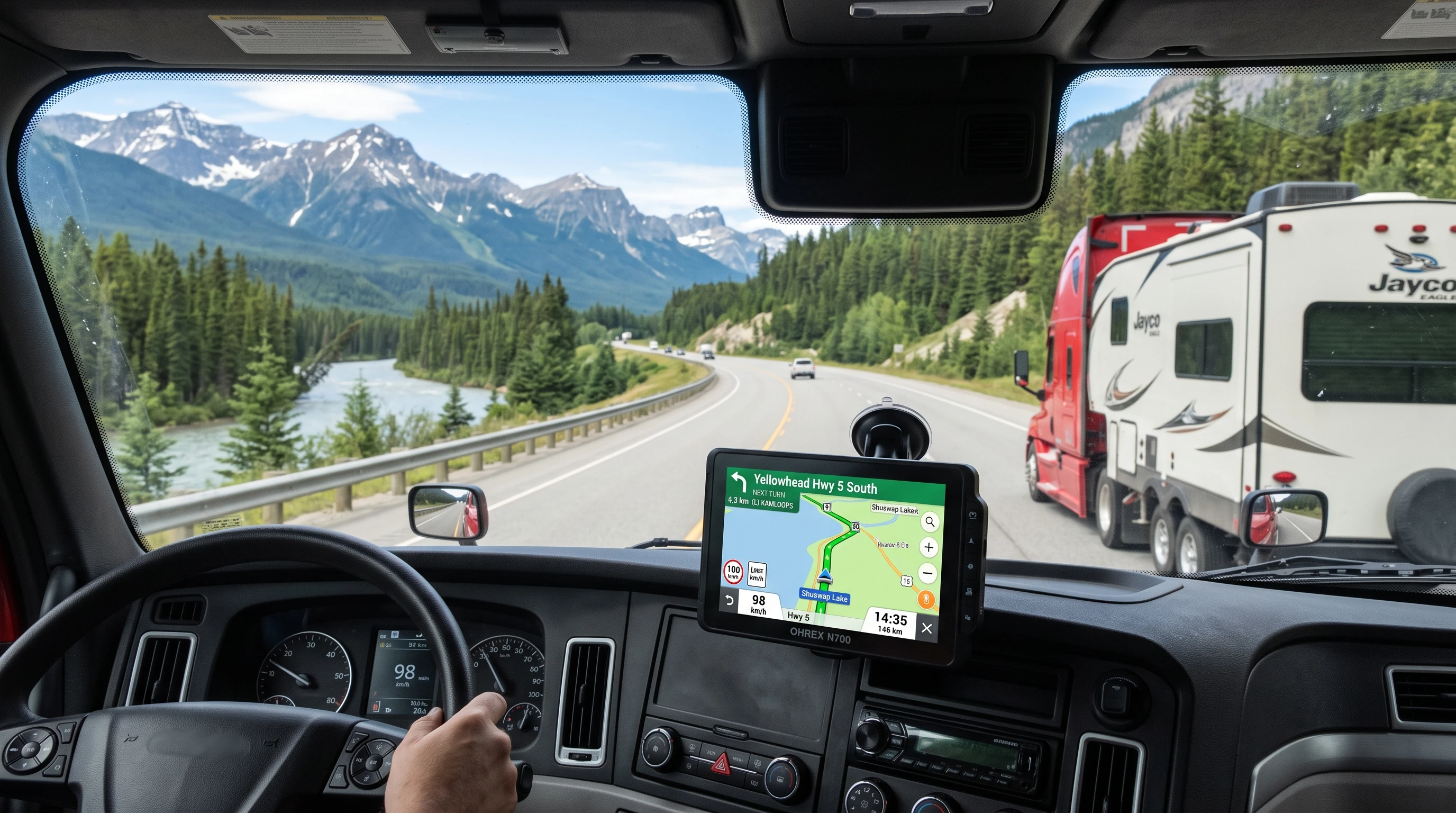
After using multiple GPS devices through the years, I notice one thing about the OHREX N700: its focus on practical navigation for large vehicles. The built-in software lets me enter the exact dimensions and weight of my truck or RV. This feature saves a lot of headaches by keeping me off roads, bridges, and tunnels I can’t fit or legally drive on. Most basic GPS systems skip these details entirely, which can lead to stressful detours or even fines. I find that a big deal, especially for new drivers or those unfamiliar with certain highways or backroads.
About OHREX—Who Builds the N700?
OHREX entered the GPS market to solve reliability issues that drivers face in real-world settings. Founded by a team of navigation engineers who felt that too many GPS devices were either outdated or just too complicated, OHREX has focused on creating userfriendly, robust navigation hardware and software. My experience has been that their support is helpful and the map update system is clear and consistent, which isn’t always the case with some other brands. The N700 is their flagship model for truck, RV, and car users, and customer reviews suggest they really listen to what drivers ask for in future updates.
OHREX N700 Core Features: Details That Matter on the Road
These are the features I’ve found genuinely useful when using the OHREX N700 GPS for daily hauls and longdistance trips:
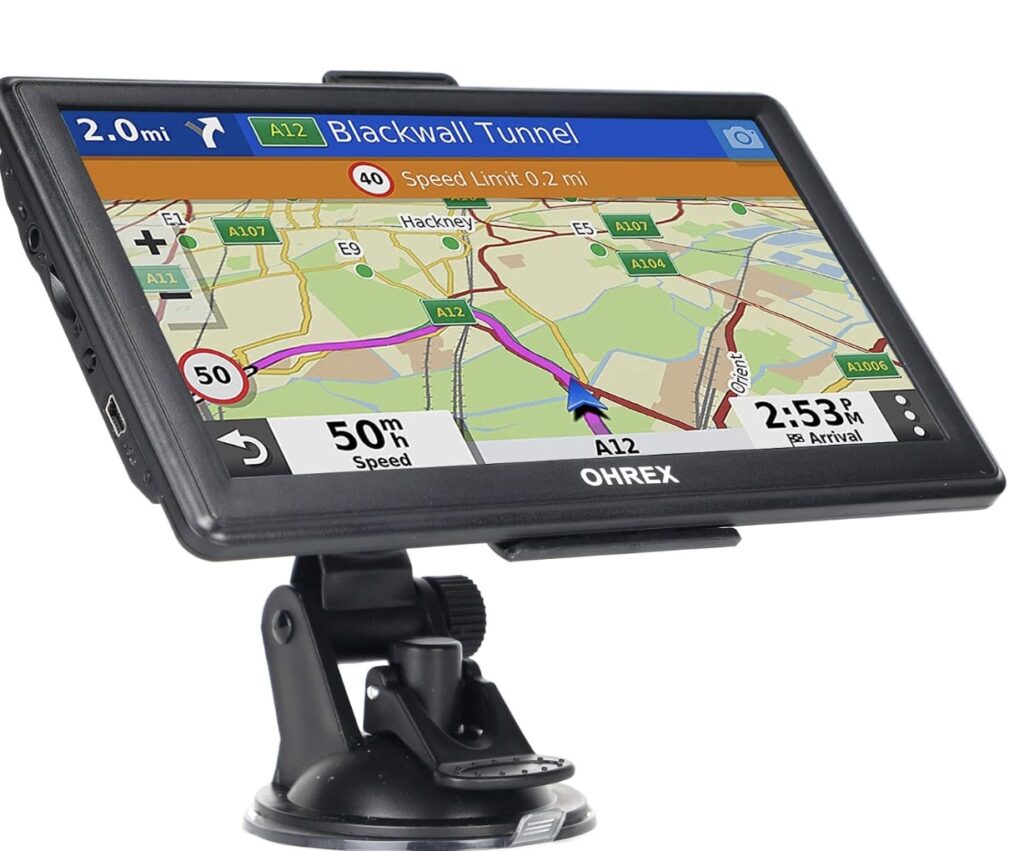
- Accurate Vehicle-Restricted Routing: Entering height, weight, length, and cargo restrictions for my vehicle right in the settings gives me more confidence with turn suggestions and helps avoid “no truck” zones.
- 7-Inch Antiglare Screen: The touchscreen is easy to read in bright sunlight and dimmable during night drives. This matters a lot on highways or city streets where glancing down for directions needs to be super quick.
- Lifetime Map Updates: The maps stay updated effortlessly via Wi-Fi. I don’t have to subscribe to a paid service just to keep my route information current.
- Dual GPS/GLONASS Positioning: Getting a fast, consistent GPS lock even in dense city blocks, tunnels, and under heavy forest canopy sets this device apart from cheaper models.
- Turn-by-Turn Voice Guidance: Hands-free navigation means I can keep my eyes on the road without missing turns or exits. It’s available in several languages, which helps for bilingual drivers.
- Bluetooth Calling: Connecting my phone by Bluetooth, I can answer calls through the speaker, so I’m not reaching for my phone at the wheel.
- Real-Time Traffic and Weather Alerts: When connected to Wi-Fi, I get helpful road closure, accident, and severe weather warnings, an added safety element I use all the time on cross-country hauls.
- Points of Interest and Custom Waypoints: Finding rest stops, fuel stations, truck parking, or a nearby RV campground is quick. Adding my favorite stops or warehouses to the list saves time on regular routes.
OHREX N700 Setup and Day-to-Day Use
Setting up the device is about as painless as it gets:
- Plug into your dashboard, ignition outlet, or use the suction mount on your windshield.
- Power on and select your preferred language and region.
- Connect to Wi-Fi for initial map setup. This is where you’ll benefit from the lifetime updates.
- Choose your vehicle profile from the menu (car, truck, RV).
- Enter your vehicle’s exact size, weight, and any load details if you’re driving a truck or RV.
- Start a route by either typing an address or using voice command for hands-free operation.
Day-to-day, the device’s interface is clean: big icons, easy to see menus, and no extra distractions. I love that I can switch between car and truck profiles without restarting everything, which comes in handy when I switch vehicles or do occasional family road trips.
How to Update OHREX N700 GPS Maps
Keeping maps fresh is really important. OHREX makes this process simple. Once the device is connected to Wi-Fi, head to the settings menu, look for the “Map Update” icon, and follow the prompts. Free map packages for North America (and sometimes extra world regions) install directly. No computer or cables needed, and no hidden fees for updates. That’s something that saves me frustration compared to older GPS units that required downloads to SD cards or license payments just to fix road changes.
Routes and Restrictions: What OHREX Gets Right
Having driven hundreds of miles on regional highways and through major urban areas, it’s clear to me that the OHREX N700 does a good job of keeping me off low-clearance bridges, sharpturn alleyways, and city streets with weight restrictions. For truckers, the time saved avoiding a dead-end route or illegal detour is huge. For RV owners, this means less anxiety about hitting an impassable road. The device uses realtime traffic and opensource map data, always referencing your actual truck or camper profile.
- Real Example from the Road: In New Jersey, there are toll roads and some tunnels with tough height and hazmat restrictions. During one delivery, the N700 rerouted me before I even approached an off-limits overpass, saving me time, fuel, and hassle.
OHREX N700 Versus Other Truck & RV GPS Devices
Compared to names like Garmin Dezl, TomTom Trucker, or budget smartphone apps, what stands out for me about the N700 is its value and straightforward operation. With a lower price tag, lifetime map support, and no monthly add-ons, it lets me focus on driving. I’ve found most issues with similar-priced devices involve clunky menus, outdated maps, or unreliable traffic warnings. None of these have tripped me up during my N700 use. The device is not overly technical; everything from inputting an address to changing vehicle profiles can be done with gloves on, which is practical for truckers managing cargo or weather.
Who is the OHREX N700 GPS Best For?
After driving with this device for several months, I recommend it especially for:
- Commercial Truck Drivers: Anyone hauling on tight delivery schedules, especially those hauling to new or unfamiliar territories where road restrictions can quickly throw you off course.
- RV Travelers: Road trippers who want fewer surprises on backroads, especially when dealing with low bridges or winding mountain routes.
- Family Car Road Trippers: Even if you’re not hauling a heavy load, having clear, updated mapping and POIs is helpful for long rides.
- Fleet Owners/Businesses: Companies looking to equip their team with simple, shared GPS units that work across all vehicle types with quick reprogramming.
OHREX N700 GPS Community Support
I like that OHREX has built a user community where drivers can share experiences, tips, and real-world advice about custom routing, map errors, or even good truck stop locations. The support team responds clearly via email, and I’ve always had my queries sorted within 24 hours. They also pay attention to feedback from users to roll out updates and keep the navigation system reliable.
- Benefits of the OHREX Community:
-
- Direct answers to technical questions
- Peer to peer advice on routes, POIs, and common issues
- Shared files for custom waypoints and favorite routes
- Quick support response times
Tips and Best Practices for Using OHREX N700 GPS
Here are some habits I recommend for new users to get the most out of their OHREX device:
- Update maps as soon as you set up the device and every time you plan a major new trip.
- Enter precise truck/RV dimensions and weights. Small differences can change routes a lot, especially around bridges and weight stations.
- Test the device locally before heading on a longhaul trip to get used to the interface and features.
- Save your regular POIs (warehouse, truck stops, fuel) for easier repeat routing later on.
- Even though the battery will last a couple hours, it’s best to keep the unit plugged in to avoid losing navigation midroute.
- Connect to Wi-Fi at truck stops or via your phone’s hotspot regularly for live traffic, weather, and prompt map updates.
OHREX N700 GPS Specifications Overview
- Display: 7-inch touch, antiglare, autobrightness adjustment
- Resolution: 800×480 pixels
- Voice Navigation: Text-to-speech for street names
- Bluetooth: Hands-free calling, audio streaming
- Audio: Built-in speaker, headphone jack
- Mounting: Suction mount, dashboard mount included
- Memory: 8GB built in, expandable via microSD card
- GPS Chip: Integrated GPS/GLONASS dual chip
- Maps: Preloaded North America (optionally others), lifetime free updates
- Battery: 1200mAh, about 2-3 hours standalone
OHREX N700 GPS: Pros and Cons from My Experience
- Pros:
-
- Simple setup and userfriendly interface
- Accurate, reliable vehiclerestricted routing
- Excellent value for cost
- Lifetime map, traffic, and weather updates
- Responsive touchscreen and voice prompts
- Sturdy hardware build and good mounting options
- Solid battery backup for offgrid use
- Cons:
-
- WiFi needed for realtime traffic and updates; not all users have easy hotspot access on the road
- Screen resolution isn’t as sharp as some premium (more expensive) models
- Lacks some advanced fleet management features found in top commercialgrade units
- Speaker could be louder for noisy semitruck cabs, but it’s fine for most RV and car use
Common Questions About the OHREX N700 GPS
- Can the OHREX N700 be used in multiple vehicle types? Yes, just change the profile in your settings menu. I switch between RV and car use with one button. Settings for each vehicle type are saved independently.
- How accurate is the realtime traffic reporting? In my experience, it picks up most highway incidents and closure notifications as long as I have an active Wi-Fi connection. Local city detours sometimes appear with a slight delay, but overall it helps me avoid long jams.
- Does OHREX charge a subscription for map updates? No. Lifetime updates are included as long as your device stays connected to Wi-Fi at least occasionally. There are no hidden charges.
- Is it easy to add custom destinations and waypoints? Very easy. I save all my regular stops, warehouses, rest stops, delivery addresses, and access them in seconds on future trips.
- Does it work in Canada and Mexico as well? My unit came with full North America coverage, including Canada and Mexico, with updates expanding the database regularly. Always check for the latest map regions on the website.
Guide to Buying and Best Sources for OHREX N700 GPS
When I shop for an OHREX GPS, I usually start at the official OHREX website and major retailers like Amazon, Walmart, and select truck supply stores. Buying direct sometimes gives better warranty coverage or special discounts around holidays.
- Tip: Be sure the device listing says “lifetime free updates” and always check for the most recent hardware version (N700, not older OHREX models) before buying. If possible, register your device with OHREX support immediately after purchase for warranty and firmware notices.
OHREX N700 GPS Customer Reviews and Driver Feedback
I always value the opinions of other drivers, so I pay close attention to online reviews and forums before buying tech for my truck. Here are reliable points I’ve seen (and experienced myself):
- Most owners praise how the GPS quickly calculates new routes when they miss an exit or hit road closures.
- Users love the freedom from monthly map fees and the steady delivery of regular updates.
- Commercial drivers report fewer issues with restrictedroad detours compared to entrylevel, nontruck GPS or smartphone apps.
- Only a small handful mention craving sharper screens or more powerful ondevice speakers, especially for older trucks with loud engines.
- RV drivers are happy with the campground POI database and the lack of “tourist trap” ads that other branded GPS sometimes push.
- Most consider the OHREX N700 one of the most reliable GPS units for the money, especially if used as intended in North America.
Should You Pick the OHREX N700 or Use a Smartphone Map App?
I use both, but prefer my N700 for work. Here’s why:
- Phone apps eat a ton of mobile data, especially when driving through mapheavy or remote areas; one forgetful moment and you’re off grid.
- Truck or RV specific routing on apps is basic at best and rarely up-to-date with local restrictions.
- The N700 works fully offline (except for live traffic/weather, which are extra perks). I save my phone’s battery for calls, not navigation.
OHREX N700 GPS Updates: How Regular Are New Features?
I see quarterly map updates, bug fixes, and occasional POI base expansions. This helps a lot because regional construction and route changes can happen overnight in busy areas. OHREX notifies me via device popups or email if a new firmware or map version is out. The process is always clear and rarely takes more than 10–15 minutes, usually quicker when using a good Wi-Fi connection at a truck stop.
OHREX N700 FAQ and Troubleshooting
Some common issues new users ask about include:
- Unit won’t power on: Try holding the power button for 10 seconds, check vehicle power connection, and verify the charger fuse.
- GPS signal lost: Don’t mount behind metal, keep the device in open view of the sky (dashboard or windshield preferred).
- Stuck on splash screen: Hard reset by using the reset hole on the back, or contact OHREX support if the issue keeps happening.
- Can’t connect to Wi-Fi: Use a strong, open network if possible (truck stop, home, phone hotspot), and check password typing carefully.
Warranty, Support, and Return Policy
OHREX offers a standard one-year warranty on hardware and software, extendable to two years when purchased direct. Online support responds in English, and my personal experience is that tech issues are solved quickly with clear communication. Most retailers allow 30-day returns, no questions asked, which I find reassuring when buying a product that I’ll depend on daily for business.
Special Recommendations and Final Takeaways
If you’re new to commercial driving or RV travel (or just impatient with clunky old GPS units), I think the OHREX N700 is a worthwhile investment. I still carry paper backup maps and check for route closures on local state websites as a habit, but my reliance on the N700 for turn-by-turn directions grows with every good experience. For those who share vehicles, have changing delivery schedules, or want a dedicated unit separate from their phone, this is one of the more flexible and reliable choices available in 2026.
Whether you’re looking for less stress behind the wheel, safer rides, or a solid tech upgrade for your dashboard, this GPS is a good fit. Buying from trusted retailers and taking a few minutes to enter your vehicle restrictions up front leads to better, safer routes, and I’m always ready to help answer questions based on personal experience and feedback from other drivers in the OHREX support community.
PS: If you have questions or want advice on setup, updates, or getting the most out of your OHREX N700, just drop a question in the comments below or reach out to OHREX’s support channels for fast help. This is a device built by drivers, for drivers, and that’s easy to see every time you hit the road.
This article was created with AI assistance and reviewed by a human editor.
About The Author