If you’re keen on understanding underwater terrain, depth sounding with GPS has become a rewarding skill.
Many anglers, boaters, and surveyors now use GPS depth mapping techniques to create their own detailed maps. These maps help make activities like fishing and navigation safer and more efficient. I’m going to break down what you need to know to successfully gather, map, and use depth soundings on your GPS.
Understanding GPS Depth Soundings: The Basics
Mapping underwater depths, or depth sounding, has long been essential for safe boating and fishing. Traditionally, this was accomplished using a lead line. Now GPS and sonar technology make it much easier, quicker, and more accurate, allowing anyone on the water to create custom underwater charts.
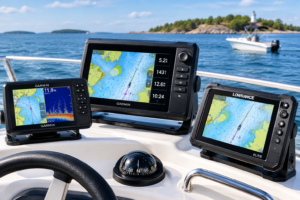
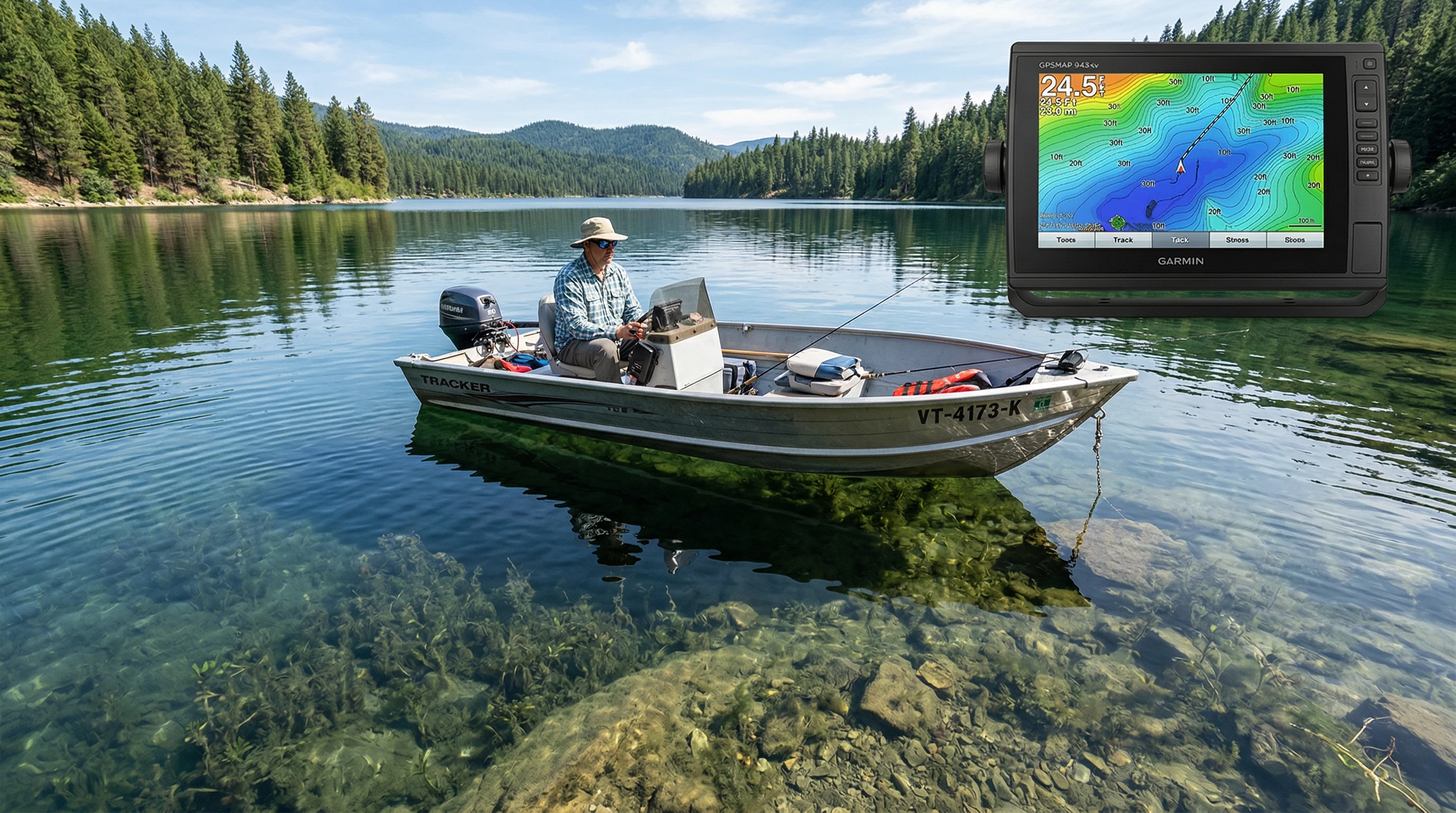
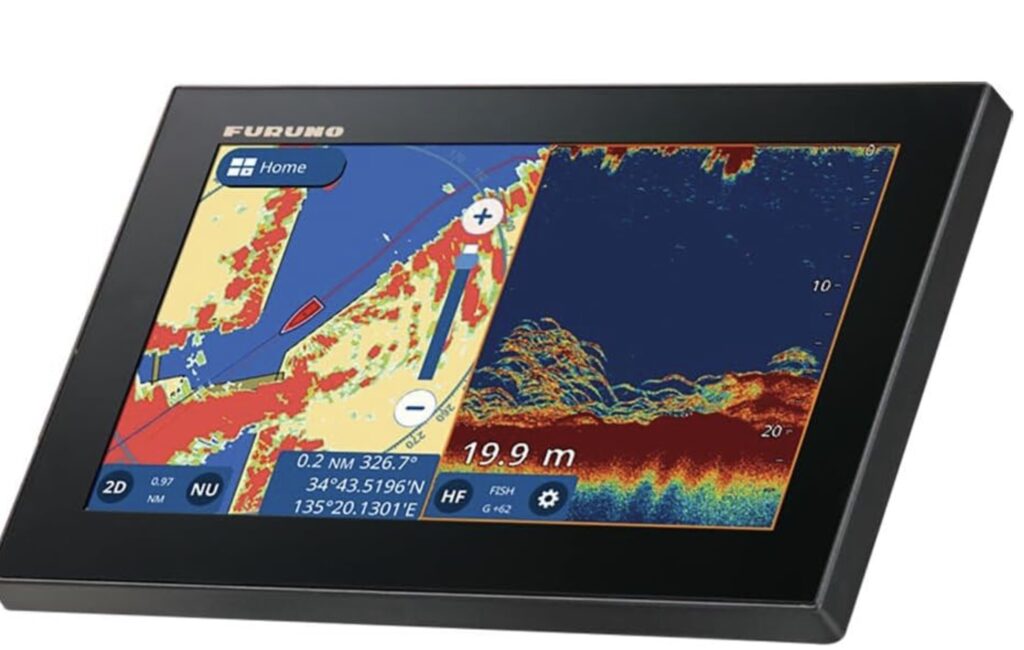
Modern GPS depth mapping techniques combine a GPS receiver with a depth sounder (or fish finder) to measure water depth and display it in real time. Whenever your boat moves across the water, the GPS logs your position, while the sounder constantly reads depth. When you sync these two data sources, it becomes possible to create precise maps showing underwater features such as slopes, drop offs, and hidden structures.
Depth soundings marked with GPS coordinates help you track productive fishing spots, avoid shallow hazards, and get a better understanding of the waters you’re exploring. Whether you’re experienced or just beginning to learn about using GPS for depth soundings, knowing the right equipment and workflow keeps things running smoothly and helps you avoid frustration.
Essential Equipment for GPS Depth Mapping
Your results depend heavily on having the right gear. For accurate depth soundings and reliable maps, here’s what you need:
- GPS Receiver: A marine GPS unit or handheld GPS logs your precise position on the water. Some models let you download base maps for offline use.
- Depth Sounder or Fish Finder: These devices use sonar to measure the distance from boat to bottom. While entrylevel units display basic depth, advanced models can produce full color maps in real time.
- Data Logging Device or App: Many modern sounders save GPS and depth data directly to an SD card. There are also mobile apps that sync with your sounder and GPS for easy export.
- Mapping Software: After your trip, use mapping software to transform all that data into easy to read depth contour charts. This makes it easy to create custom maps for offline viewing and sharing.
If you’re new to this, a top rated GPS depth sounder such as the Garmin Striker series or Humminbird Helix is a strong choice. These are known for reliability, simple setup, and easy-to-use features.
How to Use GPS for Depth Soundings, Step by Step Guide
- Mount and Sync Your Devices: First, install the depth sounder transducer on your boat following the manufacturer’s guidelines. Make sure both the GPS and sounder are powered on, and interconnect them for automatic syncing if possible. Some combos do this on their own.
- Set Up Data Recording: Enable depth and GPS logging. Check the sample rate to ensure you’re recording both coordinates and depth values. Set up a data log file or connect to mapping software before heading out on the water.
- Survey the Area: Move your boat in slow, steady passes over your target area, similar to mowing a lawn. This approach gathers dense, accurate depth readings and gives you wide coverage.
- Export Your Data: After mapping, stop the logger and download your data from the sounder or GPS. This can be done via USB, SD card, or compatible app.
- Create Your Map: Import your GPS and depth data into the mapping software you selected. Most programs let you create contour lines, use color gradients, or build 3D bottom maps for more thorough interpretation.
Once you’re familiar with this workflow, you’ll have reliable, up to date maps of your favorite waters. Anglers, paddlers, and boaters all benefit from this kind of personal mapping.
Best Practices in GPS Depth Mapping
- Consistent Speed and Path: I recommend moving at a steady, slow pace (under 5 knots) and following parallel routes for the best results. Avoid sharp turns or sudden speed changes, since these can disrupt your data.
- Overlap Your Tracks: Aim for at least 25 percent overlap between passes. This method fills in gaps and provides a smooth final map rather than a patchy one.
- Double-Check GPS Signal Strength: A clear sky helps the GPS work its best. Tall trees, cliffs, or bridges may cause errors, so wait for strong satellite signals before gathering data.
- Mark Waypoints Manually: I also like to set manual waypoints at notable spots like sunken structure, channels, or hazards as I collect depth readings. Adding notes about catches or bottom type at each waypoint creates more value later.
Sticking to these best practices ensures you avoid errors and boost your faith in the custom charts you create. Preparing properly saves time fixing mistakes later down the line.
Things to Consider Before Your First Mapping Trip
- Battery Life: Make sure both GPS and sounder batteries are fully charged and bring spares. Long outings can drain power quickly, especially when logging large areas.
- Data Storage: High detail mapping generates plenty of data, pack extra SD cards or check storage limits ahead of time.
- Weather Conditions: Calm weather creates the best soundings. Rough water or wind can add noise, decreasing map accuracy.
- Water Conditions: Murky water, heavy weed beds, or floating debris can disrupt sonar performance. Aim to survey on days when the water is clear for optimal results.
Choosing Your Soundings Equipment
Picking the right GPS depth sounding gear depends on your targets and the water you’ll be mapping. For shallow lakes or rivers, a simple GPS and fish finder combo is often enough. For deeper or more complex environments, you may want a high frequency CHIRP sonar system, delivering sharper images and revealing subtle changes in the bottom landscape. Recent GPS mapping advances for 2026 now offer wireless depth transducers, app integration, and real time data sharing between users for even more efficient chart creation.
Working With Mapping Software
Once you have your depth soundings, mapping software does the heavy lifting. Programs like ReefMaster, Humminbird AutoChart, and Navionics’ SonarChart Live let you turn your logged data into detailed, eye-catching maps. Some are PC based, while others run directly on your phone or tablet for convenience. Mastering a single platform will help you quickly adjust and interpret your charts as your mapping skills grow.
Advanced GPS Soundings Techniques
- High Frequency Data Sampling: Logging data every second or even faster allows you to capture underwater features like boulder piles or sunken timber in extra detail.
- Multiple Device Syncing: Connecting two or more sounders and GPS units on larger boats helps you collect information from multiple spots at once, increasing coverage and efficiency.
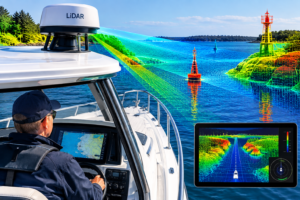
- 3D Mapping and Side Imaging: Advanced sounders can now produce real time 3D maps, including sidescan views. These images highlight both the area beneath and beside your boat, making it easier to spot ledges and structure you might miss with just traditional straightdown sonar.
Trying out these advanced GPS soundings tips lets you keep maps current and finely tuned for even greater accuracy and usefulness. These features are great when leading group trips, organizing fishing tournaments, or marking navigation routes in constantly changing rivers or tidal systems.
Real-World Use, Why Custom Depth Maps Matter
- Fishing Success: Personalized maps help you target drop-offs, humps, and weedlines that attract fish. I’ve noticed that marking the places where certain fish bite makes repeat visits more effective.
- Boating Safety: Steering clear of shallow rocks or sandbars gets easier with fresh soundings on the GPS. Updated custom maps help avoid grounding or damage, which is especially important in new locations.
- Community Sharing: Many anglers and paddlers now upload their tracks so others can use them. Sharing GPS depth soundings helps more folks fish safely, find the best spots, and stay in the know.
Frequently Asked Questions
Question: What’s the easiest way for beginners to start mapping depth on their GPS?
Answer: Pick a GPS and fish finder combo with logging capability. Use parallel patterns to pass over your area. Start small and build your skills before tackling bigger water bodies.
Question: Are there mobile apps I can use for GPS depth mapping?
Answer: Some sounders connect to mobile apps via Bluetooth or WiFi. Navionics Boating, Deeper, and i-Boating all let you collect and use basic depth data right on your phone. This mobile convenience makes it easier to get started mapping anywhere.
Question: How can I improve the accuracy of my GPS depth maps?
Answer: Make overlapping passes, use high quality GPS gear, keep an eye on the weather, and don’t forget to calibrate your sonar regularly for the sharpest charts.
Question: What’s new for 2026 in GPS depth mapping?
Answer: Fresh 2026 upgrades include wireless depth sounders with extra battery power, integration with cloud data, and automatic map creation directly on the device.
Start Mapping Your Own Depth Soundings
With some basic tools and practice, mapping depth soundings on your GPS is a fun way to learn more about your local waters. Accurate, fresh maps help you fish smarter, steer clear of hazards, and maximize enjoyment on the water. A little research and steady practice mean every trip out becomes safer, more productive, and a lot more fun.
This article was created with AI assistance and reviewed by a human editor.
About The Author