Humminbird’s GPS fishfinder and chartplotter combos make fishing trips more efficient and enjoyable with technology that’s both reliable and packed with features.
Through years of firsthand experience with marine electronics, I can confirm that seeing fish and mapping the water from the same screen fundamentally changes the fishing game. If you want an edge out on the water, you’ll want to check out Humminbird, thanks to unique tools and strong mapping systems that help you find more fish, more quickly.
Humminbird GPS Innovations and Why They Matter
The fishing electronics market has undergone big changes over the last decade, and Humminbird GPS innovations are among the most recognizable. By combining a GPS receiver and detailed chartplotter software, you can find your way, even when fishing remote waters or sprawling lakes. These features make it easy to lay out your route and tag favorite fishing spots so you can come back later.
What makes Humminbird stand out is the way sonar, mapping, and navigation all function together on one device. These all in one systems use accurate satellite data to show your position, speed, and heading. You can drop custom waypoints and plot routes on the fly, which is fantastic whether you’re fishing a tournament or just trying new territory.
Humminbird’s GPS fishfinder technology keeps getting stronger. The AutoChart Live feature lets you generate custom maps in real time as you fish. That means you’re looking at exactly what’s under your boat, with detail that rivals any preloaded map. Making your own maps becomes invaluable for hunting hidden structure or following fish movements that only appear on a real-time, scrollable chart.
One thing I’ve noticed with AutoChart Live is how quickly it turns unfamiliar water into home turf. You not only see contours and drop offs, but you also build up a unique, personal map with each pass. That personal mapping process gives you a big edge, especially on waters that aren’t covered well by preloaded charts.
Understanding GPS Fishfinder Combo Technology
Fishfinder chartplotter combos blend two big tools: a sonar based fishfinder, and a GPS enabled chartplotter. I use mine to track down fish, avoid shallow areas, find my way home, and save those secret honey holes after a productive catch.
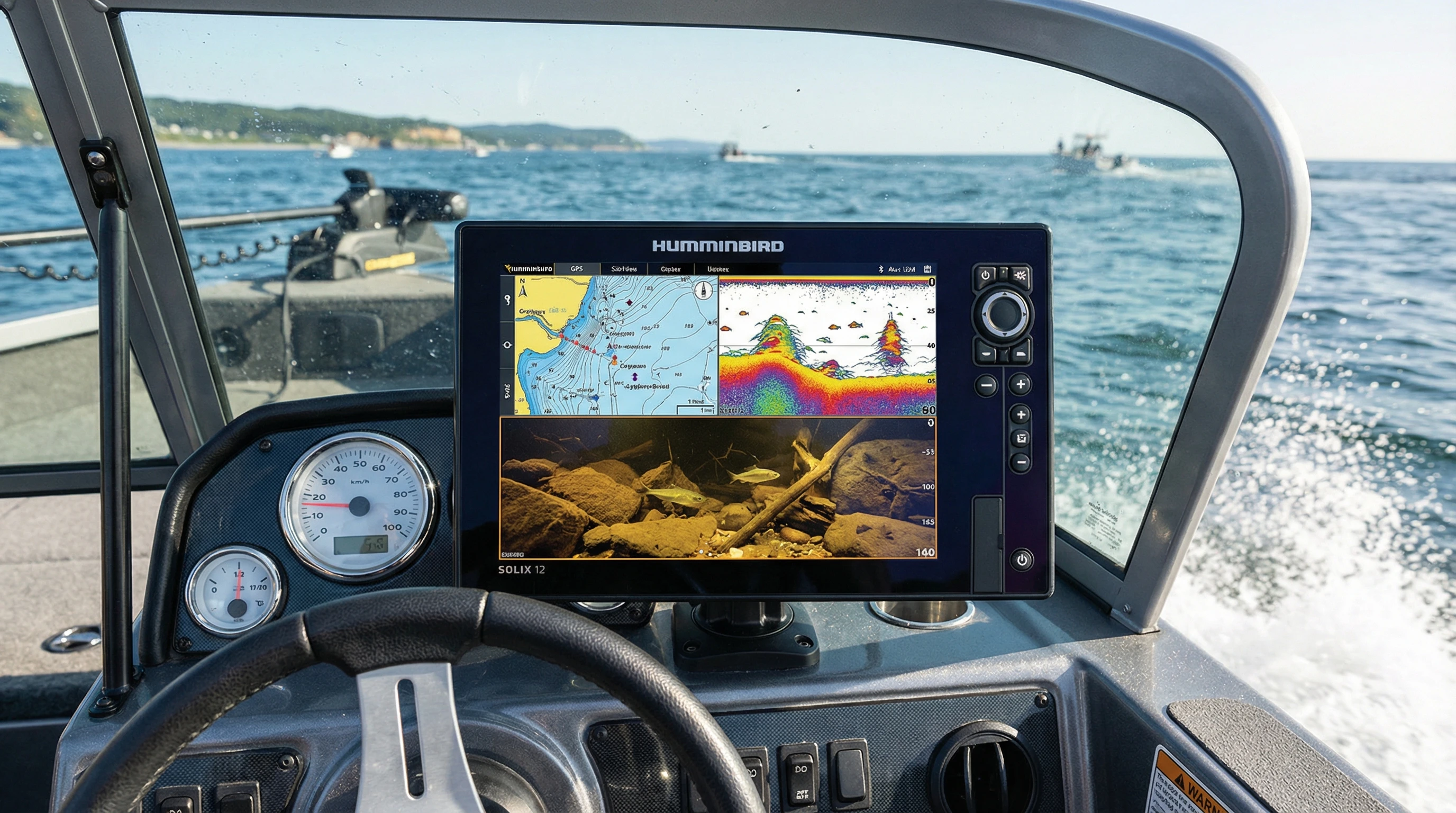
With combo units, you get a split screen display, sonar images on one side and charts on the other. GPS pinpoints your exact location, while sonar reveals what’s below. Better yet, you can drop a waypoint right on top of a brushpile, rock pile, or drop-off you find. Returning to that exact spot weeks later is only a few clicks away.
The HELIX and SOLIX series are shining examples of Humminbird’s approach. The displays are crisp, controls are uncomplicated, and GPS locking is quick. Built-in charts cover many popular lakes and coasts, but you can also import extra mapping for more detail. Reliable GPS makes all the difference, especially on big water where fog, storms, or navigation hazards can throw you off course.
The Top Combo Units: HELIX, SOLIX, and APEX Series
The best fishfinder chartplotter combos today combine high-definition sonar, live mapping, and robust GPS navigation. Every season Humminbird makes waves with updates, but three series frequently grab attention and loyalty:
- HELIX Series: With a simple interface, HELIX combos offer strong sonar and mapping at wallet-friendly prices. The MEGA Imaging stands out since you see incredible clarity in both side and down views.
- SOLIX Series: Featuring touchscreens and advanced networking, these units boast customizable home screens. You can easily link with other gear, making advanced features accessible, even for first time buyers.
- APEX Series: If you want the latest GPS fishfinder technology, APEX stuns with ultra bright displays, speedy processing, and top tier sonar compatibility. These models attract pros and serious hobbyists alike, but anyone will benefit from the jumps in clarity and speed.
All lines feature a range of display sizes and mounting options, making it easy to match your boat and budget. Big screens are excellent for split screen use, but even compact displays are clear and readable from any position at the helm or bow.
One highlight is how Humminbird’s combos offer long term flexibility. If you start with a mid-range model, you can always add big map cards, upgrade your software, or connect new modules as your skill (or ambition) grows.
Comparing Humminbird GPS vs Competitors
Stacking Humminbird GPS units against Garmin or Lowrance, a few things set them apart. Humminbird’s LakeMaster and CoastMaster mapping cards offer laser focused contour lines, depth shading, and cool search tricks. The MEGA Side Imaging unlocks clear views that help me spot fish and structure as separate things, fast.
Garmin shines in smart integration and features like Panoptix LiveScope for tracking moving fish in real time. Lowrance is strong in user customization and crisp, fast redraws. But Humminbird holds its ground with steady live mapping, hardware that survives abuse, and seamless add ons like Minn Kota motors and shallow water anchors. The One Boat Network makes the electronics work together in ways no other system fully matches.
For durability, frequent software updates, and reliable customer support, Humminbird consistently rates high. When new maps or features drop, they’re quick to roll out firmware updates. In my experience, this results in a smoother, more predictable user ride from setup to fishing.
Eye Catching Combo Features Explained
Humminbird combo features can give your trips a real boost, here are a few that get regular action on my boat:
- AutoChart Live: Record the lake bottom in real time and make truly custom bathymetric charts. Great for fishing smaller, unmapped spots no one else knows about.
- SmartStrike: An algorithm predicts the best fishing locations based on season, water clarity, and time. It has helped me zero in on great spots even on new lakes.
- Bluetooth and Ethernet Networking: Sync your display with boats’ other electronics. I use this to remotely control my trolling motor and share waypoints between screens.
- CHIRP Sonar Imaging: Gives sharper returns and lets you tell bait balls and gamefish apart without squinting.
- Weather and GPS Data: NMEA 2000 integration brings live weather, tides, and tracking to your unit, crucial when the forecast gets dicey.
Many features become more advanced with every new release, but even older models have all the crucial functions most anglers need for consistent success on the water.
Humminbird Fishfinder User Experience on the Water
Setting up and using a Humminbird fishfinder is usually a breeze. The menu layouts are logical, controls respond fast, and guides help you from mounting to wiring. The Humminbird support pages are filled with troubleshooting resources and clear how-tos.
The first time I activated MEGA Side Imaging, the sharp detail of rocks, vegetation, and fish popped right off the display. Within days, I was regularly marking hidden reefs and drawing up custom maps. Being able to jump back and forth between sonar, mapping, and chart windows keeps me flexible when fish show up on the graph or when it’s time to anchor on a new spot.
Saving and organizing waypoints couldn’t be simpler. I routinely map out everything from main lake points to hard to see brushpiles and edges, labeling them to match species and conditions. The digital archive grows over time and becomes a valuable library of your fishing spots as you go.
Setting Up and Optimizing Your Humminbird Combo
The best way to make the most of your GPS fishfinder combo is to focus on installation. Mount your units where the screen is visible from both the driver’s seat and the casting deck. Route your transducer cable so it stays straight, sharp bends can hurt your sonar return and spoil image clarity. Use a clean power source and check for firmware updates to keep your system humming.
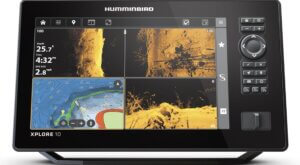
For map features, spend some time dialing in depth shading, contour lines, and screen split settings. Customizing shortcut keys helps you toggle between modes fast, so you’re always ready when opportunity strikes.
Using a fast SD card will keep chart redraws speedy and sync waypoints between units, so you always have a backup. And if you team up with other gadgets, configuring the network early on saves major time later, especially on bigger boats with multiple electronics spread out from bow to stern.
Challenges and Best Practices for Using Combo Technology
No electronics are totally foolproof, all systems will throw you a curve now and then. Here’s what I do to keep my Humminbird running like a champ:
- Screen Glare: Bright sunlight can make details tough to see. I add a glare cover or mount the display at an angle to compensate.
- Transducer Placement: Set your transducer where the water runs clean behind the transom for sharp returns.
- Power Management: Combos can drain batteries on high brightness. I carry backups or use a deepcycle marine battery for longer sessions.
- Regular Updates: Updating your software keeps maps and functions current and ready for surprises.
Screen Size and Mounting Location
Bigger is better for displays, provided it fits. Larger displays let you run more windows side by side, get more map detail, and keep your focus on fishing, not just reading tiny numbers. Mount them where you can see them seated or standing so your eyes stay on the action.
Chart and Sonar Data Interpretation
Getting a feel for sonar returns is a learned skill. Early trips I’d compare the display to what’s actually under the boat: hard bottom, sand, weeds. Over time, this builds up a mental map for reading fish and target structure quickly, which is super helpful as conditions change or you’re fishing new waters.
Advanced Tips to Maximize GPS Fishfinder Technology Advancements
Knowing the basics is just step one. Here’s how I squeeze even more help from my Humminbird combo:
- Custom Map Layering: Build your own maps with AutoChart Live and stack them over LakeMaster to reveal subtle spots preloaded charts leave out.
- Waypoint Color-Coding: Organize your waypoints by species, time of year, or depth with icons and color flags, it makes navigating and pattern tracking a breeze.
- Full Integration with Trolling Motors: When synced with a Minn Kota, you can anchor with pinpoint accuracy or plot smart trolling runs, all from your fishfinder’s screen.
- Frequent Updates: Check monthly for new firmware or mapping packets. New downloads add value, fix bugs, and sometimes unlock surprising tools.
Routinely doing these things streamlines every trip—whether you’re fun fishing or chasing that big tournament win.
Uses Beyond Fishing, Chartplotter Combos for Boating and Exploration
Humminbird isn’t just for anglers; these combos are a major asset for all-around boating fun and safety. I’ve tracked down secluded swimming coves, navigated after dark, and set anchor on pinpoint spots with the same tools used to mark fish. Quality maps and tracking mean you have less chance of losing your way, which really pays off in unfamiliar water.
Kayak anglers, coastal cruisers, and folks with all kinds of boats can put Humminbird combos to work thanks to flexible screen sizes and mounting setups. From small craft to large center consoles, there’s a good fit in the Humminbird lineup.
Frequently Asked Questions
People have a lot of questions when weighing fishfinder chartplotter combos. Here’s a rundown of what I hear most and how I answer:
Question: Is it worth upgrading to a combo unit instead of a basic fishfinder?
Answer: For anyone fishing big lakes or hopping spots regularly, GPS and chartplotting make locating fish and finding your way a whole lot simpler. Smaller waters can get by with the basics, but you miss out on memory features and powerful navigation.
Question: What’s the learning curve with new Humminbird combos?
Answer: Most anglers get up to speed in just a couple of outings. Menus are logical and the screens are clear. Advanced functions like mapping or syncing take more practice, but there are tons of tutorials and videos online to help.
Question: How do Humminbird charts compare with other mapping brands?
Answer: LakeMaster and CoastMaster are strong for detail, especially in U.S. waters. Layered shading, smart search, and tight contours help you lock onto target areas for holding fish easily.
Question: Does screen size really matter?
Answer: Bigger screens mean more info at a glance and sharper sonar images. If you can fit it, bigger is better, but every Humminbird model boasts a sharp, clear display, even down to the smallest options.
Making the Choice, Finding the Best Combo for Your Fishing
Choosing the right GPS fishfinder combo comes down to your boat size, fishing style, and waters you visit. For big lakes or coasts, opt for more map detail and a larger display. Smaller craft can go with compact units and still make out everything you need. Tools like AutoChart Live, MEGA Imaging, and smart waypoint control keep Humminbird a cut above for everyday use. Regular use builds skill and confidence, with Humminbird GPS innovations delivering results year after year.
The rapid glow up in GPS fishfinder technology means these units get more userfriendly and powerful all the time. With solid sonar and mapping in a single reliable box, this tech remains my favorite way to make the most of every day on the water.
About The Author