Fishing maps can greatly step up the experience on the water.
Detailed maps offer a clear view of underwater structures, depth contours, and potential spots that can improve fishing success. Many anglers now use digital maps that work with GPS devices, making it easier to navigate and locate the best fishing areas.
Downloading fishing maps for your GPS device may seem challenging at first, but with the right guidance, it becomes a straightforward process. In this guide, I break down the steps required to find and download high quality fishing maps for your specific needs. The information provided covers everything from choosing the right maps to transferring them to your GPS unit, testing the downloads, and keeping your maps updated. Each section has been crafted to give you an in-depth understanding of the process so that you feel confident when you set out on your next fishing expedition.
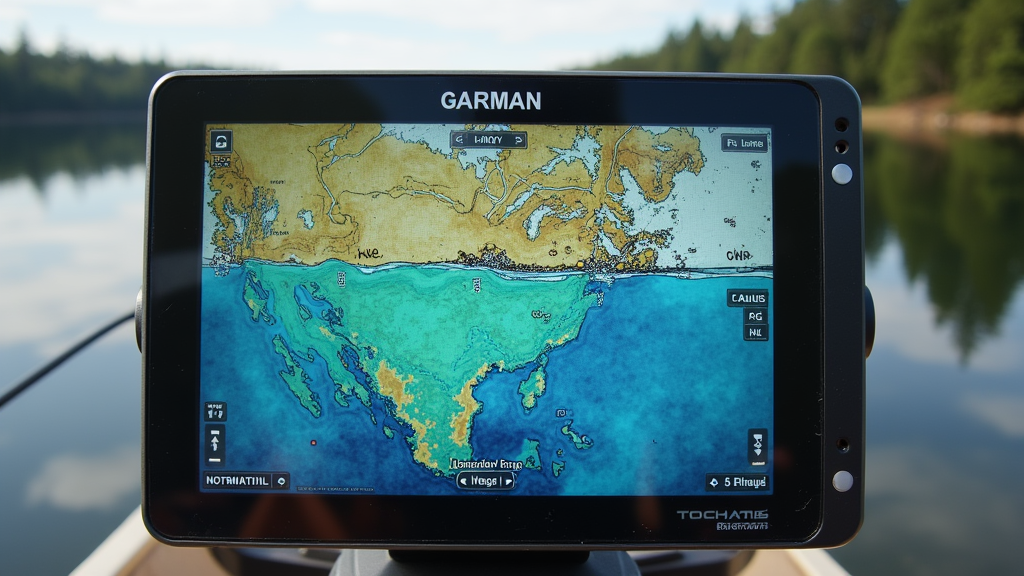
Before diving into the detailed instructions, let’s set the stage by discussing why having accurate digital maps is very important for any angler. With the evolution of technology, the days of relying solely on paper charts are behind us. Digital maps bring next-level cool features to your fingertips and allow you to make real-time adjustments as conditions change on the water. They are not only tools for navigation but also vital resources that help you spot underwater structures and detail fishing hotspots that might otherwise go unnoticed. A well prepared digital toolbox can be the difference between a good day on the water and a truly memorable fishing adventure.
Step 1: Determine the Type of Fishing Maps You Need
Before beginning the download process, it helps to understand what type of maps suit your fishing style and target area. Fishing maps come in various types. Some focus on detailed depth contours and bottom structures, while others offer all in one shore profiles and access points. Knowing what you need ensures that you get maps that are useful and compatible with your GPS device.
Think about your favorite fishing spots and the waters you plan to explore. Are you fishing in deep lakes, meandering rivers, or along a rugged coastline? Each environment offers its own set of challenges and opportunities. For example, if you usually fish in large lakes, maps that include a range of depth contours and underwater structures are very important. Similarly, if you spend your time along coastal areas, having maps that provide detailed access points and shoreline information can help you plan the best approach to your fishing spot.
It is also advantageous to consider the level of detail you are expecting from your maps. More detailed maps can provide specific information about underwater structures, including rock formations, drop offs, and even vegetation density. This additional data can be crucial during the early hours of fishing when the light is low and precision is key. Furthermore, highly detailed maps are often the result of extensive surveying and are updated regularly, ensuring that you are using the most accurate information available to plan your route.
Take some time to list out what features are most important to your fishing endeavors. Ask yourself questions like: Which water bodies will I be fishing in? Do I need contour lines that precisely show underwater structures and depths? Is broad area coverage more beneficial, or would pinpoint accuracy of local details serve me better? Once you have clear answers to these questions, the process of selecting a map will become much smoother, and you will have a clearer idea of the attributes to look for in a digital map source.
Step 2: Find Reliable Sources for Fishing Maps
There are many sources of digital fishing maps available online. Some websites offer free access, while others provide premium subscriptions with additional features. It is important to confirm that the source is safe, regularly updated, and compatible with your device’s file format. Spending time researching these sources can ensure that you are not only getting a map that looks next level cool but one that is dependable when you’re out on the water.
Reliable sources to consider include government or state aquatic resource websites that offer public domain maps with accurate waterway details. These maps are typically maintained by dedicated teams and offer an all in one view of the water body. Additionally, specialized fishing and outdoor recreation websites often feature maps that focus on fishing data, frequently offering detailed analyses and user friendly layouts. Vendor websites that sell digital maps might also offer trial versions or discounted subscriptions, allowing you to test their products before making a full commitment.
Furthermore, online forums and community boards can be a great resource when you are looking for trusted recommendations. Experienced anglers are usually more than happy to share their sources and give insights into which maps have worked best for them. Checking reviews and update logs on these platforms will give you an added layer of confidence in the reliability of a particular source. Taking a few extra moments to verify the credibility of your chosen provider can save you from potential headaches and ensure that you are using maps that won’t leave you stranded during a busy fishing day.
As you narrow down your list of potential sources, make sure to compare the file formats they offer. Some sites may provide files in multiple formats to suit different GPS models, which can be very helpful. In addition, look for any guidance or support provided by the website. Detailed installation instructions, troubleshooting tips, and FAQs are good indicators of a quality resource and can make the process of map transfer much simpler.
Step 3: Ensure Compatibility with Your GPS Device
Before downloading any maps, it is essential to understand the compatibility of the map files with your GPS device. Different GPS units require different file formats and sometimes even specific software to correctly display digital maps. Checking the technical specifications of your device ahead of time can prevent issues later in the process.
When evaluating compatibility, there are several aspects to consider. The first item on your checklist should be the file format. Whether the map is delivered as a .img, .kmz, .gmap, or another proprietary format, it must match your GPS device’s requirements. Next, ensure that any required software or firmware updates are applied to your device. Some GPS models regularly receive updates that support new file formats, and failing to install these may result in the map not displaying correctly.
Another key factor is storage capacity. Digital maps, and especially those covering large areas, can be quite large. Confirm that your device has enough space available to store the new files without compromising its performance. Additionally, consider your device’s screen resolution. A map that is incompatible with the resolution of your screen might not display its features clearly, reducing its overall effectiveness during your fishing trips.
After you have reviewed these technical aspects, it is wise to read through your GPS device’s manual or visit the manufacturer’s website for any additional compatibility notes. Taking these precautionary steps will help ensure that the download and installation process goes smoothly, saving you time and potential frustration when you are in the middle of a fishing adventure. Clear and precise compatibility is a cornerstone of ensuring that your digital maps deliver the intended benefit when you need them most.
Step 4: Downloading the Fishing Maps
With your preferred map source identified and your device’s compatibility confirmed, the next stage is downloading the maps. Whether you are obtaining a map of an extensive region or a smaller, more focused tip sheet, following the proper steps will help ensure that the file you download is complete and uncorrupted.
Begin by visiting the chosen website or map provider’s page. Look for navigation menus or search options that allow you to pinpoint the specific map area or region you are interested in. Once you find your desired map, verify that the format displayed is compatible with your GPS device. Selecting the correct file format is very important because using an incorrect format can lead to errors during the transfer process.
After identifying the correct map area, click the download button and save the file to your computer or an external storage device. It is good practice to note the file size and compare it with the provider’s listed information to guarantee that the download was successful. A stable internet connection is crucial during this step to prevent interruptions and file corruption.
If you encounter issues such as slow download speeds or interrupted connections, consider switching to a more reliable network or using a dedicated download manager. Some websites may also prompt you to register or sign up for the service, doing so can grant you access to higher quality maps with additional support features. Following these instructions carefully will help mitigate potential issues and ensure that you have a complete file ready for transfer.
Please note that even if the download process seems to complete successfully, it is always wise to double-check the integrity of the file by comparing the download size and, if available, running a checksum. This extra layer of caution ensures that the file has not become corrupted and that all data is intact. Taking these careful steps during the download phase will help smooth the subsequent transfer process to your GPS device.
Step 5: Transfer the Maps to Your GPS Device
Downloading the maps to your computer is only part of the process. The next critical step is transferring these maps onto your GPS device. The method you use to transfer the files depends on the design and connectivity options of your device; some use USB ports, others employ SD cards, and some even support wireless transfers.
For devices using USB connections, begin by connecting your device to your computer with the proper cable. Then, locate the downloaded map file on your computer and copy it to the designated folder on your GPS unit. If your device relies on SD cards or memory cards, insert the card into your computer’s card reader, copy the map file onto the card, and then safely insert it back into your GPS device. Both methods require careful attention to ensure that the file is placed in the correct directory.
For GPS devices with wireless support, refer to the manufacturer’s instructions. This process usually involves using a companion app or specific software provided by the manufacturer. Wireless transfers may be more convenient, but they also require a stable connection and proper configuration of your device. After the transfer is complete, always remember to safely eject your device or the memory card to prevent data corruption.
It is also advisable to consult your GPS manual to verify the correct file path for the maps if the instructions are not immediately clear. In some cases, the maps need to be stored in a dedicated folder in order to be recognized by the device. Taking the time to understand the file transfer process will minimize the risk of errors and ensure that your new maps are ready to deliver accurate navigation information on your next fishing trip.
Step 6: Calibrate and Test Your Maps in the Field
After transferring the files to your GPS device, the following step is to calibrate and test the maps in the field. Calibration is the process of aligning the map with the actual geographic coordinates to ensure that the displayed details, such as underwater topography and landmarks, match the real world environment. This step is very important if you plan to rely on the maps for pinpoint navigation while on the water.
Begin by powering on your GPS device and selecting the new map file. Once the map is active, choose several key reference points that are easy to identify, such as intersections, known landmarks, or noticeable depth changes. These reference points should match the details indicated on the digital map. If your device offers an automated calibration tool, follow the prompts to let the tool align the coordinates accurately.
It is highly recommended to test the map by tracking your actual movement. For example, start from a known location and move along a path where you can compare the map’s display to your surroundings. Take note of any discrepancies or errors in alignment. If any issues arise, consult your GPS device’s troubleshooting guide, and consider a second calibration attempt. Spending adequate time on this calibration stage is essential to ensure reliability when you are in a situation where every detail matters.
Once you have calibrated your maps, take them on a short field test before relying on them during an important fishing trip. This real-world test can uncover subtle issues that might not be evident when the device is stationary. By confirming that the map coordinates are precisely aligned with your actual location, you can enjoy greater confidence in the navigational support that your digital maps provide as you explore new fishing spots.
Step 7: Keep Your Maps Updated and Backup Files
Digital maps, like many technological tools, need to stay current. Waterways can change due to natural processes, weather conditions, or human modifications. Regularly updating your maps ensures that you are using the most accurate information available. Equally important is keeping backup copies of your maps in case of accidental deletion or file corruption.
Maintaining updated maps is a straightforward process. Periodically check with your map provider for new versions or updates that reflect recent changes in the environment. Download these new versions and repeat the transfer and calibration steps to ensure that your GPS device reflects the most current data. By keeping your maps up to date, you are mitigating risks associated with outdated information and ensuring that your navigation remains reliable even under changing conditions.
In addition to updates, it is wise to keep backup files stored on a secure drive or cloud storage. This precaution guarantees that if your GPS device experiences any issues or if the recent update does not function correctly, you have a previous version readily available. Documenting update dates and noting the regions covered in each version can simplify the process of managing multiple map files. In doing so, you are protecting an essential part of your fishing toolkit and ensuring that your digital maps are always at your disposal.
Furthermore, creating a routine check, such as before a planned fishing trip, can help you stay organized. An established maintenance schedule can include verifying the operational status of your GPS device, checking for firmware updates, and confirming that the map files are fully intact. Such diligence will enable you to use your digital maps with enhanced confidence and reliability on every outing.
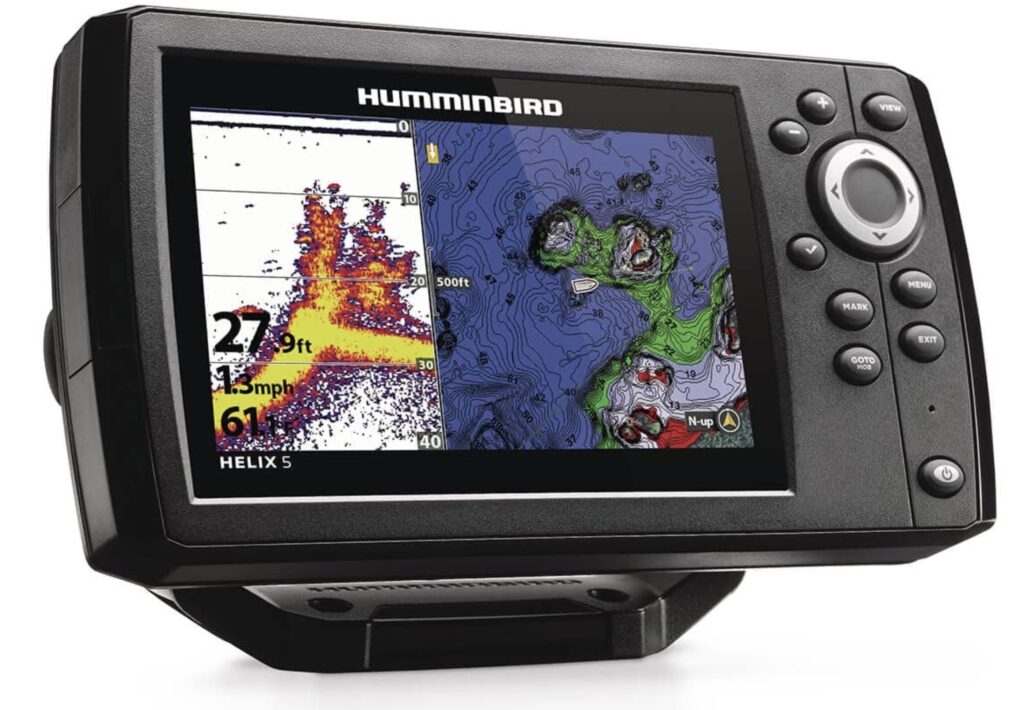
Bottom Line & Next Steps
The process of downloading fishing maps for your GPS device involves clear planning, careful selection of map sources, and a methodical approach to file transfer and calibration. With accurate maps, your fishing trips become much safer and more productive. Detailed digital maps mean you can precisely locate underwater features and plan your route diligently. Taking these systematic steps ensures that you are prepared for any challenges that may arise while navigating unfamiliar waters.
Your action plan should include identifying the specific features you need in a fishing map for your targeted water bodies, researching and selecting a reliable source that offers maps compatible with your device, and rigorously verifying that the maps are complete and accurate. Once downloaded, it is essential to follow the correct transfer methods stipulated by your GPS manufacturer and to thoroughly calibrate and test the maps in real conditions. A careful setup now will allow you to enjoy your time on the water with confidence and ease.
As you follow these detailed steps, you will build confidence in managing your navigation resources and be well-prepared to hit the water with the latest, most accurate digital maps. It is very important to treat every update and test as a chance to refine your approach and address any potential issues. Your commitment to keeping your maps current and backed up will translate into smoother, more effective fishing trips where you can focus on the exciting challenge ahead.
Reflect on your next fishing adventure and consider what new location you might explore with your updated maps. Perhaps there is an unexplored lake or a stretch of river you have been eyeing. Each fishing trip is an opportunity to learn more and improve your techniques. I encourage you to share your experiences with this method, whether it’s through online forums, social media, or by discussing it with other passionate anglers. Your insights could help someone else set up their digital navigation system, building a community where everyone benefits from shared knowledge.
Remember, it isn’t just about having the map, each element of the process, from sourcing reliable data to performing careful calibrations, makes a significant difference in the success of your fishing trip. Every detail counts when you’re trying to pinpoint those ideal fishing spots.
Your Detailed Action Plan:
- Identify the specific features you need in a fishing map for your targeted water bodies. Write down the characteristics that matter most to you, from depth contours to shoreline access points.
- Research and select a reliable source that provides maps compatible with your GPS device. Evaluate customer reviews, update logs, and available file formats.
- Download the correct file format and ensure the file is complete by comparing sizes and, if necessary, running a file check.
- Transfer the file to your GPS device following the manufacturer’s guidelines, whether by USB, SD card, or wireless transfer. Confirm that the map is stored in the correct directory.
- Calibrate and rigorously test the map by checking its alignment against known landmarks and coordinate points during a trial run on the water.
- Set up a regular maintenance schedule to download updates and backup your maps, thereby promoting long-term reliability and effectiveness.
Investing time in these steps will pay off many times over. Not only will you save yourself from potential technical hiccups, but you will also enjoy enhanced navigation accuracy and a more organized approach to tackling new fishing challenges. Every precaution you take is a step toward a more enjoyable and productive day on the water.
Take a moment to appreciate the technology at your disposal. Modern digital maps have transformed the way anglers navigate, offering insights that were once only available to a select few. By following this guide, you’re not merely downloading files; you are setting up a system that allows you to tap into critical, real-time data during your fishing adventures. So, what new fishing location will you explore with your updated maps? The next catch might be just around the bend.
Thank you for taking the time to read through these instructions. I hope you find them useful and that they help you achieve many successful fishing trips. With accurate maps and a methodical approach, the waters hold endless possibilities, waiting for you to discover their hidden treasures, one outing at a time.
This article was created with AI assistance and reviewed by a human editor.
About The Author




This is a well-structured and highly practical guide that clearly walks readers through each stage of downloading and using fishing maps for GPS devices. I appreciate the emphasis on compatibility, calibration, and ongoing updates, as these are often overlooked but critical for accuracy on the water. The step-by-step approach makes a technical process feel accessible, even for beginners. Overall, it provides a strong balance of technical detail and real-world application for anglers looking to improve their navigation and fishing success.
Thank you for the thoughtful feedback! I’m glad you found the guide both practical and accessible, that balance was exactly the goal. Compatibility and calibration can make or break the experience on the water, so it’s great to hear those points stood out. Hopefully it helps more anglers feel confident using GPS maps to their advantage. Appreciate you taking the time to share your thoughts!