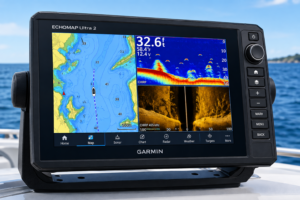
Touchscreen GPS for boats is changing the way I find my way on water. Whether cruising, fishing, or racing on a sailboat, these devices let me access critical navigation information quickly and easily.
I remember the days of squinting at tiny buttons and monochrome screens. Things have improved a lot, and I now use my marine GPS almost the same way I use my smartphone or tablet. Here, I’ll walk through my experience and what I find most helpful about touchscreen GPS units for boats, along with practical advice, terms explained, and genuine examples from real boating trips.
Why More Boaters Are Choosing Touchscreen GPS Displays
Devices that use touchscreen GPS for boats are now more common than ever. The switch from button-based displays to touchscreens makes operating navigation gear smoother and much more userfriendly. I find that the biggest advantages of touchscreen GPS for boating come down to speed, clarity, and the ability to quickly zoom in or out on charts or swap between menus. The modern marine GPS touchscreen technology works for everyone from beginners to seasoned sailors. According to industry data from manufacturers like Garmin and Raymarine, demand for these units has increased significantly as boaters upgrade from older systems.
The glow up started with fixed monochrome units. Now, you’ll find bright, full color touch screens, sometimes even with multitouch support, much like a tablet. These improvements aren’t reserved for luxury yachts; midrange and even compact models feature easy to use displays that favor quick swipes and taps over button mashing.
Understanding Touchscreen Marine GPS Basics
If you’re completely new, using a touchscreen GPS can feel like learning to use a modern smartphone for the first time. Here’s what I wish I’d known earlier about how to use touchscreen GPS on boats and the main terms you’re likely to find helpful:
- Chartplotter: Shows electronic maps and your position on them. The core tool for navigation.
- Waypoints: Markers you tap on the screen to save destinations or hazards for future trips.
- Routes: Connected waypoints forming a path. The GPS can display or even give directions along the way.
- Multi-touch Gestures: Pinch to zoom or swipe to pan, just like with a tablet or smartphone app.
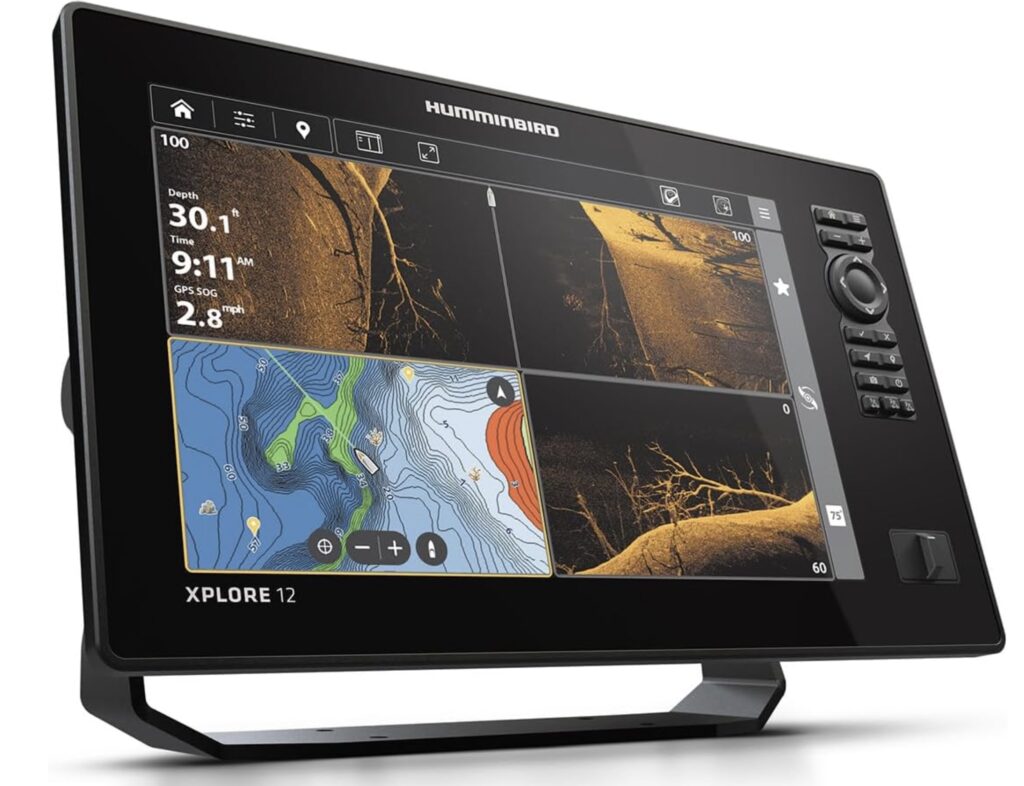
- Split Screen: Display two or more data types at once (for example, fishing sonar and navigation chart).
Instead of scrolling endlessly through menus with arrow keys, I just touch what I want. Entering a new waypoint is as simple as pressing and holding a spot on the electronic chart. Switching tools or views takes only a few seconds, which helps me keep my focus on the water and not on the device.
Key Advantages of Touchscreen GPS for Boating
There are some very clear advantages to using a touchscreen GPS for boating that I’ve noticed over years on the water. Here are the things I think matter most:
- Intuitive Operation: Most people already know how to use touchscreens. If I can use a smartphone, I can use a touchscreen marine GPS.
- Faster Input: Adding a route, setting waypoints, or searching for a marina takes much less time.
- Better Visibility: Large, high resolution screens are brighter, easier to read in sunlight, and show more chart data at a glance.
- Customizable Layouts: I can rearrange the display, pick which data to show, and switch between different tools with a swipe or a tap.
- Sharing & Syncing: Many modern units sync routes and waypoints with my phone or tablet via apps or the cloud.
The design with big buttons and simple graphics means less confusion in emergencies, especially if I have guests or crew onboard who aren’t as experienced. Touch controls also work well with light gloves, which is helpful during early morning fishing trips or cold weather cruising. These advantages stood out for me the first time I needed to reroute quickly due to changing weather. I updated my charts and planned the new route in just a few taps.
Touchscreen GPS vs Traditional Navigation for Boats
I’ve spent years using both traditional chartplotters (with physical buttons/knobs) and modern touchscreen GPS units. Each has its place, but for most of my boating, the touch version wins in usability. Here’s a comparison with some real world context:
- Traditional Navigation: Involves more manual input, less intuitive menus, and can be slow when charting new routes. Physical buttons are reliable in the worst weather, but the learning curve is steeper for new users.
- Touchscreen GPS: Streamlines everything. Zooming in or swapping layers is ultra fast. Entering waypoints or plotting a route is direct and visual. Accessing advanced settings or weather overlays just takes a few taps.
During a regatta last summer, I appreciated being able to quickly pan the display to see wind and current overlays while trimming my course. Meanwhile, a friend using an older device couldn’t pull up current data quickly and missed a tactical opportunity. That lesson really stuck with me.
Choosing the Right Touchscreen GPS for Your Boat
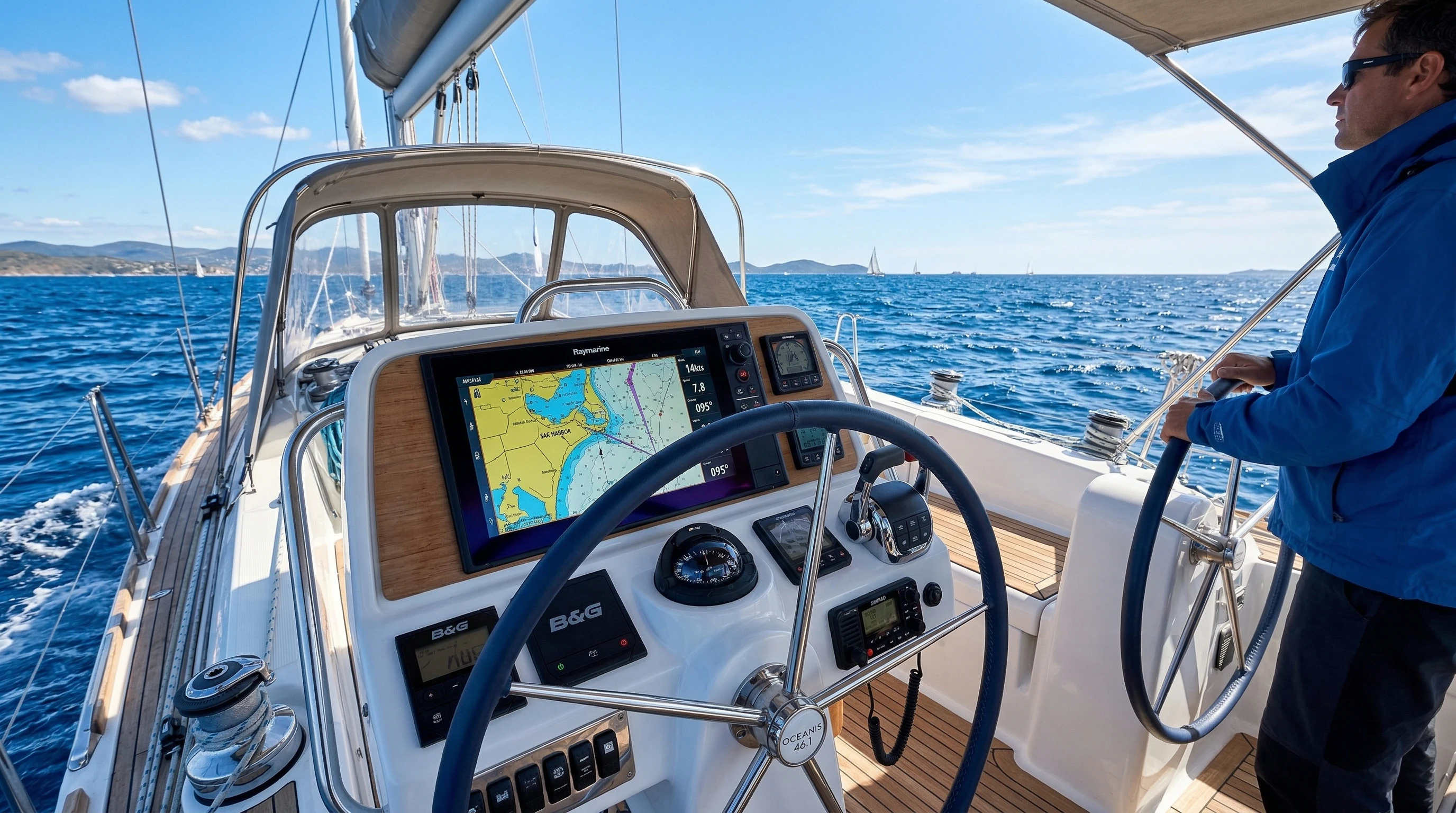
Picking the best touchscreen GPS features for boats starts with the size and layout of your vessel. I have a smaller fishing boat and a midrange display works well for me, but larger yachts or sailboats might need a bigger screen or a network of multiple screens for the helm and nav station.
- Screen Size: Bigger isn’t always better if space is tight, but a larger screen helps display more data at once.
- Brightness & Waterproof Rating: Super important for visibility in sunlight and surviving splashes or rain.
- Integration: Can it share data with other electronics such as autopilot, radar, AIS, or engine displays?
- Mapping Options: I always look for units that let me update charts easily or load specialty fishing or cruising maps like Navionics or CMap.
- Wireless Sync: Sharing waypoints or sending routes from my phone is standard on most newer units and makes planning trips much faster.
Each brand has its own strengths. Garmin and Simrad offer very smooth interfaces, while Raymarine’s Lighthouse OS is great for customization. Budget friendly choices from Lowrance work well for small boats, and the tech is even making its way into serious offshore racing sailboats.
Challenges with Touchscreen GPS on Boats (And Solutions)
Despite all the benefits, no technology is perfect. Here’s what I’ve found and how I deal with the typical downsides of touchscreen GPS for sailboats and other vessels:
- Wet Hands: Sometimes, water on the screen causes accidental touches or the touch controls to stop responding. I keep a small microfiber cloth nearby for quick wipes.
- Glove Support: Not all gloves work, but many brands now offer screens that react to light sailing or fishing gloves, not heavy duty ones.
- Glare: Direct sun can obscure the display. Modern antireflective coatings help, but angling the display or using a sunshade also helps.
- Power Use: Big, bright screens use more battery. I monitor my boat’s power system or use screens that dim automatically to save energy.
Climate and salt spray are other factors. I always choose displays with robust water resistance ratings (IPX7 or higher) and make sure covers are used when the unit isn’t being put to work. Even with these challenges, the pros of marine GPS touchscreen technology outnumber the cons for me.
Water and Electronics
Boating means electronics deal with splashes, rain, and even full waves at times. The best marine touchscreen displays have tough glass and full sealing. I double check that all connectors have secure waterproof covers, and I still carry laminated paper charts as backup. In my experience, modern touchscreens usually need only an occasional wipedown and keep working season after season.
Visibility and Night Use
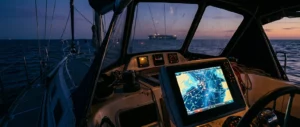
At night, a touchscreen GPS’s dimmable display is a real help. Many units switch to night mode with red or orange color schemes to preserve my night vision. During the day, I turn up the brightness, and the larger icons are much easier to use than squinting at a buttonheavy interface.
How to Use Touchscreen GPS on Boats Effectively
Getting the most out of a touchscreen GPS for sailboats or motorboats involves a little prep. My top tips, gathered from real use on both short day trips and longer crossings, are:
- Familiarize Yourself at the Dock: Before running at speed or offshore, I play with menus, set practice routes, and make sure I know where all the critical features are.
- Set Up Favorites: Most touchscreen models let you keep favorite pages, ports, tracks, or fishing spots for quick recall.
- Update Charts: Outdated chart data can cause problems. Download the freshest charts, software updates, or weather overlays before leaving the dock.
- Practice Split Screens: I like to run streams of sonar and the main chart side by side, especially on fishing trips or when close to rocks and shallow areas.
- Customize Alarms: Touchscreen units make setting shallow water, arrival, or course change alarms simple, helping avoid hazards even if my attention drifts.
Planning a route on a touchscreen is more like drawing with your finger on a map than following strict numeric prompts. This makes new users or guests far more confident and lets me focus on piloting. I keep all my waypoints labeled clearly and review the route before setting off.
Popular Features in Modern Touchscreen GPS for Boats
Today’s best touchscreen GPS for boats come with plenty of features that go beyond navigation. Here are some of the coolest features that make these devices worth checking out:
- Sonic Integration: Fishfinder overlays and live sonar right on the chartplotter display, fantastic for anglers.
- Wireless Integration: Send routes from your phone, view gauges on your tablet, or mirror the GPS screen to another display.
- Custom Dashboard Pages: Build custom screens with engine data, wind info, tidal graphs, and more.
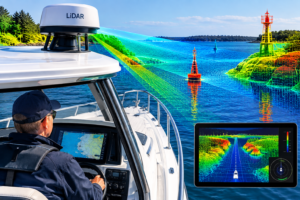
- 3D Chart Views: Pan and tilt charts for a more realistic navigation view, especially handy near complex coastlines or harbors.
- Weather Radar and Forecasts: Overlay live weather info or moving radar directly onto the navigation screen.
I find it especially useful to see dock locations and real time traffic on the same screen, which was impossible with old buttonstyle units. Many of these features save time and help with safety and planning. For example, the 3D chart views give me a realistic idea of underwater topography and approaching hazards, which is extra helpful on unfamiliar waters.
Another great capability is split screen flexibility. On longer trips, I can keep a close eye on radar, sonar, and navigation charts all at once. This means I spend less time fiddling with menus and more time confidently steering the boat. The ability to customize dashboards and quickly jump to critical info is a huge advantage in both leisure and competition scenarios.
Real-World Applications: Fishing, Cruising, and Sail Racing
Using a touchscreen GPS on a fishing trip speeds up access to depth changes and fish holding structures. When I’m sailing, I appreciate quickly toggling wind data and race marks. For family cruising, touchscreen GPS features for boats help everyone onboard, young and old, follow our trip or help spot hazards. I’ve met other skippers who now trust their kids with control of the electronics during calm moments, helping kids learn navigation early.
- Fishing: Fast access to sonar, structure, and marking new holes even while fighting a fish.
- Sailboat Racing: Rapidly update laylines, access wind overlays, and instant course changes help improve tactics in real time.
- Overnight Cruising: Split screen display shows radar, AIS (collision alerts), and charts so I can relax on night watches.
Touchscreen GPS for sailboats is especially popular in one design race fleets and offshore rallies, where split second decisions make a difference between first and fifth place. In my experience, the ability to set, change, and follow routes visually helps every member of the crew get involved.
Frequently Asked Questions about Touchscreen GPS for Boats
Here are some questions I get asked by other boaters thinking about switching to touchscreen marine navigation gear:
Question: Is a touchscreen GPS for boats durable enough for harsh marine environments?
Answer: Most displays are waterproof (IPX7 or higher) and built with tough glass. Models from big brands handle sun, rain, and salt, but I always add a screen cover and clean the screen after every trip.
Question: Can touchscreen GPS units work when I’m wearing gloves?
Answer: Most work with thin gloves, such as basic sailing or fishing gloves, but not with heavier insulated gloves. It’s always good to test your specific gloves before heading out in cold weather.
Question: How do I update charts or software?
Answer: Most units offer updates via microSD card or through WiFi if docked near a network. It usually just takes a few taps in the main menu to check for updates or load new charts.
Question: Is it easy to switch from an old chartplotter to a touchscreen GPS?
Answer: Yes, most modern devices come with migration tools to import your waypoints and routes. The basics are easier to master thanks to intuitive menus.
Cool Features Worth Checking Out with Touchscreen GPS
If you’re looking at upgrading or buying your first touchscreen GPS for your boat, here are extra features you might want to put on your list:
- Remote Control Apps: Control your unit from a phone or tablet, ideal for navigating from any spot onboard.
- Live Data Sharing: Share your trip routes or catches with friends, or broadcast your position for offshore rallies.
- Built-in Tutorial Modes: Some brands provide quickstart demos or help screens, making new users comfortable sooner.
- Cloud Backups: Save routes, marks, and user profiles to the cloud, so your settings are safe no matter what happens.
I always highlight these small but practical features to new buyers, as they save time and reduce mistakes in real use on the water. Being able to synchronize your data in the cloud and control your GPS remotely really means fewer headaches if there’s a mishap or equipment swap.
Final Tips for Getting the Most Out of Touchscreen GPS Displays
A bit of upfront practice pays off. I always run a dry simulation at home or on the dock before my first big trip with new hardware. I keep every device’s manual handy as a PDF on my phone and set up user profiles for other crew, so everyone is prepared. Regularly cleaning the screen, carrying backups (paper charts or a second GPS), and updating firmware gives me real peace of mind every season.
Touchscreen technology has made boating, fishing, and sailing more accessible and enjoyable for me and many other boaters. If you’re on the fence about the upgrade, even a demo in store can show just how big a difference it makes in comfort, safety, and fun on the water. Careful research helps buyers make informed decisions for their needs.
Marine GPS touchscreen technology offers true value for every type of boater, whether you’re a weekend angler, serious racer, or a family that just loves to cruise.
About The Author