Introduction
¨This Navionics boating app review takes a comprehensive look at one of the most trusted digital navigation tools for boaters worldwide. As marine technology continues to evolve, mobile apps are increasingly replacing traditional navigation systems, offering convenience, real-time updates, and powerful features right from your smartphone or tablet. In this article, we’ll explore the best features of Navionics app 2026, explain how to use the Navionics boating app, and break down how it enhances your experience on the water.
What Is the Navionics Boating App?
The Navionics Boating App is a mobile navigation solution designed for boaters, anglers, and water sports enthusiasts. It transforms your device into a fully functional chartplotter, offering detailed nautical maps, GPS tracking, and route planning tools.
The app is widely known for its accuracy, ease of use, and continuous innovation. With the Navionics app updates 2026, users now get improved performance, enhanced chart clarity, and smarter routing capabilities, making it even more reliable for marine navigation.
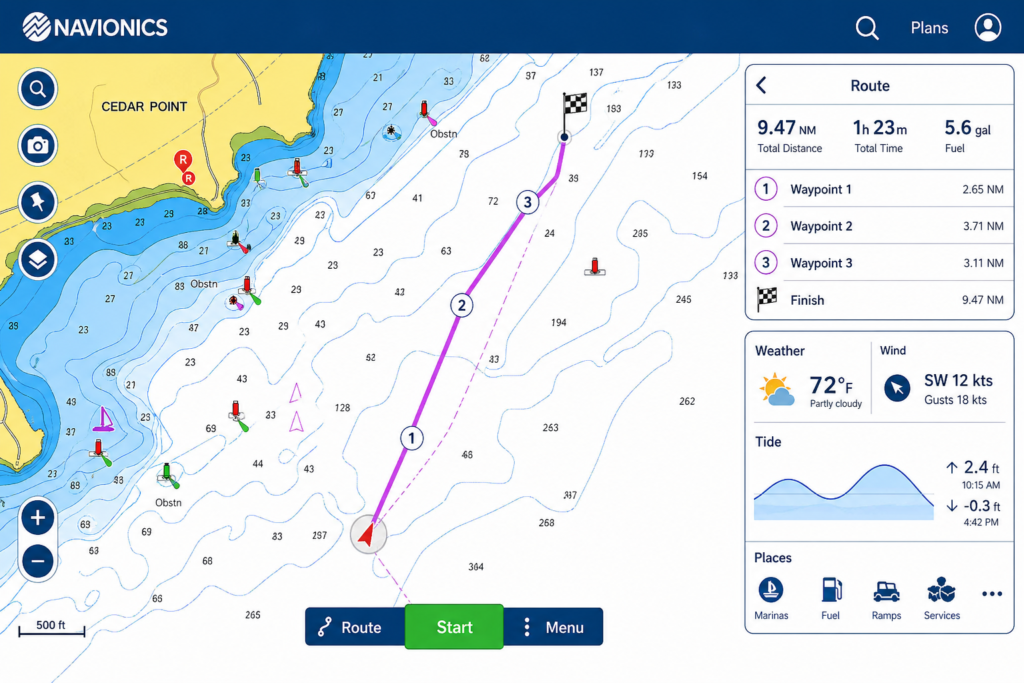
Best Features of Navionics App 2026
When evaluating the best features of Navionics app 2026, several standout tools make it a leader in marine navigation.
Advanced Nautical Charts
Navionics provides high-definition charts with detailed depth contours, shoreline data, and underwater structures. These charts are constantly updated, ensuring users always have access to accurate information.
Auto-Routing Technology
One of the most appreciated features is auto-routing. This tool automatically calculates the safest and most efficient route based on your boat’s specifications and chart data. It significantly reduces the effort required in trip planning.
SonarChart Live
This feature allows users to create real-time bathymetric maps while navigating. It’s particularly useful for anglers who want detailed underwater insights.
Offline Chart Access
Boaters often operate in areas with limited connectivity. Navionics allows you to download charts in advance, ensuring uninterrupted navigation even without internet access.
Weather and Tide Integration
The app provides real-time weather forecasts, wind conditions, and tide information. This integration helps users make informed decisions and improves overall safety.
Community Edits
Navionics benefits from a global community of users who contribute updates about hazards, marinas, and points of interest. This crowdsourced data adds valuable real-world insights.
How Navionics App Improves Navigation
Understanding how Navionics app improves navigation is key to appreciating its value. The app enhances navigation in several important ways:
- Precision GPS Tracking: Real-time positioning ensures you always know your exact location.
- Enhanced Situational Awareness: Detailed charts and overlays help you avoid hazards.
- Route Optimization: Auto-routing saves time and reduces risk.
- Integrated Data: Weather, tides, and community updates are all in one place.
By combining these elements, Navionics provides a safer and more efficient boating experience compared to traditional methods.
How to Use the Navionics Boating App
If you’re wondering how to use the Navionics boating app, the process is straightforward, even for beginners.
Step 1: Download and Install
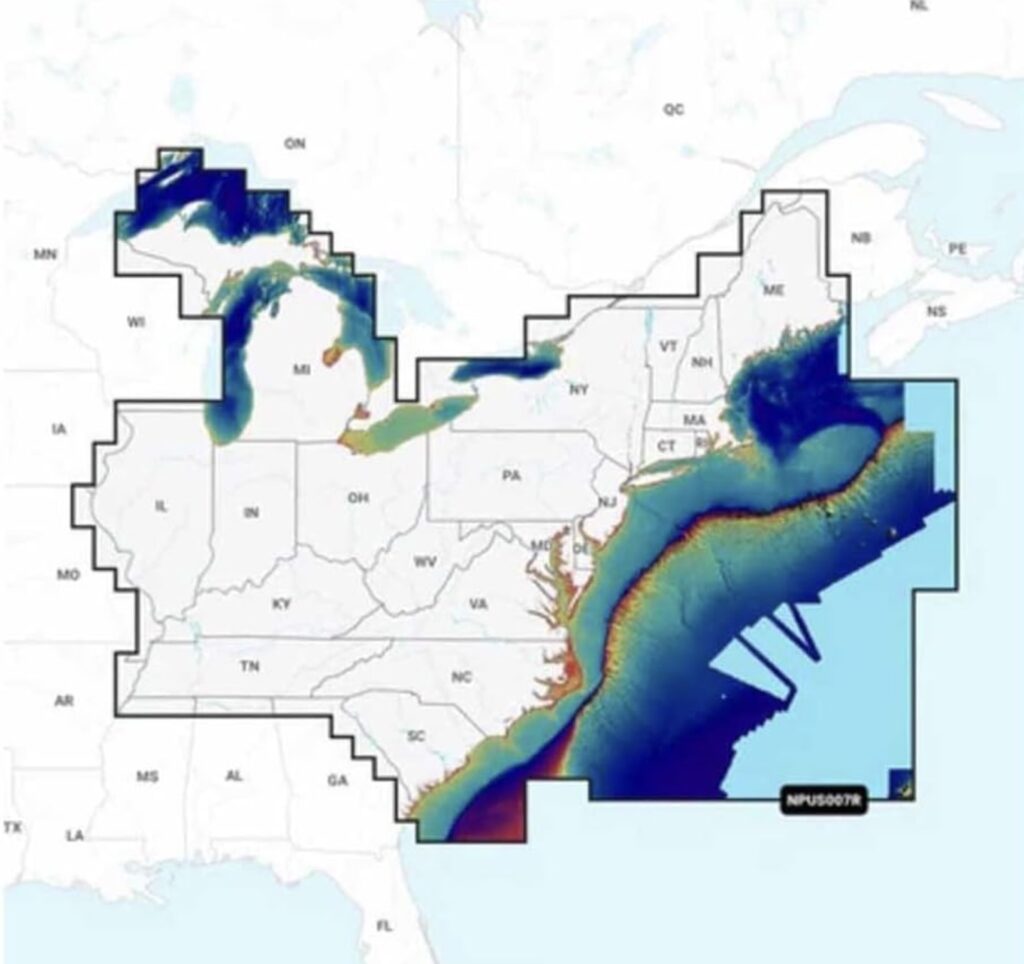
Install the app from your device’s app store and select your desired chart region.
Step 2: Download Charts
Before heading out, download maps for offline use. This ensures reliability when you lose internet access.
Step 3: Set Your Location
Enable GPS on your device. The app will automatically display your position on the chart.
Step 4: Plan a Route
Use the route planning tool to create a path by adding waypoints. You can also use auto-routing for convenience.
Step 5: Start Navigation
Follow your route in real time, monitor speed and direction, and adjust as needed.
Step 6: Save and Review Trips
You can record your trips for future reference or analysis.
Navionics App Tutorial for Beginners
This Navionics app tutorial for beginners will help new users get comfortable with the basics.
Start by exploring the interface. Zoom in and out of charts, tap on areas to view details, and experiment with layers. Practice creating simple routes and adding markers.
Next, familiarize yourself with key tools like distance measurement and weather overlays. These features are easy to use and provide immediate value.
Beginners should also test the app in a safe environment before relying on it during actual trips. Spending time learning the app ensures confidence and better performance on the water.
Navionics App Updates 2026
The Navionics app updates 2026 bring several improvements that enhance usability and performance.
- Faster loading times and smoother navigation
- Improved chart rendering for better clarity
- Enhanced auto-routing algorithms
- Better integration with external devices
- More accurate and frequent chart updates
These updates demonstrate Navionics’ commitment to innovation and user satisfaction.
How Navionics App Integrates With Chartplotters
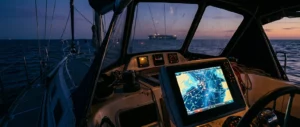
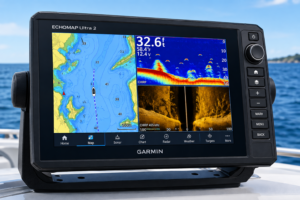
A major advantage of the app is how Navionics app integrates with chartplotters and other marine electronics.
The app can sync routes, markers, and tracks with compatible chartplotters, allowing seamless transitions between mobile devices and onboard systems. This integration ensures consistency and reliability across platforms.
Additionally, users can connect the app to sonar devices and external GPS units. This expands functionality and improves accuracy, especially for advanced users.
User Experience and Interface
The Navionics Boating App is designed with usability in mind. Its interface is clean, responsive, and intuitive. Even with its wide range of features, navigation within the app remains simple.
Menus are logically organized, and most tools are accessible within a few taps. While beginners may need some time to explore all features, the learning curve is manageable.
Pros and Cons
Pros
- Highly detailed and accurate charts
- Powerful navigation and routing tools
- Offline functionality
- Regular updates and improvements
- Strong community support
Cons
- Requires an annual subscription
- Can drain device battery quickly
- Performance depends on device quality
Who Should Use the Navionics App?
The Navionics Boating App is suitable for a wide range of users:
- Recreational boaters
- Fishing enthusiasts
- Sailors
- Kayakers and paddleboarders
Whether you’re navigating coastal waters or inland lakes, the app provides the tools needed for safe and efficient travel.
Safety Tips
While Navionics is a powerful tool, it should not replace basic safety practices. Always carry backup navigation tools, monitor weather conditions, and stay aware of your surroundings.
Using the app responsibly ensures you get the most benefit while minimizing risks.
Final Verdict
This Navionics boating app review shows that the app remains one of the best marine navigation tools available in 2026. With its advanced features, regular updates, and user-friendly design, it offers exceptional value for both beginners and experienced boaters.
From understanding how to use the Navionics boating app to exploring the best features of Navionics app 2026, it’s clear that this app significantly enhances navigation and overall boating experience.
Conclusion
The Navionics Boating App continues to set the standard for mobile marine navigation. With innovations introduced in the Navionics app updates 2026, improved integration capabilities, and powerful features, it stands out as a must-have tool for anyone who spends time on the water.
Whether you’re learning through a Navionics app tutorial for beginners or exploring advanced features like sonar mapping and chartplotter integration, this app delivers reliability, convenience, and performance.
This article was created with AI assistance and reviewed by a human editor.
About The Author




Great overview and introduction to GPS navigations. Can tell theh author has a lot of actual experience with this system and walks me through everything i would need to know in purchasing this. Trying to decide on which one to go with, and i like how simple and approachable this is as a beginner. I like how it is good for beginners, but is constantly up-to-date and will keep its value even as i progress in this hobby.
Glad it landed well for you. It’s rare to find something that’s genuinely beginner friendly without feeling limiting later on, and this seems to strike that balance. Having a guide that’s based on real experience makes a big difference too, it cuts through a lot of the confusion when you’re trying to choose your first setup. If you’re still deciding, it might help to think about how you’ll actually use it day to day and which features you’ll grow into over time. Sounds like you’re on the right track picking something that won’t feel outdated as you get more into it.