Sailing navigation technology has undergone remarkable changes over the past decade, bringing safe, accurate route planning within everyone’s reach. Whether I’m gearing up for a new adventure or heading out for a spontaneous day trip, having solid navigation tools on my phone or tablet always brings peace of mind. With so many sailors seeking up-to-date info, “Top Sailing Navigation Apps 2026” is one of the most searched terms as everyone hunts for free, accurate, and trustworthy navigation tools. In this article, I’m going to break down the best free navigation apps for sailors, show you which features matter most, and share practical tips drawn from my own experience, whether you’re new to sailing or have been steering a hull for years.
Why Free Navigation Apps Matter for Sailors
Marine navigation can feel overwhelming, especially compared to driving or hiking. The conditions on the water are constantly changing, chart updates are a must, and the stakes are higher. Through experience, I’ve found that the right apps ease a ton of stress and save you from splurging on expensive chartplotters or stand-alone GPS devices. Free apps lower the barrier for new sailors and offer valuable backup for seasoned skippers. They’re also perfect for chartering, since not every rental comes with top-notch navigation hardware.
Sailing navigation tech in 2026 brings tons of features to free apps: real-time weather planning, chart downloads, GPS integration, and even crowdsourced news about hazards or anchorages. I’ve seen both local and global apps step up to provide both online and offline support. It’s key to keep checking for the best GPS apps for sailors, as new ones roll out regularly and existing ones keep improving.
Top Free Sailing Navigation Apps for 2026
With so many options in the app stores, it can take hours to sort the top picks. I’ve saved you some time by comparing the best free sailing navigation tools based on my testing, research, and feedback from fellow sailors. Here’s my rundown of the standout free apps for 2026:
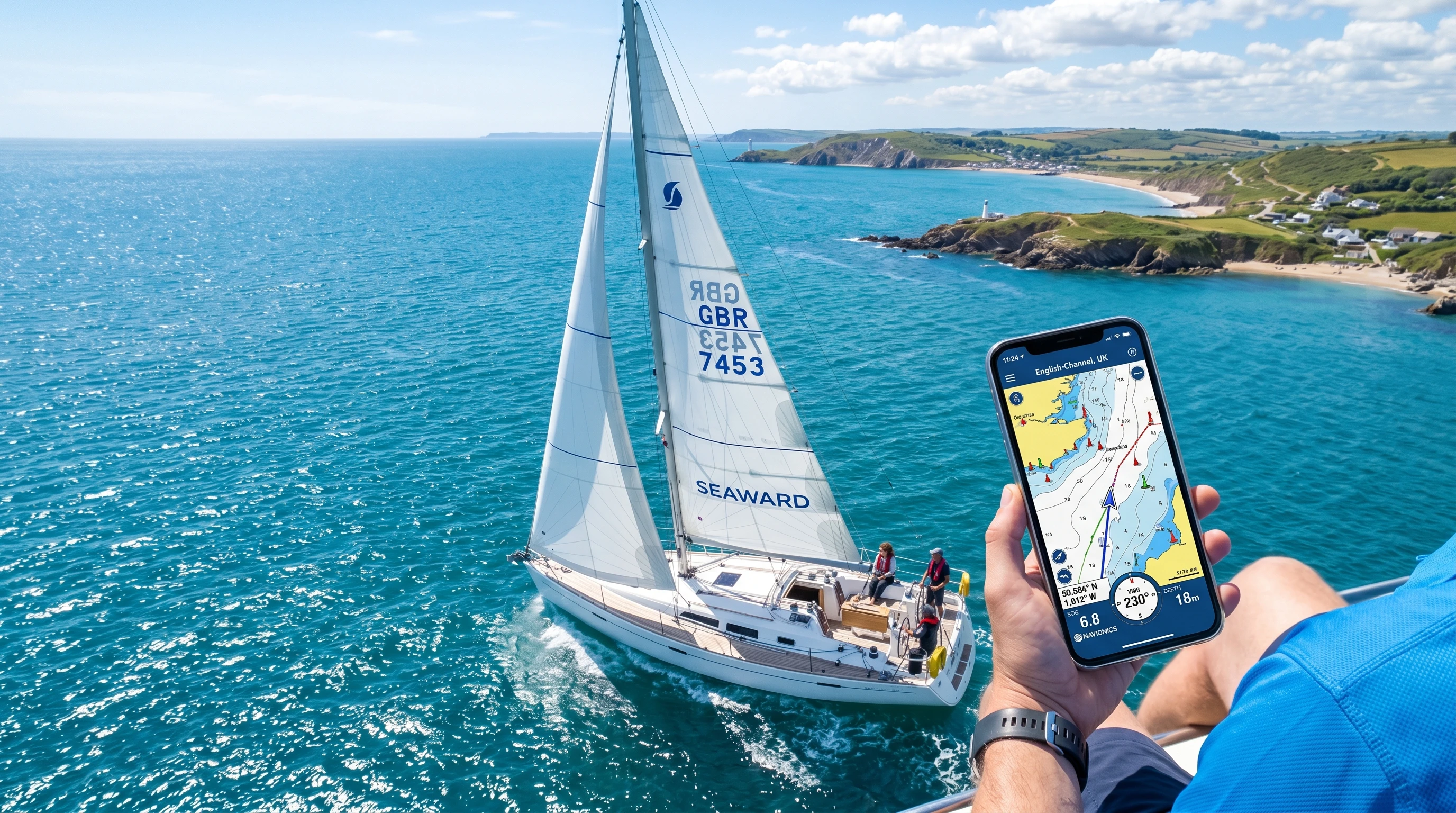
- Navionics Boating HD (Free Version): Offers basic nautical charts, GPS positioning, and course plotting. Some features require a subscription, but free route planning and chart viewing are included. Offline map downloads are available in certain regions for limited use.
- OpenCPN Mobile: This is a personal favorite for its flexibility. Open source and compatible with lots of chart formats, like NOAA and raster charts. Strong offline support, and the interface adapts easily to smartphones and tablets.
- iNavX Lite: You get raster chart viewing and GPS plotting in the free version. In-app purchases unlock additional maps, but the essentials are free. Known for integrating with NMEA devices on higher-end boats.
- SeaNav US: Geared toward U.S. waters. Real-time AIS, tides, and GPS tracking are free, plus handy features like route planning, waypoints, and an anchor alarm.
- MarineTraffic (Basic): This app is my go-to for live ship traffic and AIS info, especially near busy harbors or when night sailing. Most vessel tracking is free.
- Windy: While mostly used for weather and wind forecasts, Windy is invaluable since knowing wind and sea state makes route planning way safer and more reliable.
Picking the right app isn’t just about the feature set. Region-specific charts, desired offline use, and the importance of live cloud updates all play a role in finding your best match.
Core Features to Look for in a Free Navigation App
After years at the helm, these are the features that matter most in a free navigation app for sailing:
- Offline Charts: Downloadable charts are essential, as cell service can be spotty or unavailable far offshore. Apps that let you save maps locally for offline use are critical.
- Real-Time GPS Tracking: Always seeing my position on the chart makes navigation less stressful and helps me quickly adapt to changing currents or wind.
- Route Planning and Waypoints: The ability to plot, modify, and save custom routes, and to mark important waypoints, keeps trips on track even if the weather changes.
- Tides, Currents, and Weather: Having tide and weather data integrated means I can plan safe, efficient passages no matter the conditions.
- AIS Integration: If you’re sailing in shipping lanes or crowded waters, live AIS data is crucial for spotting commercial vessels and avoiding close encounters.
- Hazard and Anchorage Markers: Apps that show rocks, wrecks, marinas, and anchorages—often via crowdsourced reports—can flag hazards as soon as anyone stumbles upon them.
How to Choose a Navigation App for Sailing
Picking the best app for you comes down to your personal sailing style and where you’ll be using it. Here’s how I like to break it down:
- Do I need worldwide charts, or is local coverage enough?
- Will I stick close to coastal areas with decent cell service, or do I need offline capability for offshore sailing?
- What’s my device of choice: a compact phone, a large tablet, or a ruggedized laptop?
- Is route planning, live forecasting, or real-time ship tracking my top priority?
If you like longer offshore adventures or often find yourself out of cell range, prioritize offline maps and battery-stretching features. For quick day sails near the coast, focus on apps that shine with AIS, tides, and marina info.
Common Challenges with Free Sailing Navigation Apps
These days, free tools are a lot stronger, but I’ve still run into a few bumps along the way. Here’s what to watch for and how I work around most issues:
- Limited Chart Updates: Some free charts can be a little out of date. I make a habit of checking app forums or web pages for updates right before a trip.
- Feature Lockouts: Free tiers often keep powerful tools behind a paywall. Check what’s really free before you set sail, so you’re not caught out later.
- Battery Drain: Apps that use GPS and bright screens can drain your battery fast. Carry extra power banks and put your device in airplane mode after loading maps and routes.
- Device Durability: Salt, spray, and rough handling take their toll on electronics. Waterproof cases and matte screen covers can help keep devices working longer offshore.
- Legal Compliance: Free apps might not always reflect the most up-to-date information on local rules, protected areas, or seasonal changes. I always pack paper charts and the latest notices to mariners.
Practical Tips for Safer and Easier Navigation
- Kill unnecessary background apps to save device battery.
- Download charts, routes, and tide information before you leave the dock, especially if it’s new territory.
- Keep all your electronics in a waterproof pouch—even mild spray can do real damage.
- Use two different apps or a physical chart to double-check critical information, such as harbors or hazard areas.
- Hang out in sailing forums or app communities. Local insights or trip reports are worth their weight in gold before you head out.
Advanced Tricks for Getting More Out of Free Apps
Once I felt at home with the basics, I started hunting for new ways to tap into more power from each app:
- If your device supports split-screen or floating app windows, use them to keep weather and navigation in view at the same time.
- Export routes from one app (e.g., OpenCPN) and import them into another (e.g., iNavX or SeaNav) for backup and redundancy.
- Set alarms to warn you when you get too close to buoys or hazards. Many apps can alert you if you wander into danger zones.
- Take screenshots of tide charts or wind forecasts so you have them handy even when offline.
- Share your real-time location with friends or family for safety, either using app features or third-party platforms like MarineTraffic.
Real-World Examples Using Free Navigation Tools
For a coastal trip from Miami to Bimini, I loaded NOAA charts into OpenCPN and marked waypoints all along the route. While watching MarineTraffic, I kept track of big ships in the Gulf Stream at night, which really reduced stress near the traffic lanes. Checking Windy ahead of time helped me time my departure for the best weather window, and SeaNav’s anchor alarm let me sleep easily once I was moored.
If I’m just going out on a lake, Navionics’ free map covers the basics. I don’t need offshore features, just simple GPS and charting. For races, running an AIS app can show live fleet positions, which is both fun and helps with tactical decisions.
Even as technology gets better, I always keep old-school paper charts on board. Still, the best free navigation apps have let me push my boundaries and sail with much greater confidence.
Frequently Asked Questions
Below you’ll find answers to some of the top sailing navigation app questions I get or spot in sailor communities:
Question: What’s the most reliable sailing navigation app for beginners?
Answer: For those starting out, Navionics Boating HD or OpenCPN are both popular and easy to use. There are tons of guides that can help you learn the ropes quickly.
Question: Can I navigate internationally using just free apps?
Answer: Yes, plenty of free apps work worldwide with offline charts available. Coverage varies by area, so always check your region in advance and download maps early.
Question: Are free navigation apps safe for offshore passages?
Answer: Free apps are an excellent backup, but they shouldn’t be your only navigation method offshore. Always pack paper charts, and monitor your device battery and health.
Question: What’s the best way to keep my smartphone or tablet safe on the boat?
Answer: Heavy-duty waterproof bags, screen covers, and anti-slip mats have kept my devices safe for years. I also carry backup chargers and check battery levels often.
Final Thoughts: Best Free Navigation Apps for Sailors in 2026
Staying safe and having the most fun on the water is now more possible thanks to free sailing navigation apps. By mixing a few popular options, downloading updated charts, and keeping up good habits, I head out on everything from short harbor hops to big crossings without breaking the bank. With “Top Sailing Navigation Apps 2026” and other up-to-date guides, sailors of every experience level can find the right app for their next trip. Test out a couple before your next passage—you might stumble upon your new favorite navigation tool.
This article was created with AI assistance and reviewed by a human editor.
About The Author