Navico has really stepped up the game in the marine electronics world, especially with its unified ecosystem connecting Simrad, Lowrance, and B&G.
For boaters and anglers, this integration can make a huge difference in both convenience and functionality. Getting to know how Navico brings all its brands together sets you up for a much smoother experience out on the water, whether you’re into cruising, sailing, or fishing.
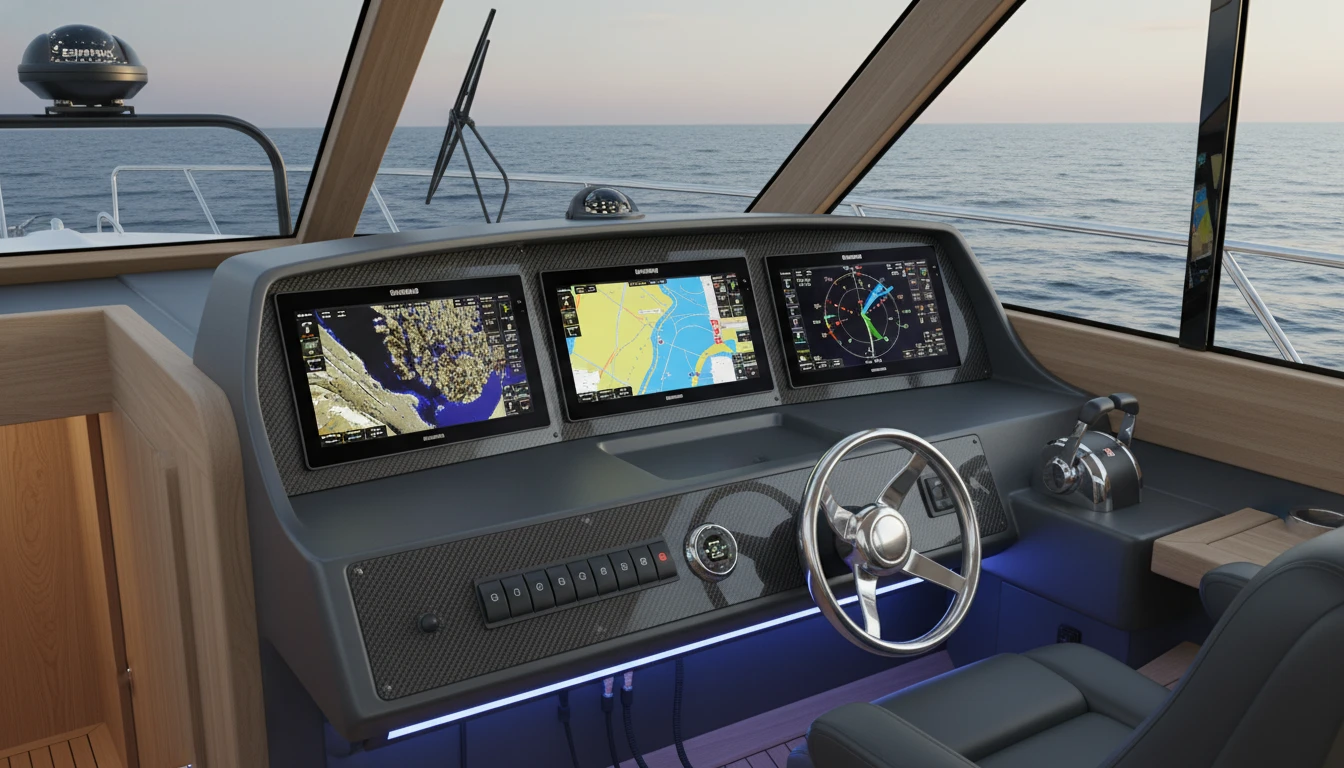
Understanding the Navico Ecosystem: What It Actually Means
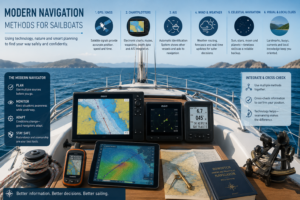
The Navico ecosystem isn’t just a buzzword, it’s about making things easier and smarter for anyone using Simrad, Lowrance, or B&G on their boat. This unified approach lets you mix and match devices across these brands, often sharing data, displays, and controls through one network. So, you can have your favorite Lowrance fishfinder working right alongside a Simrad autopilot or B&G sailing instruments, and they’ll talk to each other seamlessly.
Navico’s move toward open networking and compatibility means you don’t have to stick to just one brand for every device. You’ve got the flexibility to build a setup that’s personalized for your boating style. This makes boat upgrades less of a headache, especially as new marine tech keeps rolling out every year. Plus, the cross brand approach helps users with older gears, o many can keep what they love while taking advantage of the latest smart navigation features and tools.
Navico Ecosystem Features That Make Boating Easier
There are a bunch of eye catching features that come with Navico ecosystem integration, and they make a big impact on how you use your boat or yacht:
- Plug and Play Networking: Navico systems mostly rely on NMEA 2000 and Ethernet connections. This means units from Simrad, Lowrance, and B&G can connect on a shared network, sharing sonar, radar, charting, and more in real time.
- MultiBrand Display Sharing: You can often show charts, radar, or sonar from any brand’s transducer or sensor on any connected Navico display.
- Cloud Based Updates: Navico’s online services help users keep software fresh and sync data, routes, and waypoints between units and even your phone or tablet. This saves loads of time come trip planning season.
- App Integration: You’ll find accompanying apps like Simrad App, Lowrance App, or B&G App for mobile device planning, data downloads, and remote display control, and new features get added all the time.
- Centralized Control: With the network tied together, you can often manage trolling motors, radar, autopilot, audio, and sensors (from any brand in the group) from a single screen. This streamlines your experience on board and keeps everything easy to reach.
- Flexible Accessory Options: Adding new accessories or swapping devices from the Navico family is pretty straightforward and doesn’t usually mean you have to update your whole boat’s wiring.
This all boils down to less messing around behind the dash and more hands on boating or fishing. Compatibility expands your options for upgrades and customization, so every adventure is tailored to your liking.
How to Integrate Simrad, Lowrance, and B&G, A Practical Walkthrough
Setting up a Navico ecosystem isn’t some mysterious process; it really is like connecting building blocks. Here’s a step by step for organizing an integrated Navico electronics system:
- Decide on Your Displays: Whether you want big screens at the helm or compact units near the stern or cockpit, you can mix Simrad, Lowrance, and B&G displays as long as they’re network compatible. Consider what you do most, navigation, sailing, fishing, or entertainment.
- Connect Everything on NMEA 2000: This backbone acts like a main street, letting devices from GPS sensors, autopilots, or wind instruments talk to each other. The MicroC cabling and tee connectors make it pretty foolproof, and robust.
- Link Advanced Sensors (Sonar, Radar, Cameras): Ethernet is the trick for sharing high-bandwidth info between units. This makes it possible to show advanced sonar from a Lowrance module on a Simrad or B&G screen, or get radar overlays no matter the brand. It’s a huge step up in user convenience.
- Install App Based Features: Use your brand’s respective app to sync your system, do route planning, and send waypoints or software updates wirelessly. Handy before every trip or when you’re stuck at a coffee shop dreaming about the next day on the water.
- Customize with Accessories: Add in compatible modules (audio, trolling motor, autopilot, weather stations, and more), knowing most will work as long as they’re Navico group models or NMEA 2000 certified.
- Test and Tweak: Power everything up, try the menus, and make sure sharing and control features work across brands. Most systems let you customize display layouts and see multi brand info at a glance and side by side.
For a super detailed Navico products compatibility guide, I usually track down official documentation, but user forums and YouTube walkthroughs can be pretty handy for troubleshooting real-world setups too. If you get stuck, marine dealers and tech support can help smooth things out quickly.
Navico Products Compatibility Guide: What Works With What?
With every new product release, I always double check compatibility. While Simrad, Lowrance, and B&G are all Navico brands, it’s smart to check which models and software versions can interact with each other. This helps you dodge headaches later on, especially as new tech becomes more connected and advanced.
Most displays and sensors from 2020 onward are pretty interchangeable, but older gear might be trickier. Here’s what I keep in mind when picking out components for Navico systems for boating 2026 and beyond:
- Displays and Touchscreens: Newer NSS (Simrad), HDS (Lowrance), and Zeus (B&G) units regularly share chart, radar, and sonar data through Ethernet or NMEA 2000 networks. Multiuser, multitasking setups are easier than ever.
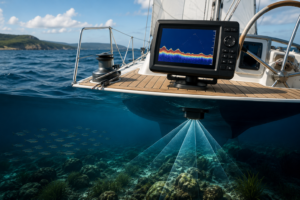
- Sonar Modules and Transducers: StructureScan, LiveSight, and 3D modules usually work with all three brands, but watch for software version requirements to make sure you get the most accurate readings.
- Autopilots and Sensors: Most modern Navico autopilot computers pair up with any brand’s networked display for control and commission. Firmware refreshes are key for the coolest features.
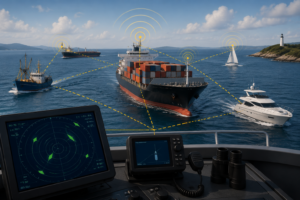
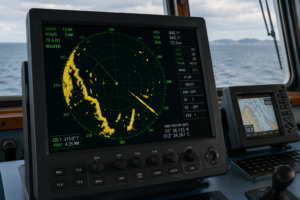
- Radar: Halo dome and open array radars are plug and play with all three major Navico brands. Just make sure the display has the right Ethernet port and required software.
- Weather, Wind, Environmental Sensors: Devices that are NMEA 2000 certified are shareable, even with non-Navico brands, but advanced features work their best when you keep everything in the family.
- Networking Limitations: Entry level displays (like some Hook or GO series) might have limited sharing, so make sure you read the spec sheets carefully before buying or planning a switch up in gear.
The Navico support page and compatibility charts are worth a look when you’re planning upgrades or mixing newer and older hardware. If you’re unsure, lots of marine installers will answer questions via call or quick email, smart way to avoid hassles and keep your boating plans on track.
Benefits of a Unified Navico System for Everyday Boating
Out on the water, a united Navico system seriously boosts your boating game. Here are some standout perks you’ll appreciate:
- Smoother Workflow: You can jump between fishing, navigation, autopilot tweaks, and entertainment, often from one touchscreen, no matter the brand badge. It means simple, stress-free operation for everyone on board.
- Future Proofing: As Navico lets loose new innovations, you can add new modules without ditching everything you already own. This approach saves both time and cash and makes your electronics setup truly flexible.
- Better Data Sharing: Each area of your boat can have a tailored display, but all share the same charts, sonar returns, radar, and networked instruments, making for efficient teamwork and easier task management between crew.
- Teamwork Onboard: Family and crew can grab a synced mobile device or share information between a main helm and a secondary station. This supports group decision making and safety, too.
- Tech Support Simplified: Warranty, updates, and customer service are more streamlined when sticking to the Navico family, reducing the time spent on calls or troubleshooting random issues.
During a long trip, you’ll appreciate that route planning done at home on a tablet using the Navico app will seamlessly appear on your chartplotter when you arrive. Swapping between essential sailing and fishing features, or checking environmental conditions, can be done instantly, no hunting for hidden menus.
Things You Should Probably Consider Before Upgrading to a Fully Integrated Navico System
Before you make the switch to Navico’s all-in-one approach, consider these important factors:
- Compatibility Across Generations: Not every legacy device will play nice with the newest tech, so confirm model specific integration details first and plan for possible workarounds.
- Network Planning: Depending on your boat’s wiring complexity, new cabling or network hubs may be needed. Laying out your setup in advance speeds things up and helps avoid snags during install.
- Update Management: Software and firmware updates keep your system at its peak, especially if you’re running devices from different years. Make this a regular habit to benefit from the best features.
- Learning Curve: If you’re familiar with one brand’s controls, some adjustment time is expected. Allow for an hour or two to get used to any new screens or layouts.
Compatibility and Legacy Devices
Mixing old and new hardware sometimes needs extra patience. If you have a well-loved, older Simrad or Lowrance module, check forums for firsthand reports on integration. Firmware updates can help, but some features are only found on modern displays.
Network Hardware and Cabling
For a solid connection, make sure you get enough NMEA 2000 tees, extension cables, and Ethernet splitters. Laying everything out on a table before installation makes it easier to spot missing items and helps your install go smoothly the first time.
Firmware Updates
Many new features arrive in software updates. Use a USB stick, Wi-Fi, or the brand’s app to keep your system current, so performance and cross-brand integration stay reliable. Set reminders to double check for new firmware each season.
Tips for Making the Most of Your Navico Ecosystem in 2026
Marine tech evolves rapidly, but these smart habits help you make the most of your Navico system, whether you’re a weekend explorer or planning a major cruise:
- Plan for Expansion: Even if you start basic, set up network backbones and enough ports for future add-ons. Expand when needed, your setup will thank you later.
- Create Custom Screens: Personalize layouts by mixing instruments, charts, and key data from across brands for all in one control and faster situational awareness.
- Try Remote Monitoring: Take advantage of apps and cloud services to keep tabs on your boat’s electronics from home or on the go, making trip planning and status checks convenient.
- Check Power Management: New electronics eat up more juice. Test your boat’s battery and charging system for capacity and make improvements if you add major devices.
- Stay Up to Date: Get on brand mailing lists, keep an eye on support sites, and track major software or hardware releases, those often come packed with new cross brand features and improvements.
Frequently Asked Questions
Want to know more about the Navico ecosystem? Here are answers to the questions that pop up again and again:
How do I update software across different Navico brands?
Most Simrad, Lowrance, and B&G devices now let you do Wi-Fi updates directly from the unit or with a USB stick. Use the official apps or check online to get the latest for your specific models for top performance and connectivity.
Can I use a Lowrance transducer with a Simrad display?
In many cases, yes. Lots of sonar modules and transducers are designed for cross-compatibility, especially newer models with plug and play connections. Always check the compatibility charts and software details before you buy.
Is it possible to combine sailing-specific and fishing gear in the same system?
Yes, absolutely. Plenty of boaters use B&G wind sensors and performance displays with Simrad chartplotters or Lowrance fishfinders, especially in dual purpose boats and big yachts.
What’s the main advantage of choosing a Navico ecosystem over sticking to a single brand?
You get more flexibility to choose the best tool for each job and aren’t limited to just one brand’s lineup. In the long run, it’s often less expensive than swapping out an entire electronics package in one go.
Final Thoughts
Understanding Navico ecosystem integration isn’t limited to techies or yacht owners. Whether you want to add new radar, upgrade displays, or connect your most reliable gear, knowing how to integrate Simrad, Lowrance, and B&G will save you time, cash, and plenty of frustration. Smart research puts you in front of potential problems, so you can make solid decisions about upgrades and enjoy your boating seasons with fewer electronics headaches. Stay close to the latest updates for boating in 2026, and get ready for a smoother, more connected ride each time you hit the water. The right system gives you the power to spend your day on what matters, being on the water, not stuck in the wiring.
About The Author



Hello, Andrejs, this article is very professionally done and very informative. This was a really insightful breakdown of how Navico is pulling Simrad, Lowrance, and B&G into a genuinely unified ecosystem. The way you explained the practical, on-the-water benefits of having everything integrated through a common interface really helps clarify why this matters beyond just marketing buzzwords.
I have never done any actual navigating myself but I have traveled quite a bit on boats and catamarans. My father owned a boat so I did watch him navigate during our trips. I can say that I especially liked your focus on how this streamlines setup and data sharing across devices, because that’s exactly where many boaters feel the most friction. Looking forward to seeing how this integration evolves and what it means for future MFD updates and third-party compatibility. Am I right to expect more fully integrated electrical and battery management, so more seamless monitoring and control of power, charging, and “generator‑less” systems through MFDs can be developed?. This fits Brunswick’s broader ACES strategy and should show up as tighter links between propulsion, house power, and digital switching.
IAnyway, this article is very well done and I will read more of your articles here since I will surely traveling with boats quite a bit in the future. MAC.
Hi MAC,
Thank you very much for your thoughtful comment, I truly appreciate you taking the time to share your perspective.
I’m especially glad the breakdown of Navico’s ecosystem strategy resonated with you. One of my goals with that article was exactly what you pointed out, to move beyond the marketing language and explain what integration actually means in real, on the water use. For many boaters, the real friction isn’t a lack of features, it’s the complexity of setup, inconsistent interfaces, and disconnected systems. If the piece helped clarify that, then it did its job.
It’s great that you’ve had the chance to observe navigation firsthand through your father’s boating experience. Even without being at the helm yourself, you’ve likely seen how quickly things can become fragmented when systems don’t communicate smoothly. That’s precisely why this shift toward a unified software and data backbone is so significant.
Regarding your question, yes, your expectations are well aligned with the broader direction. Deeper integration of electrical systems, battery management, digital switching, and propulsion monitoring directly through MFDs is a logical next step. As ecosystem consolidation matures, we should expect tighter interoperability between propulsion, house power, charging systems, and energy management, particularly as generator less and hybrid configurations become more common.
And you’re absolutely right to connect this with Brunswick’s ACES strategy. The move toward connected, electrified, and software driven marine platforms strongly suggests that power management and digital control layers will become more unified and MFD centric over time.
Thank you again for your kind words and encouragement. I’m glad you found value in the article, and I look forward to sharing more insights in the future, especially as these integrations continue to evolve.
Best regards,
Andrejs