Cloud-based navigation software has changed the way I handle route planning, vehicle tracking, and location-based tasks. When I started researching what cloud-based navigation software actually is, I found it mixes GPS technology with secure online data storage and advanced real-time features. This approach lets me manage navigation from almost anywhere, using any connected device, rather than relying solely on local software or hardware. In this article, I’ll offer a straightforward look at the pros and cons of using these solutions, plus share tips from my personal experience on how to pick one that fits your needs.
How Cloud-Based Navigation Works
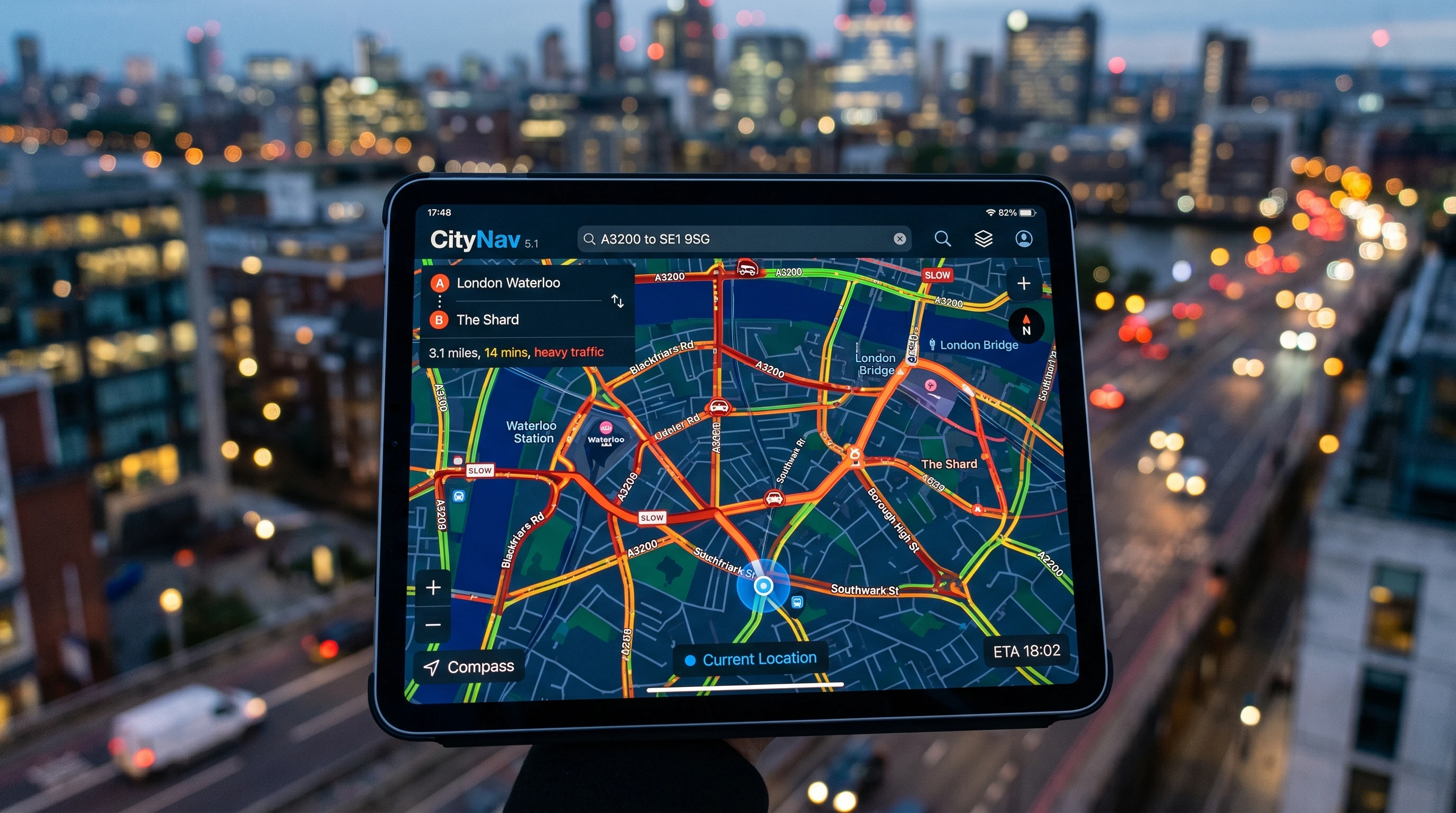
Understanding cloud navigation starts with knowing how traditional navigation software worked before. Most older systems required me to download software onto dedicated devices. Updates could be a pain, usually needing manual installs, while maps often went out of date. Cloud-based navigation software, on the other hand, stores maps, routes, traffic data, and user profiles on secure online servers. I can access this information in real time through my mobile apps or web browsers, so the data is always up to date.
Some of the best cloud navigation tools also allow for smooth integration with other cloud services, making it easier for me to share location information with teams or sync data across different devices. This tech is especially valuable in industries like logistics, delivery services, emergency response, and even for personal travel planning.
Core Advantages of Cloud Navigation Systems
Switching to cloud based navigation comes with several advantages that really make my workflow more efficient:
- Live Updates and Traffic Intelligence: Getting real-time traffic or road condition info can instantly reroute me, helping me avoid delays and save time.
- Accessibility from Any Device: Whether using my phone, tablet, or computer, cloud navigation lets me start planning on one device and continue on another without losing my progress.
- Centralized Data and Sharing: In my work with teams, everyone sees the same map sets and route plans, reducing communication errors and helping projects run more smoothly.
- Automatic Map and Software Updates: I don’t have to worry about outdated maps. Cloud providers push updates directly so the latest routes and features are always available.
- Lower Hardware Requirements: There’s no need to buy specialized GPS units or additional equipment. All I really need is a device with internet access, which keeps costs and complexity low.
- Easy Scalability: Whether I’m managing a single vehicle or a large fleet, cloud tools can scale easily without major upgrades or changes.
Common Drawbacks and Issues with Cloud Navigation Software
Cloud navigation software is really useful, but some trade-offs I’ve run into are worth mentioning:
- Dependence on Internet Connection: Without a reliable mobile data or Wi-Fi connection, cloud navigation can’t provide updates or routes, making offline navigation difficult in remote areas.
- Data Privacy Concerns: Since my location and travel history get stored online, I make sure to pick trusted providers with strong security. Always take time to check privacy policies and data compliance.
- Subscription Fees: Many top options come with monthly or yearly payments, which can add up over time compared to a single-fee traditional solution.
- Occasional Latency: Sometimes there are brief delays when syncing or refreshing routes, especially during server outages or heavy online traffic.
- Integration Limits: Not every cloud tool plays nicely with older software or hardware, so checking compatibility can keep headaches to a minimum.
Top Features of Cloud Navigation Apps
After comparing several cloud apps at work and for personal trips, here are the features I find most valuable:
- Live Route Optimization: Changing routes in real time based on traffic means I save both time and money on every trip.
- Multistop Planning: I can add a full list of destinations and let the app automatically figure out the best order.
- Integration with Vehicle Telematics: Some tools connect with vehicle systems to track trips, monitor speed, and send diagnostics.
- Offline Map Storage: The top platforms let me download maps ahead of time for travel in spots with poor coverage.
- Collaboration Tools: Real-time sharing lets teams see routes, update plans, and coordinate schedules seamlessly.
- Voice-guided navigation: Safe, hands-free directions keep me focused on the road.
Comparison of Cloud Navigation Solutions
Based on my hands-on reviews of widely used options, here’s a practical comparison of cloud navigation platforms. These include solo mobile apps and solutions for enterprises:
- Google Maps for Business: Offers wide map coverage, reliable live updates, and solid API integration for logistics teams. I find it great for many business uses, though it can be limited for advanced fleet tasks.
- Waze: Known for its community-driven traffic updates, it’s ideal for dodging jams and avoiding road incidents. However, it may lack some business features.
- Sygic Professional Navigation: Made for enterprise fleets, Sygic supports offline maps and telematics connectivity, making it helpful for logistics and commercial drivers.
- HERE Technologies: Robust APIs, detailed analytics, and customizable map layers make HERE useful for developers and transport planners alike.
- MapQuest: This one is user-friendly for individuals and small businesses who just want clear maps and simple routing without extras.
The best tools offer current data, real-time collaboration, and flexibility. Reading user reviews and trying demo versions can help narrow your choice before committing.
When Cloud Navigation Might Not Be the Best Fit
While I use cloud navigation tools almost daily, sometimes traditional software still works better. For example, if I’m traveling through areas with weak cell signal or spotty coverage, having locally installed GPS apps is crucial. And for those who care deeply about privacy, like some organizations handling sensitive data, storing everything online may not be ideal.
How to Choose Cloud Navigation Software
When picking a cloud navigation tool, I always match features to my needs and, when needed, my industry’s standards. Here are a few questions I ask myself in the process:
- What kind of routes am I planning? (Personal, delivery, sales calls, field service, etc.)
- Is team collaboration necessary, or is the tool just for me?
- Will I often travel through areas with bad or no connectivity?
- How comfortable am I with storing travel data online?
- Are custom integrations with other work tools important?
- Am I keeping costs low, or do I need premium features?
Trying a short free trial, reading detailed user reviews, and checking out compatibility and support should all play into your decision. The ease of updates and solid customer help also matter a lot.
Practical Tips for Using Cloud Based Navigation Software
- Keep apps updated: I always use the latest version for bug fixes and better security.
- Download offline maps in advance for trips through dead zones: Planning ahead means I won’t get lost if coverage drops.
- Review privacy controls: I take time to set sharing and data preferences to match my comfort zone.
- Track data usage: These apps can eat up mobile data fast, so I monitor my plan when traveling far from WiFi.
- Use collaboration features: Sharing routes and checkpoints with team members keeps everyone in sync for complex projects or deliveries.
Use Cases: Real World Applications for Cloud Navigation
- Logistics and Delivery: Fleet managers and drivers use these apps to optimize routes, track vehicles, and smooth the delivery process.
- Emergency and Public Services: First responders depend on up-to-date maps and traffic data for fast response times.
- Field Service Teams: Workers get instant updates and live rerouting in the field, leading to better productivity and faster service calls.
- Personal Travel: Road trips, city navigation, and trip planning become much more convenient through shared maps and seamless syncing across devices.
Frequently Asked Questions About Cloud Navigation Software
Question: What is the difference between cloud-based and traditional navigation software?
Answer: Cloud navigation uses online servers for storage and updates, giving me live route info and allowing access from any device. Traditional software sits on your device with installed maps—if you don’t manually update them, they can quickly become outdated.
Question: Are cloud navigation systems secure?
Answer: Most providers invest in security tools like encryption and secure logins. Still, I always check privacy policies and tweak my app sharing settings to add an extra layer of safety.
Can I use cloud-based navigation software without an internet connection?
Answer: Some cloud apps let me download maps for offline use, but live updates and data syncing will wait until I reconnect.
Question: How do I find the best cloud navigation software for me?
Answer: Make a list of must-have features, check reviews and side-by-side comparisons, and look for the apps with the top features that match your needs. Trying out trials or reading real user feedback will help you make the best choice.
Key Takeaways for Choosing Cloud Navigation Software
Cloud navigation software makes sense for users and teams who want the freshest maps, live traffic data, and anywhere access. By weighing the pros and cons and matching features to individual or business needs, I can pick the most reliable and convenient tool. The move to the cloud offers greater flexibility and control, but privacy, cost, and connectivity remain key considerations.
Striking the right balance between practical needs and available features makes all the difference in personal and business navigation. With ongoing tech improvements, I can now choose tools that are reliable, user-friendly, and truly designed for how we work and travel today.
This article was created with AI assistance and reviewed by a human editor.
About The Author