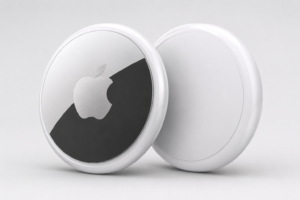
If you’ve ever forgotten where you left your keys, wallet, or bag, I can relate all too well. Losing track of important items is inconvenient and stressful. That’s why the Apple AirTag 2nd Generation caught my interest. It aims to make finding lost items quick and easy, especially for people already using Apple products. This newest model brings several updates, like improved location accuracy, a stronger Find My network connection, and longer battery life compared to the original AirTag. For anyone thinking about buying a smart tracker, knowing what these upgrades offer can really help when deciding if this device fits your needs.
Apple AirTag 2nd Generation: What’s New?
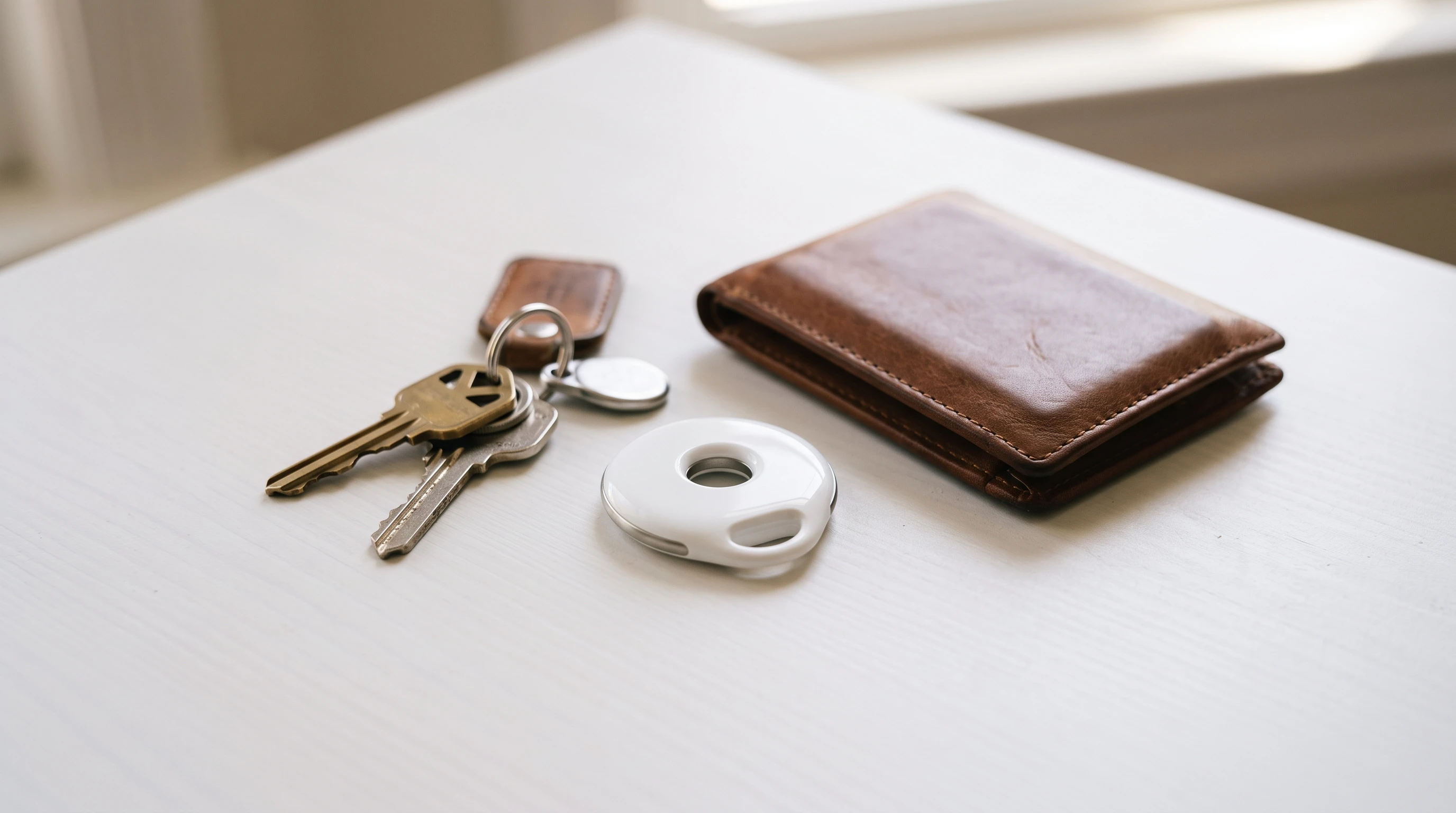
The core idea behind the AirTag is simple: attach it to valuable things and track them right from your iPhone, iPad, or Mac. The second-generation AirTag steps things up with improved location features, faster device connectivity, and better durability. Apple also focused on privacy and anti-tracking technology, helping users feel more secure when tracking their items.
This AirTag model retains its familiar compact, round shape while offering a more durable, water-resistant body. I find these little design changes go a long way, especially if you want to use it on luggage, outdoor gear, or pet collars. The tweaked chip inside provides a stronger, more precise connection than before. If you rely on tech to find your stuff, you’ll notice the difference in daily use. Compared to the previous generation, the AirTag 2nd Generation also feels a tad more robust in day-to-day scenarios, standing up well to bumps and regular handling over weeks of use.
Top Apple AirTag Features
AirTag packs a lot into its small package. Here’s what stands out for me when using the 2nd generation model:
- Precision Finding: The new-generation Ultra Wideband chip (U2) inside the AirTag provides incredibly accurate location finding. If you have an iPhone with Ultra Wideband, you can see the distance and direction to your AirTag with on-screen arrows and even haptic feedback as you get closer.
- Find My Network Integration: AirTag taps into the massive Apple Find My network. This means that if you misplace an AirTag outside Bluetooth range, millions of iPhones, iPads, and Macs help locate it anonymously and securely.
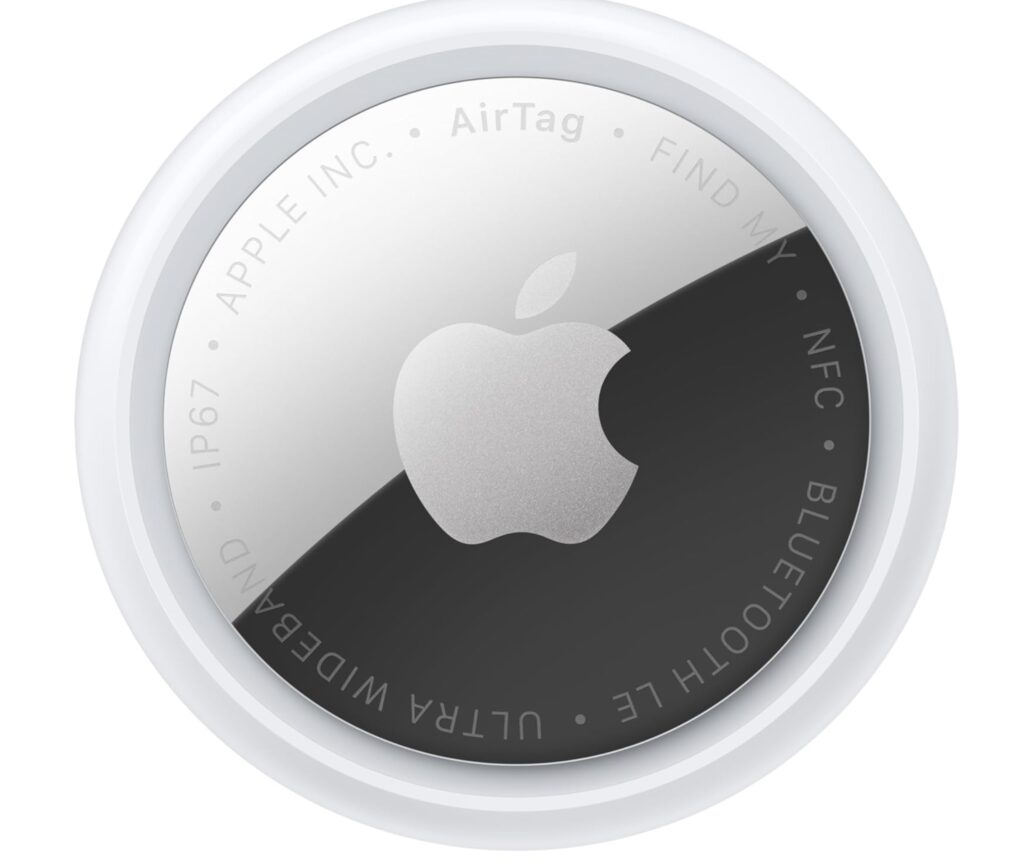
- Smart, Compact Design: The AirTag is tiny and lightweight. Its stainless steel and plastic build resists scratches and damage, and it’s made to handle splashes and brief submersion in water (rated IP67).
- Customizable Options: You can engrave your AirTag with initials, emojis, or numbers (when you order from Apple). This makes it easier to tell which tag is which at a glance.
- Replaceable Battery: With a simple twist, you can swap the battery yourself. This keeps maintenance simple and affordable, which I find super helpful.
These Apple AirTag features are designed for daily reliability, whether you’re at home, at work, or traveling somewhere new. An additional improvement in this generation is a subtle boost in the overall reliability of Bluetooth connections, resulting in quicker responses in the Find My app. For those who regularly use tracking features, these tweaks give a noticeable boost in peace of mind.
How Apple AirTag Works
Understanding how Apple AirTag works helps you get the most out of your purchase. The AirTag uses Bluetooth to communicate with your device when it’s nearby. If your tagged item goes out of Bluetooth range, AirTag quietly connects to Apple’s vast Find My network. This network is made up of millions of Apple devices worldwide. When another device comes within range of your AirTag, it securely relays its location back to you, without anyone else seeing your info.
The major upgrade in the 2nd Gen AirTag is the new U2 chip. This chip uses Ultra Wideband technology, enabling Precision Finding with compatible iPhones. On your screen, you see an arrow pointing right to your tag, as well as a distance readout. Your phone can also use sound and gentle taps (haptic feedback) to steer you even closer, which I find helpful when searching in tricky spots like under couch cushions or inside bags.
This combination of Bluetooth, Ultra Wideband, and the Find My network makes AirTag a really flexible tracking device. Unlike GPS trackers, it doesn’t have a built-in SIM card or require a subscription, so your data stays private and secure. In day-to-day use, I’ve noticed how quickly location data updates and how tightly integrated it is with Apple’s security settings, giving users plenty of control over who can see AirTag data and when.
How to Set Up Apple AirTag
Setting up an AirTag is quick and straightforward, even if you’re new to Apple products. Here’s how I do it every time:
- Make sure your iPhone or iPad is running the latest version of iOS or iPadOS.
- Take the AirTag out of its packaging. Remove the plastic pull tab to activate the battery.
- Hold the AirTag near your iPhone. A setup animation should appear on your phone screen within a few seconds.
- Tap “Connect” in the prompt. You can then name your AirTag or choose from suggested labels such as “Keys” or “Backpack.”
- Assign the AirTag to your Apple ID. This connects it to your iCloud account for secure tracking and management.
- Enable notifications for things like separation alerts and lost mode. This keeps you updated if your AirTag gets left behind.
The AirTag will now appear in the Find My app under the “Items” tab. From there, you can see its current location, play a sound, or set up custom alerts. Apple’s smooth setup process means you don’t need to adjust system settings or jump through too many hoops before using your new tracker right away.
Apple AirTag Tracking Features Explained
One of the things I find really valuable about AirTag is the number of useful tracking options it provides. Here’s how these Apple AirTag tracking features make finding your things a lot less stressful:
- Separation Alerts: If you leave an AirTag-equipped item behind, your iPhone can send a notification right away. Super important for things you can’t afford to lose, like wallets or laptops.
- Share Item Location: You can safely share your AirTag’s location with family or friends via iCloud, which is helpful for items like shared car keys or a family suitcase.
- Lost Mode: If you can’t find an item, you can mark your AirTag as lost in the Find My app. If it’s found by someone else with an iPhone or even an Android device, they can tap it and get your contact info (if you choose to share it) to help you get it back.
- Anti-Stalking Protections: Apple built in alerts to prevent unwanted tracking. If an AirTag that doesn’t belong to you is traveling with you, you’ll get a notification. This is helpful for your privacy and safety.
- Live Location Updates: The Find My app now shows updated locations faster, especially with the improved chip. This makes it easier to track your AirTag as it moves.
All these features come together to make the AirTag a reliable companion for keeping up with your essentials. I especially enjoy the Share Item Location feature. In my family, we often pass car keys or gym bags between members, so being able to keep an eye on those shared items has saved us several headaches.
Best Uses for Apple AirTag
After using AirTag in daily life, I quickly realized how many things can benefit from a smart tracker. Here are some of the best uses for the Apple AirTag I recommend:
- Keys: Clip an AirTag to your key ring, and you’ll never have to frantically search the house again.
- Wallets and Purses: Slip an AirTag into a wallet sleeve or small pocket for easy recovery if it ever gets left behind.
- Luggage: AirTags are great for spotting your bags at the airport or making sure they don’t get lost in transit.
- Backpacks and School Bags: Parents and students find peace of mind by tracking school or daily bags.
- Bikes: Hide an AirTag under the seat or in a frame pouch to track a bicycle if it’s stolen or misplaced.
- Pet Collars: Clip an AirTag to your dog’s or cat’s collar so you can find them quickly if they wander off.
- Cars: Leave an AirTag in your car so you can remember where you parked, or check on your vehicle’s location if shared with family.
- Cameras and Gear Bags: If you carry expensive camera gear or electronics, an AirTag tucked into your equipment bag could help you recover lost or stolen equipment with less stress.
- Strollers and Kids’ Items: For families on the go, an AirTag in a stroller or favorite toy can mean fewer panicked moments in crowded places.
Just be sure to follow local laws if you use an AirTag to track pets or vehicles in specific areas. For most people, adding a tag to valuables offers significant everyday convenience, and the variety of use cases continues to grow as people discover new ways to secure what matters most.
Best Accessories for Apple AirTag
I’ve tried a bunch of cases and holders for AirTag. Some work better for different uses, so here are the best accessories for Apple AirTag that I’ve found helpful:
- Key Rings and Holders: Choose from leather, silicone, or metal holders that attach firmly to your keys or bags.
- Loop Holders: These handy accessories are perfect for luggage handles, backpacks, and gym bags, making it quick and simple to remove your AirTag.
- Wallet Slots: Super thin sleeves designed to keep AirTag flat inside wallets or cardholders without adding much bulk.
- Luggage Tags: Durable travel tags that hold your AirTag inside and attach securely to suitcase handles. Look for ones with reinforced stitching for long trips.
- Waterproof Cases: Essential for gear that might get wet, like pet collars or bikes. These rugged cases offer stronger water resistance so you can use your tag almost anywhere.
- Magnetic Mounts: For tech gear or items that live on your car’s dashboard, magnetic mounts keep the AirTag in place without a key ring or pouch.
Most accessory brands offer a few color and material options. Well-known third-party brands like Belkin, Spigen, and Nomad make a variety of these holders and cases. Always double-check product reviews to see which style is right for you. If you plan to use the AirTag for wild outdoor adventures or on pets that roam, springing for a hardy waterproof case is worth it.
Apple AirTag Battery Replacement
AirTag runs on a standard CR2032 coin cell battery. When the battery runs low, you’ll get a notification on your iPhone. Here’s how I swap the battery:
- Press down on the stainless steel back and rotate it counterclockwise to open.
- Remove the old battery and pop in a new CR2032 cell (positive side up).
- Line up the cover and twist to secure it closed.
The AirTag will play a sound when the new battery is properly installed. According to Apple, a fresh battery typically lasts about a year with average use, though heavy use of sound features may shorten this timeframe. CR2032 batteries are widely available in most supermarkets and electronics stores, so I always keep a spare handy. If you own multiple AirTags, setting a reminder to check battery status every few months makes maintenance easy.
Final Thoughts: Who Should Buy the Apple AirTag (2nd Generation)?
If you’re an iPhone or Apple user who sometimes loses things or travels often, the AirTag 2nd Generation is a smart upgrade. The improved range, battery life, and tracking features make it more reliable than before. I find it especially helpful for anyone juggling multiple bags, families who travel regularly, or even pet owners. Compatibility with the Find My network means you’re covered almost everywhere Apple devices go. Just make sure to double-check for current pricing and release details before buying.
For people who want a hassle-free way to keep track of valuables, the AirTag is a good fit. Routine battery replacement and easy setup make it accessible for nearly everyone. Add in all the fun (and practical) holder options, and I think it’s one of the most user-friendly tracking gadgets you can buy. If you own older AirTags, you’ll notice battery and signal range improvements right away with the 2nd Generation. It’s a practical upgrade if you care about keeping tabs on everyday essentials.
FAQs: Apple AirTag (2nd Generation)
Can I use Apple AirTag with Android devices?
AirTags are designed mainly for Apple devices. While Android users can tap an AirTag in Lost Mode to get the owner’s contact info, only Apple products can fully track and manage AirTags.
Are Apple AirTag location updates in real time?
AirTag updates its location each time it connects to your device or to other nearby Apple devices. For frequent updates in crowded areas, you’ll see locations refresh often, but it’s not live GPS tracking.
Does the Apple AirTag have sound or vibration alerts?
Yes, AirTag can play a loud sound from its built-in speaker to help you find it, and Precision Finding on iPhone gives vibration (haptic) feedback as you get closer.
This article was created with AI assistance and reviewed by a human editor.
About The Author