Most chartplotter reviews compare screens, map detail, and menus on a dealer’s shelf or a calm marina. A plotter crossing an ocean is judged by a different test: what it still does when something on the boat goes wrong, and the nearest repair shop is weeks away.
This article ranks marine chartplotter features for offshore cruising by that test. Each section covers one failure (a dead screen, a power dip, a chart that was never downloaded, a network that drops out) and the feature that decides how bad it gets. It stays on the plotter itself. Radar, AIS, and handheld GPS each have their own articles, linked where they come up.
Why a cruising chartplotter is judged differently from a coastal one
A coastal sailor has options when the plotter fails. They can look at the shoreline, call a nearby boat, anchor, or turn back to a harbor a few hours away. Offshore, the plotter is one tool in a chain that must keep working for weeks, and options for fixing a failure shrink with every day away from land.
That changes what to look for. Four failures matter most on a passage, and they set the order of everything below:
- Power loss or unstable voltage. The unit shuts down or restarts at the wrong moment.
- Display failure or unusable controls. The unit is running, but you cannot read or operate it.
- Missing or unreadable charts. The unit works, but the chart for your position or destination is not on it.
- Network failure. The plotter stays on but loses the data feeds (heading, wind, AIS, radar, autopilot) that make it useful.
Notice what is missing from that list: screen resolution, processor speed, and menu animation. They affect how pleasant the unit is on an ordinary day. They have no bearing on what happens when one of those four failures arrives at 3 a.m. in rising wind. A plotter that is slightly slower to redraw but restarts cleanly and keeps its routes is the better offshore choice.
Judge every feature by two questions. What does it do when conditions are bad? What does it do when something else fails? A feature that answers neither is a comfort feature, and comfort features come last in the budget.
Screen visibility and controls that work in spray, glare, and heavy weather
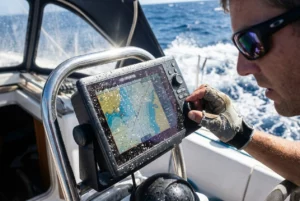
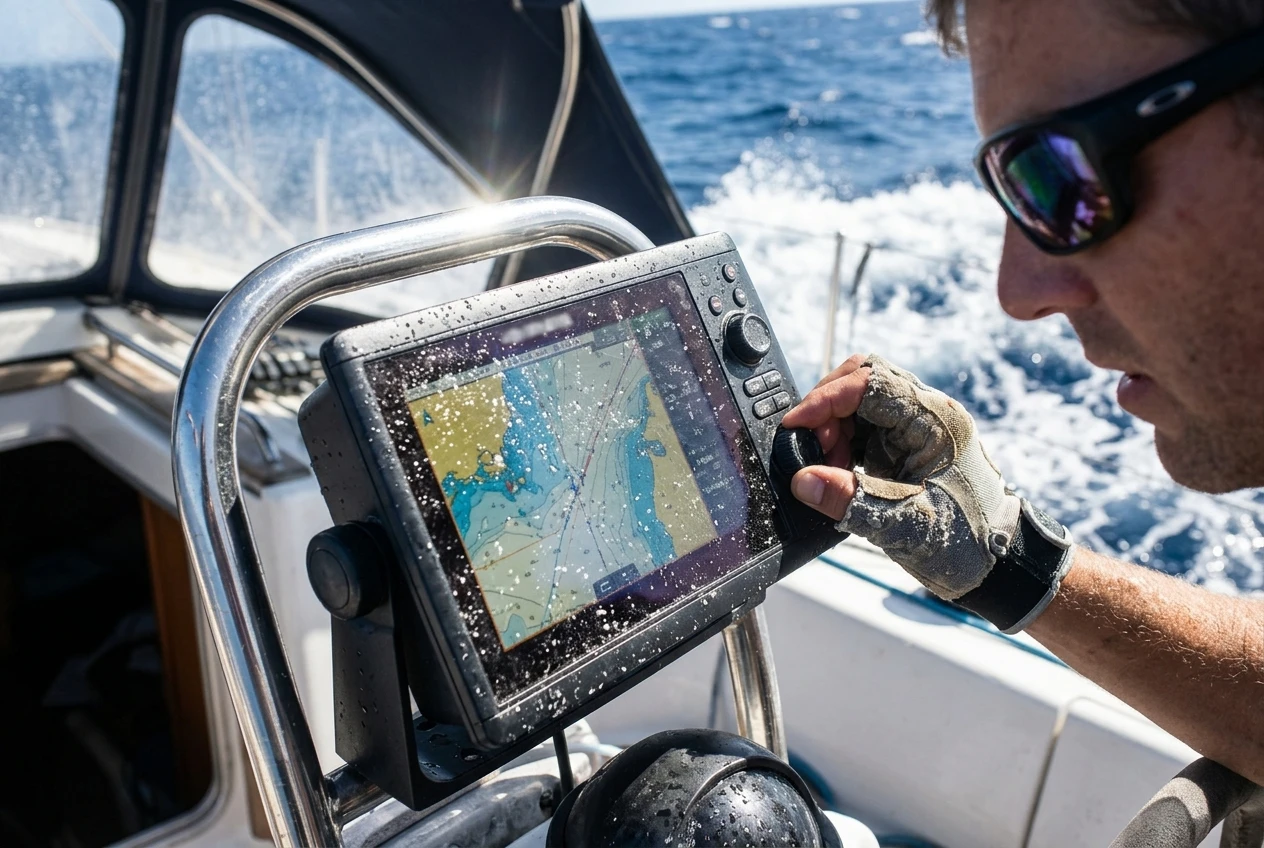
You will read the screen in direct sun, at night, through salt spray, and while the boat is moving enough that you are holding on with one hand. Test the screen against those conditions, not against the showroom’s lighting.
Sunlight and night readability
Direct sun washes out a screen that looked fine indoors. When you compare units, look at them outside if you can, and ask about anti-glare treatment and whether the display is bonded to the cover glass. Wear polarized sunglasses while you look, because some screens go dark or patchy at certain angles through polarized lenses. Cockpit helmsmen wear polarized lenses constantly, so this is a real test, not a trick.
At night, the question is how dark the screen goes. You need a backlight that dims low enough to protect your night vision, and a night color palette that does not flood the cockpit with light. If a screen can’t dim far enough, you cover it with a cloth, and a covered screen is a screen nobody is watching.
Touchscreen, buttons, or both
Touchscreens are quick in calm conditions and can misbehave when wet. Water droplets, spray, and wet fingers can trigger false touches or ignore real ones, and gloves defeat many touchscreens entirely. Physical buttons or a rotary control work through water and gloves, and you can operate them by feel when the boat is pitching, and you cannot aim a fingertip at a small target.
For offshore use, prefer a unit you can fully operate without the touchscreen: zoom, pan, place a man-overboard mark, and acknowledge alarms. Try the man-overboard function specifically. It should take one obvious press, not a path through menus.
Mounting and exposure
A unit mounted at the helm under a dodger sees far less weather than one on an open pedestal. Check the unit’s ingress protection rating for the face and rear connectors, and plan the mount so connectors aren’t constantly exposed to wetness. Corroded connectors often cause electronics to fail slowly, and a flickering connection is harder to diagnose at sea than a dead one. A sun cover for the display is cheap and extends the screen’s life between passages.
Chart coverage and offline access: what happens when the signal and the subscription are gone
A chartplotter with no chart is a blank screen with a position dot on it. Most plotters come with some charts, but what they include, how long they remain valid, and how they are delivered vary widely by product. Verify these points for the specific unit and chart product before you buy, since they differ by manufacturer and change over time.
Does the chart live on the device? A plotter that relies on a live internet connection to fetch charts is useless at sea. Offshore, the unit must store the charts on the unit or on a card, with no download needed once you leave. If the product uses an app or account to load charts, load every region you might need before departure, and confirm they remain accessible with the device in airplane mode.
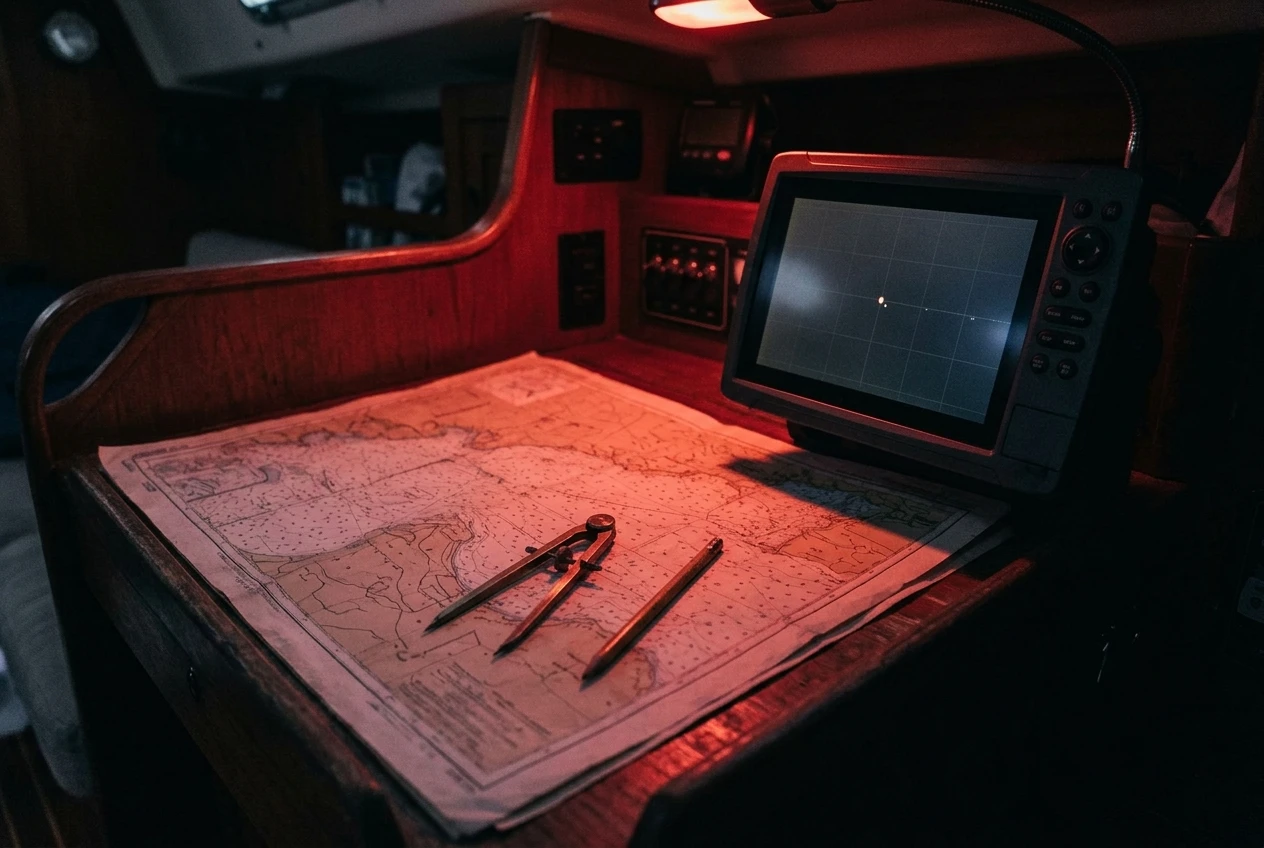
Does the coverage include your whole route? Passage charts need to cover your departure, the ocean between, your destination, and plausible diversion ports. People often load the intended route and forget that an emergency stop may be somewhere else. If a damaged boat heads for the nearest shelter, the chart must show how to enter it.
What does the license do over time? Some chart products are bought once, others are subscriptions, and some stop updating or lose features if a subscription lapses. Read the terms before a long passage. You want to know in advance whether charts already on the device keep working if you cannot renew, and whether a card tied to an account can be read when you are out of internet range for months.
What level of detail is available? Vector charts let you query objects, adjust depth shading, and declutter the screen. Raster charts replicate paper charts exactly. Many cruisers like having both formats because they present information differently, and any discrepancy is a prompt to look harder. Know which one you are looking at, and when it was last updated. Charts for remote areas may be sparse or based on old surveys, and the plotter will not warn you that the data is thin.
Whatever the plotter holds, a paper chart and a compass remain useful when the screen is not. The article on the role of compass and charts in modern marine navigation covers how to keep that skill current.
Finally, ask how the plotter handles a corrupted or removed chart card. A good unit tells you plainly what happened and keeps running with whatever base map it has. A poor one hangs or reboots in a loop. If you can, test this at the dock by pulling the card while the unit is on.
Power draw, voltage tolerance, and what the unit does in a brownout
Boat electrical systems are not stable. Voltage dips when the engine starts, when the windlass or bow thruster draws heavily, or when the house bank is low after several cloudy days. Voltage can also rise during charging. If a plotter shuts down or reboots during any of these, it stops doing its job exactly when you are busy with something else.
What to read in the specifications
Look for the operating voltage range and compare it with your system, not with the nominal 12 volts. A wider tolerance means the unit stays alive through dips that would restart a less tolerant one. The manufacturer’s installation manual is the authority here, so read it, not a retailer’s summary.
Check the power consumption at typical and maximum backlight levels. On a long passage the plotter may run continuously for weeks, and a screen at full brightness all day is a meaningful draw on a small boat running on solar or wind. A unit that is efficient at moderate brightness and still readable is better than one that needs full brightness to be legible.
What it does when voltage drops
Ask or test how the unit behaves under low voltage. Does it shut down cleanly or crash? When power returns, does it restart on its own, how long does it take, and does it come back with its active route, its alarms, and its settings intact? Several minutes of boot time during a night approach to a hazard is a real cost. A fast, clean restart that restores the last state is worth more than extra screen size.
Wiring matters as much as the unit
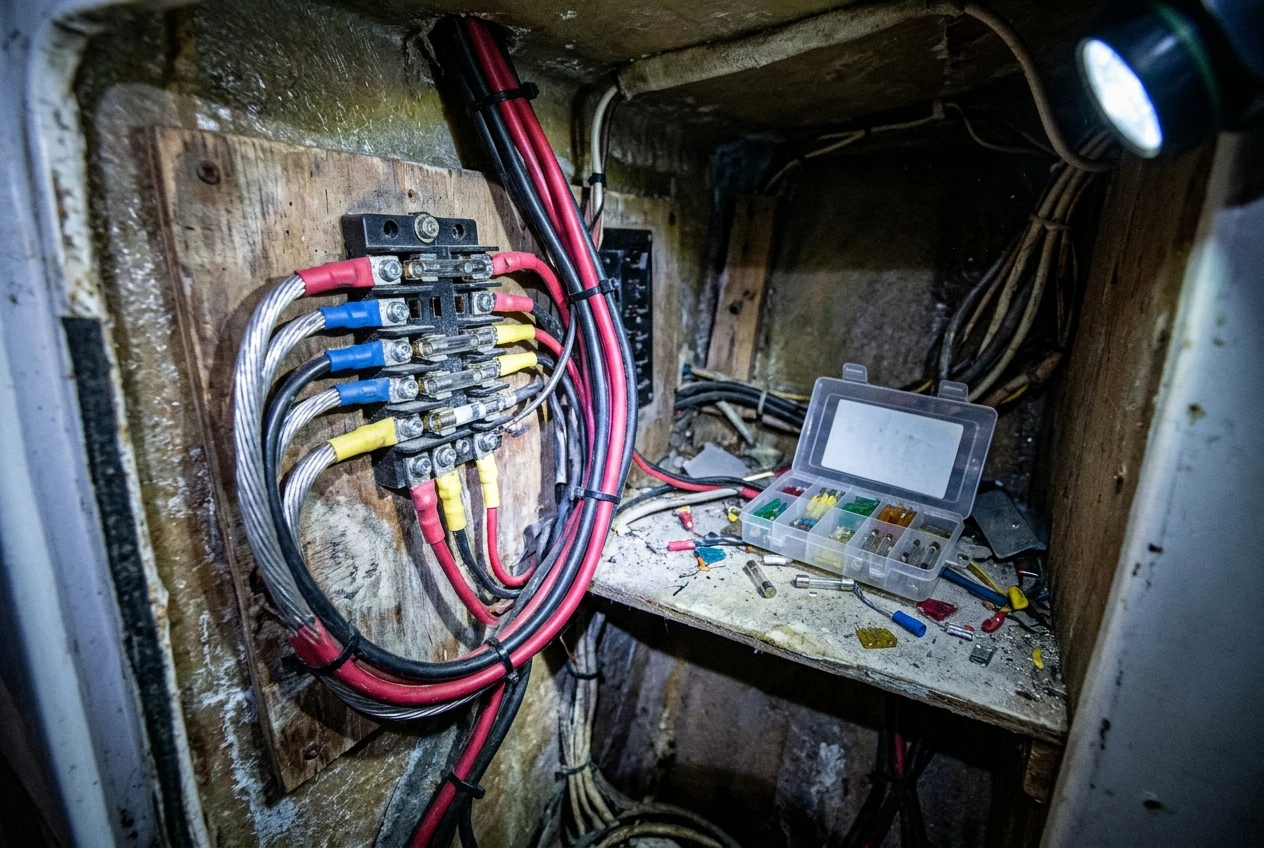
Many plotter power problems are installation problems. Use a dedicated, fused circuit with wire large enough to keep voltage drop over the length small. Keep connections tight, protected from moisture, and accessible for inspection. If your boat has a separate engine-start battery, consider whether the plotter should be on the house bank, and whether a small isolated or backup supply makes sense for the navigation gear. Work this out with the boat’s wiring diagram in front of you, ideally before departure.
Know where the breaker or fuse is, and carry spares of the right rating. A blown fuse is the easiest plotter failure to fix, and only if you can find the fuse.
Networking and inputs: AIS, radar, wind and autopilot
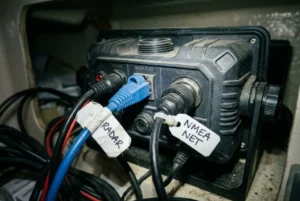
A plotter alone gives you position and charts. Connected to other instruments, it also shows traffic, weather returns, wind, heading, and autopilot status. The risk is that a plotter becomes the central node for everything, so a network failure can take several functions down at once.
Which standard, and how many ports
Most boats use NMEA 2000, NMEA 0183, or a mix, sometimes with a manufacturer’s own network on top. Check which your existing instruments use and whether the plotter speaks to them directly or needs an adapter. Every adapter and bridge is a point of failure, so fewer is better. Count the ports and think about how many separate inputs you will have: GPS, AIS, radar, wind, depth, heading sensor, and autopilot.
Inputs worth caring about offshore
- AIS. A plotter that overlays AIS targets and shows their closest point of approach is a practical collision aid. How it works and its limits are covered in “How AIS Prevents Collisions on Busy Sailing Routes.” On the plotter side, check that you can set target alarms and that they are audible.
- Radar. Overlay needs a compatible radar, the right cable or network connection and correct settings. The setup details are in Connecting Marine Radar to Your Chartplotter, so check compatibility before you buy either unit, not after.
- Wind and heading. Wind data helps with routing decisions, and a heading sensor lets the plotter show orientation when you are not moving fast enough for GPS course to be reliable.
- Autopilot. If the plotter steers the autopilot to a route, you need to know exactly what the autopilot does if the plotter’s data stops. Many pilots hold the last heading, some alarm, some disengage. Learn which one yours does, because the answer determines how far off course the boat can drift while you sleep through an alarm.
Planning for network failure
The key question is whether each device can still work on its own. If the network drops, can the autopilot steer using its own controller? Does the plotter keep using its internal GPS? Can another device read the AIS receiver’s display? Design the system so no single cable or switch takes everything out. Keep a spare network cable, terminators, and connectors aboard, and label the network layout so someone else could fault-find it.
Routing, waypoints and data backup for multi-week passages
A multi-week passage generates a lot of data: waypoints, routes, tracks, and often hand-entered edits made during rough weather when you were tired. Losing that data is an inconvenience on a short trip and a serious problem on a long one.
Capacity and behavior
Check the spec for the maximum number of waypoints, routes, and saved tracks. Then check what the unit does when the track memory is full: does it overwrite the oldest points, or does it stop recording without telling you? Neither is wrong, but you should know which it is and set the recording interval to match your passage length.
Route editing matters more than it sounds. In heavy weather, you will want to insert a waypoint, skip a leg, or reverse a route quickly with one hand. Practice these operations at the dock until they are routine. A unit with a clumsy route editor is a hazard when you need to change course.
Backup of your own data
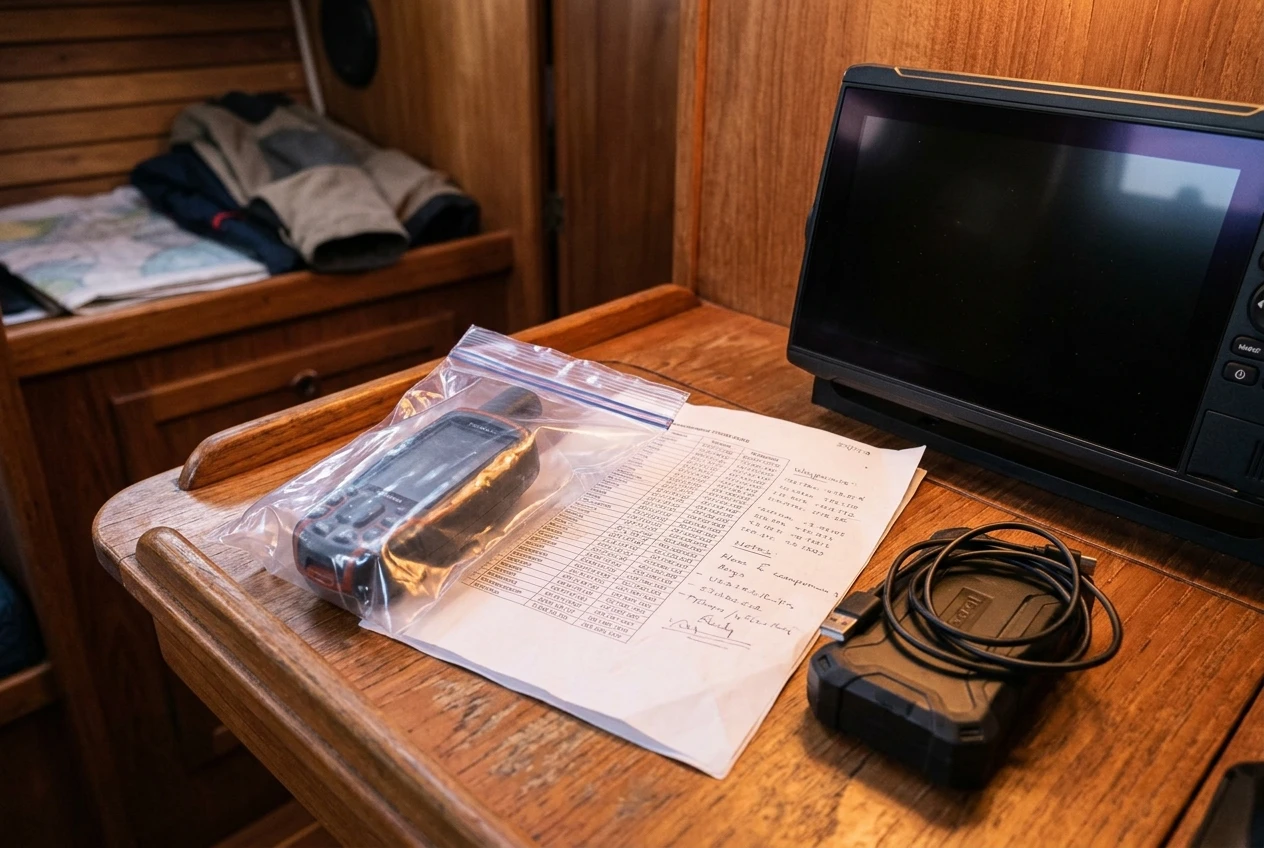
Export your waypoints and routes to a card or other storage before leaving, and again at intervals during the passage. Keep that backup somewhere other than the plotter, and ideally load the key waypoints into a second device too. Write the critical waypoints on paper: departure, destination, hazard points, and diversion ports. A handwritten list costs nothing and survives any electronic failure.
Know how to restore from your backup, and try it once before departure. A backup you have never restored is an assumption.
Automatic routing
Some plotters offer automatic routing that plots a path through charted hazards. It can be useful in confined waters near land. Offshore, the route is usually a long straight line chosen by weather, so the feature adds little. Treat its output as a suggestion to check against the chart, since the result’s quality depends on the chart data underneath.
Redundancy: a second display, a handheld backup, and the plan when the plotter dies
Every electronic device fails eventually, so the useful question is what you have in place when it does. A redundancy plan has layers, and each layer should work without the one above it.
A second display
A second plotter or repeater at the nav station or in the cockpit gives you a working display if one fails, and lets you check the course without going on deck. If you run two units, find out whether they share one network and one power circuit. If so, a single fault can disable both. Where practical, give them separate power feeds, and make sure each can show a position independently, with its own GPS source or a reliable way to share one.
A tablet or laptop running navigation software is another option, with its own power, screen, and charts. Treat it as a separate system, with its own charge plan, waterproofing and stored charts.
A handheld backup
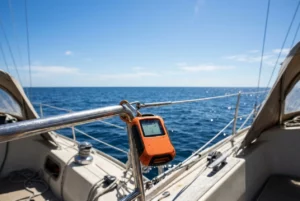
A handheld GPS runs on its own batteries, has its own antenna, and is unaffected by a boat-wide electrical fault. That independence is why it belongs in the plan. The article on handheld GPS devices for emergency use at sea covers what to look for. Keep it charged or loaded with fresh batteries, keep it in a waterproof bag, load your key waypoints, and know how to use it before you need it. Store it somewhere it won’t get lost with the rest of the electronics, such as in a grab bag or a separate locker.
The plan when the plotter dies
Write the plan down and make sure everyone aboard knows it. It should cover:
- How to confirm the plotter has failed, not the power, a fuse, or a loose connection.
- Which device takes over for position (second display, handheld, tablet).
- How you keep a plot: a paper chart with position marked at set intervals is the most reliable fallback.
- Whether the autopilot keeps working and how to steer manually.
- Who to contact if the loss changes your safety margin, and how. The piece on satellite communicators and sat phones for offshore sailing covers those options.
Practice this once at sea, in good weather, by switching the plotter off and navigating without it for a few hours. You will find the gaps while they are cheap to fix.
Features that look useful but rarely earn their price offshore
Plotter marketing leans on features that impress in a demonstration. Some are useful in the right place, but offshore they seldom justify extra cost compared with the reliability items above.
- Very large screens. A larger display is easier to read but draws more power and is harder to mount and protect. A moderate screen that is bright, sealed and easy to operate does the job.
- Built-in Wi-Fi, app mirroring and streaming. Convenient at anchor with a signal. Offshore there is no signal, and every wireless feature adds software that can misbehave. Treat these as extras.
- 3D charts and decorative views. They look good and tell you nothing the standard chart does not. A clear 2D chart with good decluttering is easier to read in a hurry.
- Fishing sonar and fish-finding features. Valuable if you fish. If you do not, they are paid-for and unused features. Depth information you actually need comes from a basic depth sounder.
- Voice control. Wind, engine noise, and spray make it unreliable, and it is no help when your hands are free but the unit is not listening.
- Online weather and cloud services. These depend on connectivity you will not have mid-ocean. Weather offshore comes by satellite or other means, so check what your plotter can display from those sources rather than what it can fetch from the internet.
- Automatic routing. As noted above, of limited use far from land.
None of these is harmful, and a few may suit your boat. The point is to decide with a budget in hand. If money is limited, spend it on a clear, sealed screen; tolerant power handling; solid chart storage; a good backup; and a second device before you spend it on anything else on this list.
Before you commit to a chartplotter
Once you have a shortlist, run each unit through the same questions: how it reads in sun and at night, how it operates wet, what voltage range it tolerates, how it restarts, where its charts live, what it needs to talk to your other instruments, how it handles data backup, and what you will carry if it fails. The unit that answers those best is the right offshore choice, whatever its screen size or brand.
Before you commit to a chartplotter, check the rest of your boat against our safety equipment checklist.
This article was created with AI assistance and reviewed by a human editor.
Disclosure: This post contains Amazon affiliate links. If you buy through them, we may earn a small commission at no extra cost to you.
About The Author