Offshore, a satellite link has three jobs: tell people where you are, bring in weather information, and get help when something goes wrong. No single device does all three well, and the cheapest one can quietly fail at the job that matters most. Sorting satellite communication for offshore sailing by task, rather than by brand, makes the buying decision much clearer.
This guide covers each device type, what it can and cannot do, why a messenger doesn’t replace an EPIRB, and how to layer a small, cheap device under a heavier system.
What you actually need a satellite link for on a passage
Start with the three jobs, because each has different requirements.
Sending a position. Shore contacts want to know you are moving and are fine. This needs very little data: a few lines of text and coordinates. Reliability and battery life matter far more than speed.
Getting weather. This is the job most likely to change your decisions. You need forecasts and gridded wind and pressure data (GRIB files) on a schedule, ideally daily, and more often when a system is developing. It needs more bandwidth than a position report, but far less than most people assume.
Calling for help. There are two separate routes. One is a distress alert from a registered 406 MHz beacon, which is the job of an EPIRB or PLB. The other is two-way contact with a person: a rescue coordination center, a doctor, a shore-based router, or a family member. Voice is useful here because you can answer questions, and a satellite phone or a messenger with two-way text can both serve it.
Write down these three jobs and the failure you are guarding against. “Engine fails 600 miles from land, and I need a medical opinion” is a different requirement from “I want my family to see my track.” The first needs a way to talk to someone. The second needs a tracking page.
Also decide how long you will be out of range of everything else. A coastal hop with VHF and cellular coverage most of the way needs much less than a multi-week ocean crossing.
Handheld messengers: position sharing, text and SOS in one pocket device
Handheld satellite messengers are small units that pair with a phone or work on their own. They send preset and typed text messages, share a live track, and include an SOS button that contacts a commercial emergency response center. Common examples include the Garmin inReach line and the ZOLEO, which use the Iridium network, and the SPOT devices, which use Globalstar. Network matters: Iridium’s satellites cover the whole globe, while Globalstar coverage has gaps over parts of the ocean. Check the coverage map for your route before you pick a device.
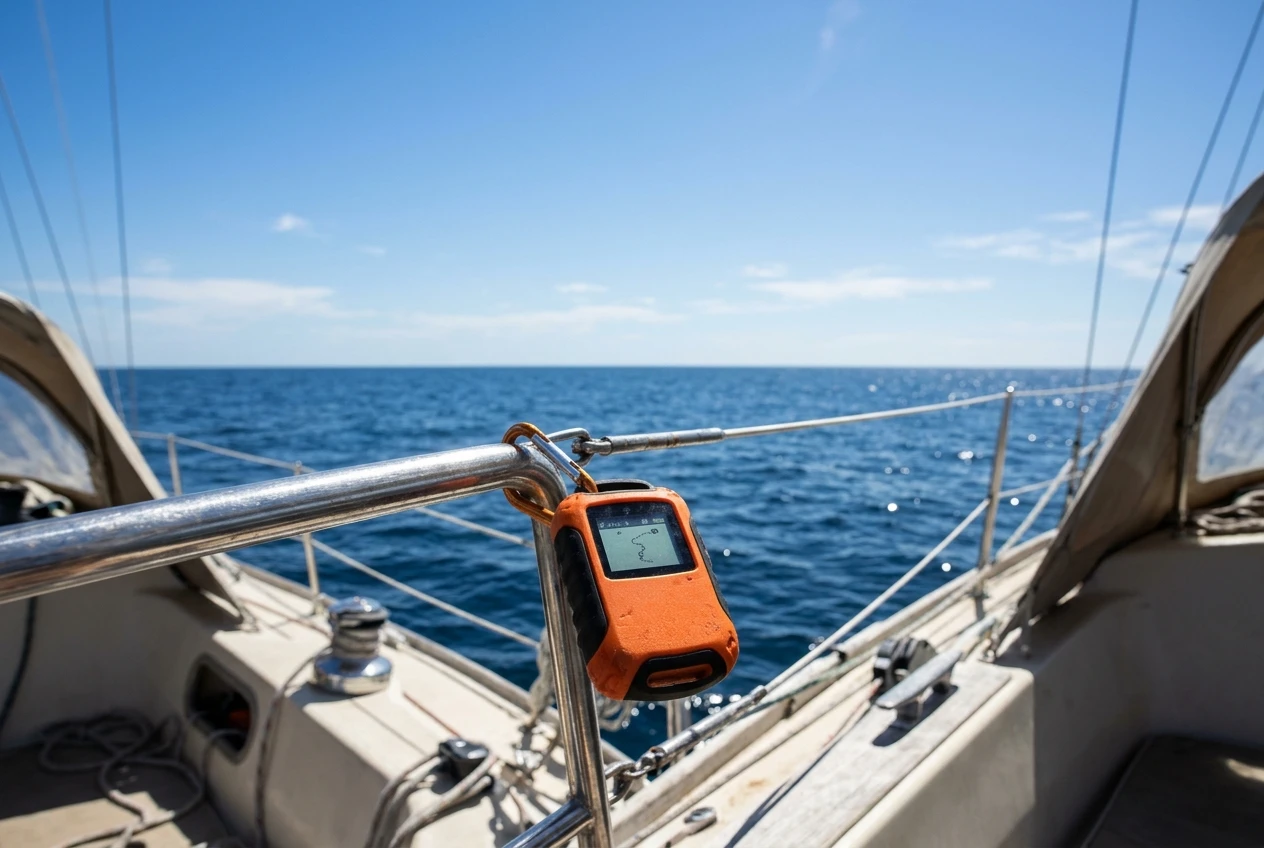
What a messenger does well:
- Sends a position report at intervals you set, with very little power use
- Exchanges short texts with anyone who has a phone number or email address
- Works from a pocket or a mounting bracket with a modest battery
- Costs far less to buy and run than a satellite phone or broadband terminal
- Can be carried in a grab bag or on your person if you leave the boat
What it does not do well:
- Voice calls are not available
- Message delivery can take minutes, and typing long messages is slow
- The SOS goes through a commercial response service, which then contacts rescue authorities; it is not a direct 406 MHz distress signal
- Weather downloads are limited to what the device or its companion app offers, and large files are not practical
The speed of an SOS response depends on that chain. The message reaches the response center, staff verify details by text if they can, and they pass your position to the nearest rescue coordination center. A messenger with two-way text lets you talk during an emergency, while a one-way beacon doesn’t.
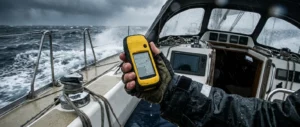
Ask yourself where the unit will live. A messenger left below deck needs a clear view of the sky to get a fix and send. Fix it where it sees open sky from the cockpit, or run it from a cockpit pocket with a cable. If you carry a handheld GPS for sailing as a separate backup, keep it in the same grab bag so a single bag carries your position and your contact method.
Satellite phones: voice, speed limits and the coverage questions to ask
A satellite phone gives you a voice call to any number, plus text and slow data. For a medical question, a mechanical problem, or arranging a tow, a conversation is faster than a string of text messages, and it lets you hear someone’s tone and ask them to repeat things.
Two network details decide whether a phone suits your route:
- Coverage. Iridium handsets cover the full globe through low-orbit satellites. Other networks use geostationary satellites, which cover large areas but not the polar regions, and sea state or the boat’s rigging can block a geostationary link if the antenna cannot see the satellite. Look at the coverage footprint for the ocean you plan to cross, not just the headline claim.
- Call and data limits. Handheld sat phones are intended for voice and text. Their data connection is slow, on the order of a few kilobits per second on older Iridium handsets and docked units, which is a fraction of a basic dial-up modem. That is workable for small files and poor for anything else.
Questions to ask before buying:
- Which network does it use, and does that network cover every part of my route, including the stretches farthest from land?
- Is the plan prepaid or monthly, and does unused airtime expire?
- Can I fit an external antenna so I can use it below deck?
- How many hours of talk and standby does the battery give, and can I charge it from the boat’s 12V system?
- What happens if the handset fails: can I swap a spare onto the same account?
A handset used inside the cabin often will not get a signal, because the satellite link needs a clear view of the sky. An external antenna cable or a docking kit with a mast-mounted antenna fixes that. Keep the handset in a waterproof case or dry bag when it is not on charge.
A phone can reach a rescue coordination center by dialing its number, so keep the centers’ numbers along your route written down on paper. Satellite phone contact is not a substitute for a distress beacon, a point covered below.
Fixed broadband and data terminals: when the weight, power draw and cost make sense
Fixed terminals mount an antenna on the boat and provide a real data connection: email, weather files, and, in some cases, browsing and video calls. They fall into two groups. Older marine terminals on Iridium or Inmarsat networks offer modest data rates but dependable ocean coverage. Newer low-orbit broadband systems, such as Starlink’s maritime service, offer much higher speeds, but offshore coverage depends on the plan and the region, so check the map for your whole route and read what the plan allows at sea.
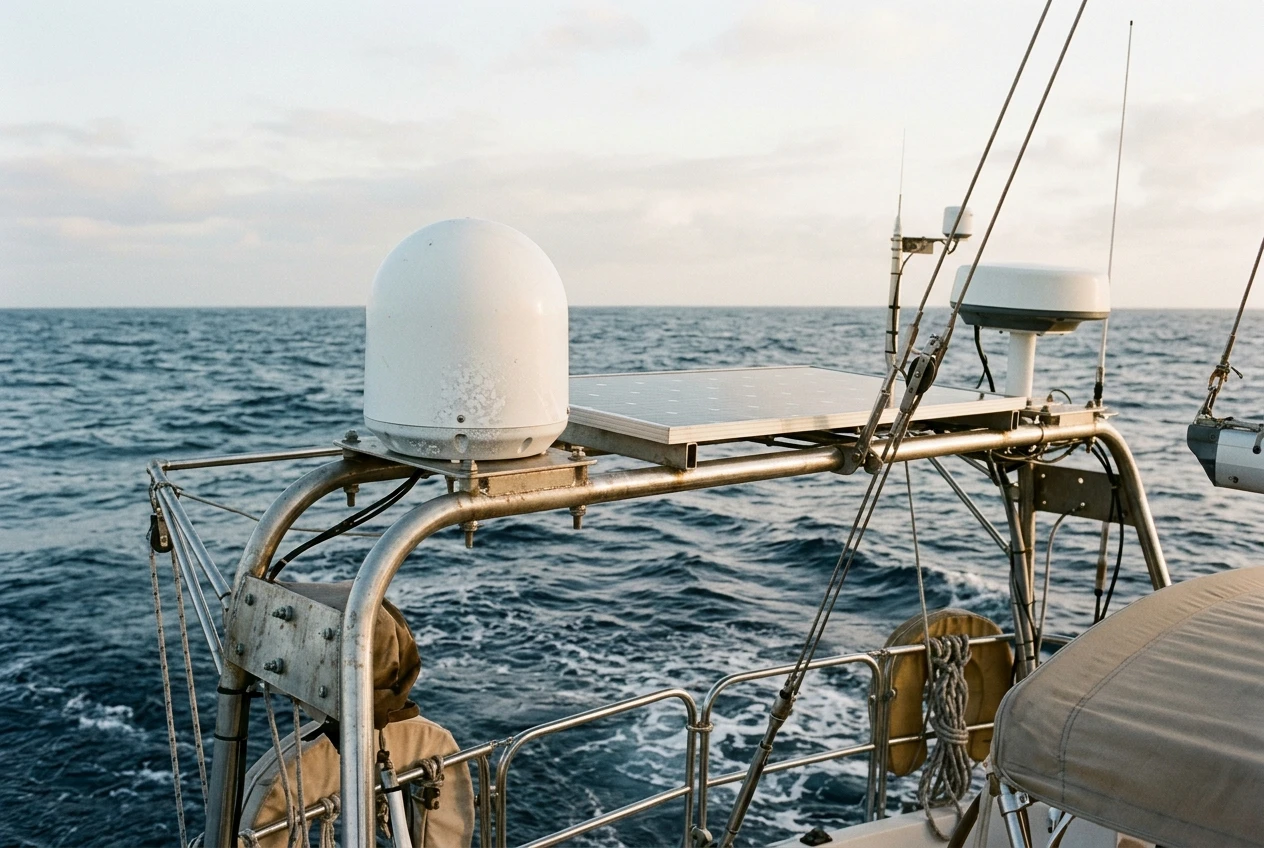
A fixed terminal makes sense when:
- You are crossing for weeks and want frequent weather updates and routing advice
- Crew need to stay in contact with work or family
- You run a boat with a generator or a large battery bank and solar array
- You plan to download larger files, such as satellite imagery or updated charts
It makes less sense when:
- Your power budget is tight, and the terminal’s draw would run the batteries down
- You have no good mounting position for the antenna, away from radar, shading and spray
- A monthly fee for a service you will use a few hours a week does not justify itself
Look up the power draw of the specific terminal and compare it to what your bank can supply over a day, with margin for cloudy weather. Some terminals draw far more than a messenger and need a stable supply. Antennas may also need a clear view of the sky in every direction as the boat heels and pitches, so you need to plan mounting position and cable runs.
The price gap between a messenger and a fixed system is large, and a fixed terminal adds weight, installation work, and another point of failure. For many sailors, the answer is a fixed terminal for convenience, with a messenger as a cheap fallback that keeps working if the terminal or power fails.
Getting weather offshore: GRIB files, text forecasts and what bandwidth they really need
Weather is the job where bandwidth most often disappoints people, and also where it matters least, because the files are small.
A text forecast, such as a high-seas or offshore bulletin, is a few kilobytes. A GRIB file holds gridded forecast data, usually wind, pressure and sometimes waves, for a defined area and time. A coarse regional file covering your route can be tens of kilobytes to a few hundred kilobytes, depending on area, grid resolution and number of forecast days. Requests made through services such as Saildocs, which return GRIB data and text forecasts by email, are designed to keep files small.
A quick calculation shows why this works even on slow links. At 2.4 kilobits per second, a 100 kilobyte file is 800 kilobits, so it takes a little under six minutes to download. That is fine for a daily update. A request for a large area at high resolution over ten days might take several times as long and cost more airtime.
Ways to keep downloads small:
- Request only the area you need, with a margin along your planned track
- Choose a coarser grid for the open ocean, and a finer one only near land or a developing system
- Ask for fewer parameters: wind and pressure first, and waves only if you will use them
- Request a shorter forecast range when you are only making a short-term decision
- Use a compressed format and set up the request once so you can resend it each day
Some services and companion apps can send weather files over a messenger, but a messenger’s slow, message-based link limits what you can get. If weather routing is central to your passage, a satellite phone or fixed terminal with a data connection is more practical, and a messenger works best for short text bulletins and for contacting a shore-based router.
Also carry an independent way to receive information without a subscription, such as a barometer and the habit of logging pressure every few hours. A satellite link can fail while the weather keeps changing.
Why a messenger is not a substitute for an EPIRB
A messenger’s SOS button is an emergency feature and worth having. It’s different from a 406 MHz EPIRB, and those differences matter when the boat is in trouble.
An EPIRB transmits a distress signal on 406 MHz to the Cospas-Sarsat satellite system, which relays it to rescue coordination centers. Each beacon is registered to a vessel, so the rescue authorities can look up who you are and who to call. EPIRBs are built for this purpose: they are designed to float, activate automatically when released from a mounting bracket in water, and transmit for at least 48 hours. They also send a homing signal that rescue aircraft and vessels can locate.
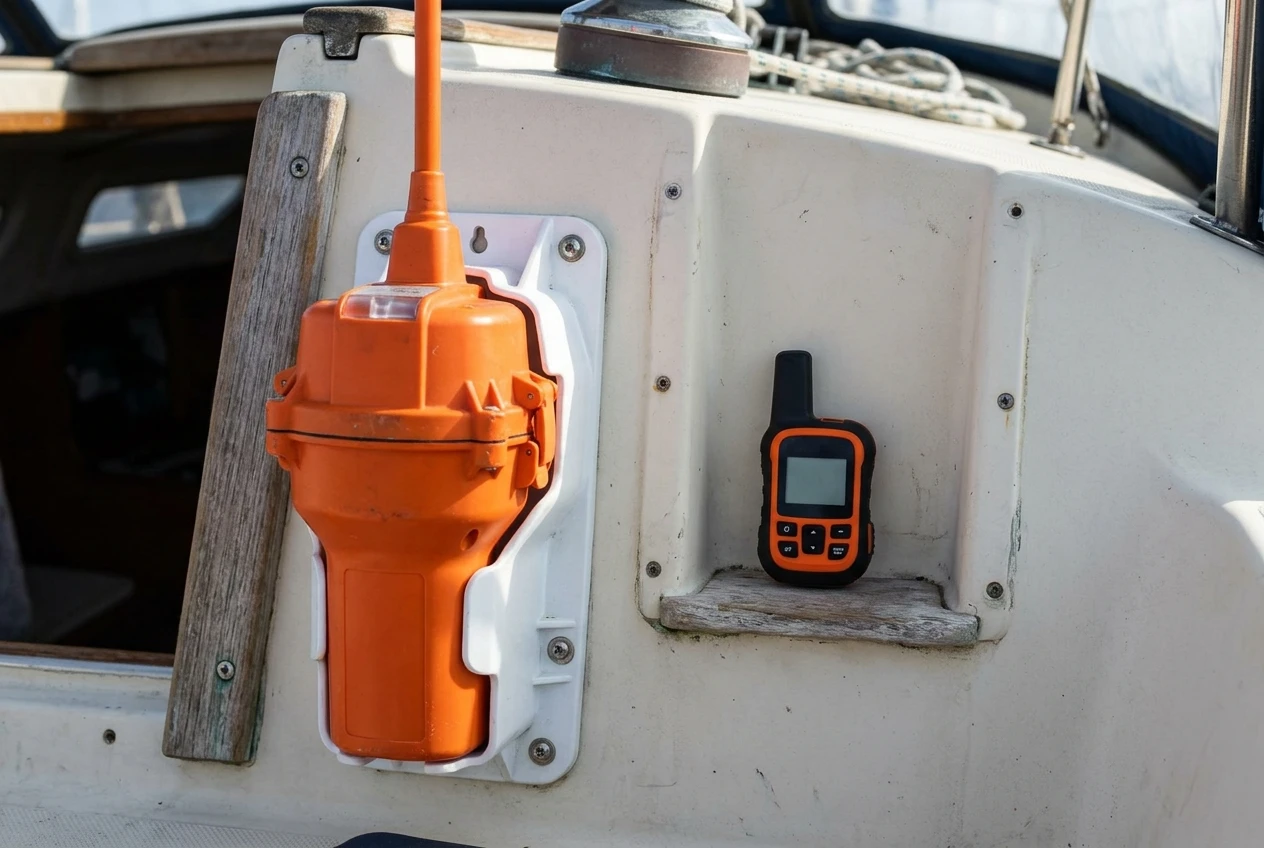
A messenger, by contrast:
- Depends on a commercial subscription being active
- Routes the alert through a private response center
- Relies on a clear view of the sky and enough battery
- Is not designed to activate automatically or float and keep transmitting for days
- Is not a registered 406 MHz distress beacon
Both can help, and a messenger gives you something an EPIRB cannot: a two-way conversation. You can tell responders what is wrong, how many people are aboard, and whether you need medical help rather than a rescue. But if you have to choose, the EPIRB should cover the worst case. The two sit alongside each other. They do not replace one another.
A personal locator beacon, or PLB, is a smaller 406 MHz beacon carried on a person. It has a shorter minimum transmit time than an EPIRB and is not a substitute for a vessel-mounted unit. The article on EPIRB vs PLB for sailing explains when to carry each, and many offshore sailors carry an EPIRB on the boat and a PLB on each person on watch.
Register the beacon, keep the registration details current, and check that its battery expiry date falls after your return. These steps cost nothing, and the beacon is of limited use without them.
Building a layered setup: primary, backup and the power supply behind both
A layered setup means each important job has two ways of getting done, using different hardware where possible. A sensible structure looks like this:
Layer 1: distress. A registered 406 MHz EPIRB, mounted where you can reach it quickly and where it will release and float if the boat sinks. Add a PLB for each person who might end up away from the boat, if budget allows.
Layer 2: everyday primary. One heavier system used daily: a satellite phone with an external antenna, or a fixed data terminal. This is what you use for weather files, voice calls and longer emails.
Layer 3: cheap backup. A handheld messenger on a different network or at least a different device. It sends position reports on a schedule, carries short texts and provides a second way to reach a shore contact if the primary system fails. It also goes in the grab bag.
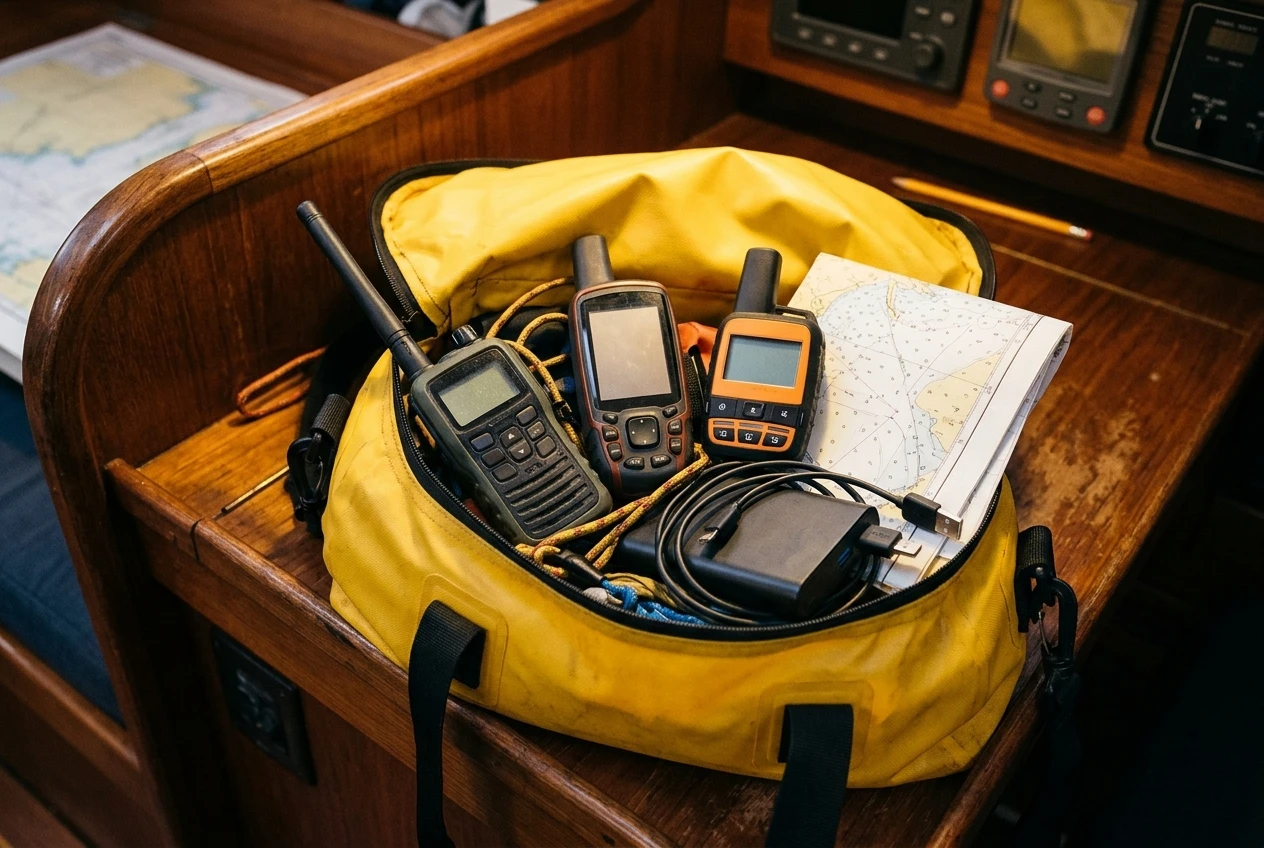
Layer 4: no-subscription basics. A handheld GPS with spare batteries, a handheld VHF, paper charts for your route, and a barometer. Handheld GPS for sailing is covered in its own guide, and the same grab-bag logic applies here.
Different hardware at each layer exists so a single fault doesn’t take out both. A lightning strike, a flooded nav station or a failed power supply can disable several things on the same circuit. A messenger with its own battery, stored in a dry bag, survives that.
Power behind the whole setup
Every layer depends on power, and power is where setups usually fail:
- Give the primary system a dedicated, fused supply from the boat’s batteries, with a cable sized for the draw.
- Carry spare batteries or a power bank for the handheld devices, and keep them charged and sealed against moisture.
- Check that USB-charging devices can charge from the boat’s 12V system, and carry the right cables and adapters, plus spares.
- Know how many hours each device lasts on a full charge, and schedule your use accordingly.
- Keep a written power plan in case the main battery bank is lost.
A basic test of your layering: switch off the main battery bank and see what still works. If you can still send a position and receive a text, the backup layer does its job.
Testing, subscriptions and waterproofing before you leave the dock
Most satellite failures offshore come from something left undone at the dock rather than from the hardware itself. Run through these checks before you leave.
Testing
- Send a test message from every device, confirm it arrives, and confirm replies come back.
- Check that your shore contact can open the tracking page and understands what they are seeing.
- Make a test call on the satellite phone from the position where you plan to use it, with the external antenna fitted.
- Download a sample GRIB file and a text forecast, and note how long each takes.
- Use the messenger’s SOS test mode, if available, so you know the sequence without sending a real alert. Read the manual for how to do this without alerting responders.
- Test the EPIRB using its self-test function only as described in its instructions, and do not trigger a real alert.
Subscriptions
- Confirm that every plan will be active for the whole passage, plus a margin for delays.
- Check what happens to prepaid airtime when it expires, and whether you can top up while at sea.
- Find out whether you can pause or change a messenger plan monthly, so you pay only when you need it.
- Keep account numbers, login details, and support contacts on paper in the grab bag as well as on a device.
- Make sure the contact details attached to the EPIRB registration and messenger SOS profile are current, including an emergency contact who knows your plan.
Waterproofing and protection
- Check each device’s ingress protection rating, and treat it as a limit rather than a guarantee after years of use.
- Store handhelds in dry bags or waterproof cases, and test the seal with a dry tissue inside before you rely on it.
- Keep charging ports clean and covered, since salt corrodes contacts.
- Secure antennas and cables, and use marine-grade connectors with sealant where the manufacturer recommends it.
- Store spares for the most critical item separately from the original.
Write a short communications plan and share it with your shore contact: what you will send and when, what a missed check-in means, and when they should call the coast guard. A shore contact who knows the plan can start the response without waiting for you to ask.
Before you commit to a satellite plan, run through the safety equipment checklist to confirm your beacon, GPS, and basic gear are covered first.
This article was created with AI assistance and reviewed by a human editor.
Disclosure: This post contains Amazon affiliate links. If you buy through them, we may earn a small commission at no extra cost to you.
About The Author