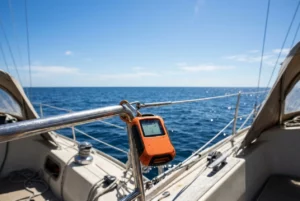
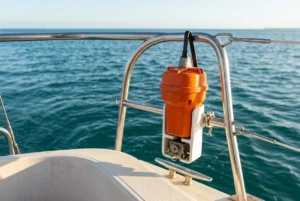
Most near misses at night come from one of two mistakes: a screen nobody was looking at, or a screen somebody believed too much. When you are alone in the cockpit at 3am, tired and cold, the chartplotter, radar, and AIS each give you a partial picture, and each can be wrong in its own way. A routine that uses all three, cross-checks them, and ends with a look outside makes the combination safer than any single aid.
This article covers that routine for night watch navigation sailing: what to set up before dark, what to check and how often, how to confirm a contact, and what to do when your screens and eyes disagree. It assumes you already own a chartplotter and some mix of radar and AIS, and that you know roughly what each one does.
Set up before dark, not at 2am
Every adjustment you make in the dark costs night vision and attention, so do them in daylight or at dusk. Treat the last hour of daylight as the time to set the boat up for the watch.
Screens and lighting
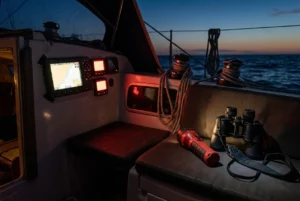
Set every display to its night palette and turn the brightness down further than feels comfortable at dusk. Your eyes adapt to the dark, and a screen that looked fine at sunset will be glaring two hours later. Many people find they end up running screens at the lowest usable level, with the chart barely lit.
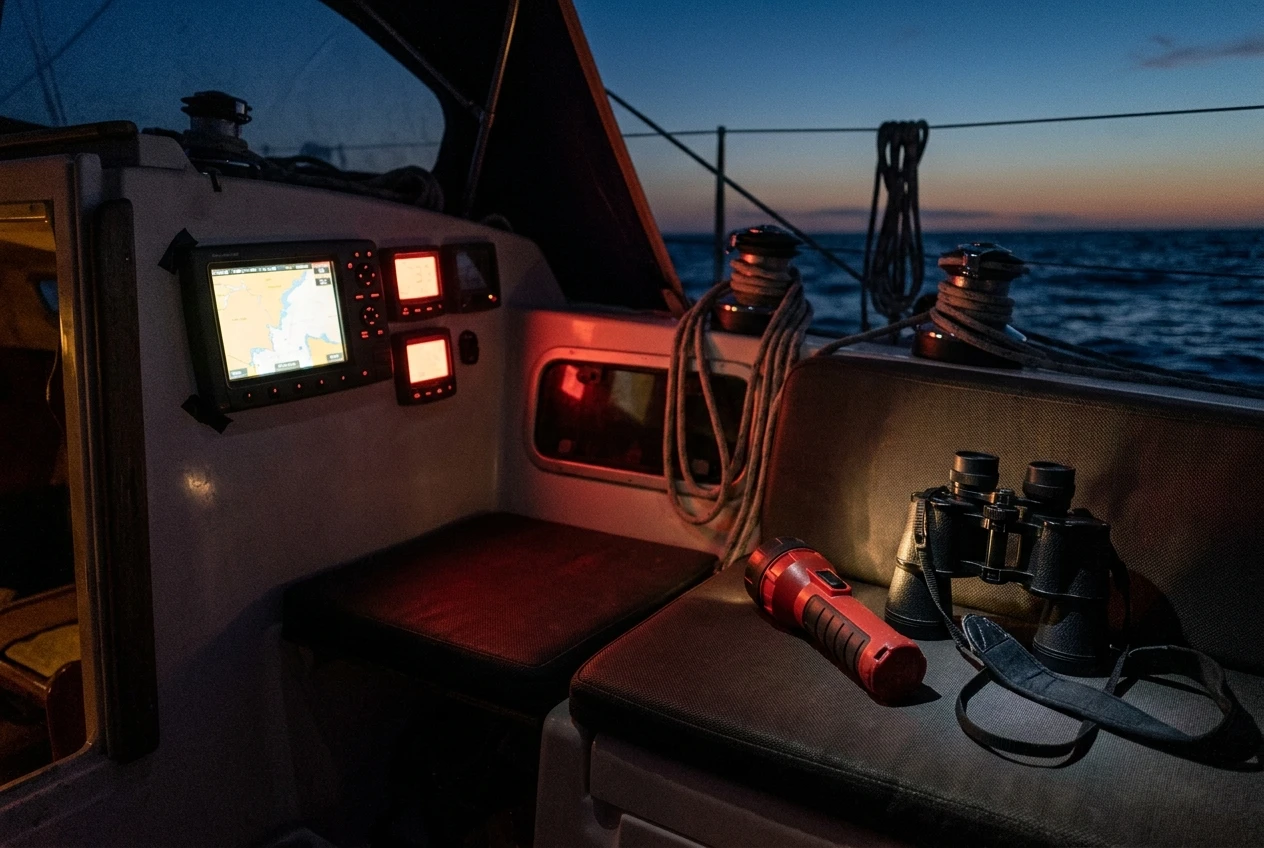
Check each of these before dark:
- Set the chartplotter and radar displays to night mode with a dark background and dim colors.
- Dim the instrument displays, autopilot head, and compass light to the same low level so one bright unit doesn’t ruin your night vision.
- Cover any bright standby or status LEDs near the helm with tape or a small flap of cloth.
- Keep a red torch within reach of the watch station, along with a white torch for emergencies.
Red light preserves night vision better than white, so use the red torch to read a paper chart or log. Keep the white torch for inspecting sails, lines, and anything you need to see properly. Using it takes your night vision away for a long time afterward.
The watch station
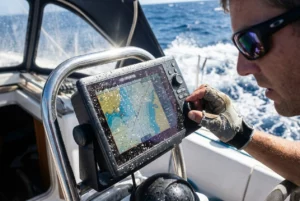
Arrange the cockpit so that you can see the plotter and radar without leaving the spot where you can also see the horizon. If you have to go below to look at the screen, you lose your lookout while you are gone, and COLREG Rule 5 requires a proper lookout by sight and hearing at all times. A repeater at the helm, a tablet, or a plotter mounted where you can read it from the cockpit all help. Whatever the arrangement, test it in daylight by sitting where you will sit at night.
Put what you need within arm’s reach: the red torch, hand bearing compass, binoculars, a notebook and pencil, a drink and some food. Every trip below is a gap in the lookout, and you won’t follow a watch routine that requires frequent trips below when you are tired.
Alarms before dark
Set the alarms before the sun goes down so you can test them while you can still see what you are doing. The most useful ones for a night passage are covered in a later section, but the order matters: set them, trigger at least one to confirm you can hear it from the cockpit and from the bunk, and confirm the volume is right. An alarm you cannot hear over wind and water is no use, and one so loud you silence it in irritation is worse.
Finally, set a countdown timer for the scan cycle itself. A kitchen timer, a phone with the screen off, or a watch alarm will do. Short-handed sailors who sit down in the dark can drift off long before they notice, and a timer is the cheapest protection against that.
Build a scan routine you can keep when you are tired
A routine you can keep at 3am has to be short and in a fixed order. A long checklist that makes sense at the chart table at noon will be skipped in the middle of the night. Pick a rhythm, write it down, and put the card where the watch keeper will see it.
A fixed loop
A reasonable starting point is a loop run every ten to fifteen minutes in good visibility, with a shorter interval in busy waters, poor visibility, or near shipping lanes. You may well adjust the interval to your boat, crew and the water you are in. What matters is that the interval is fixed and that the timer enforces it.
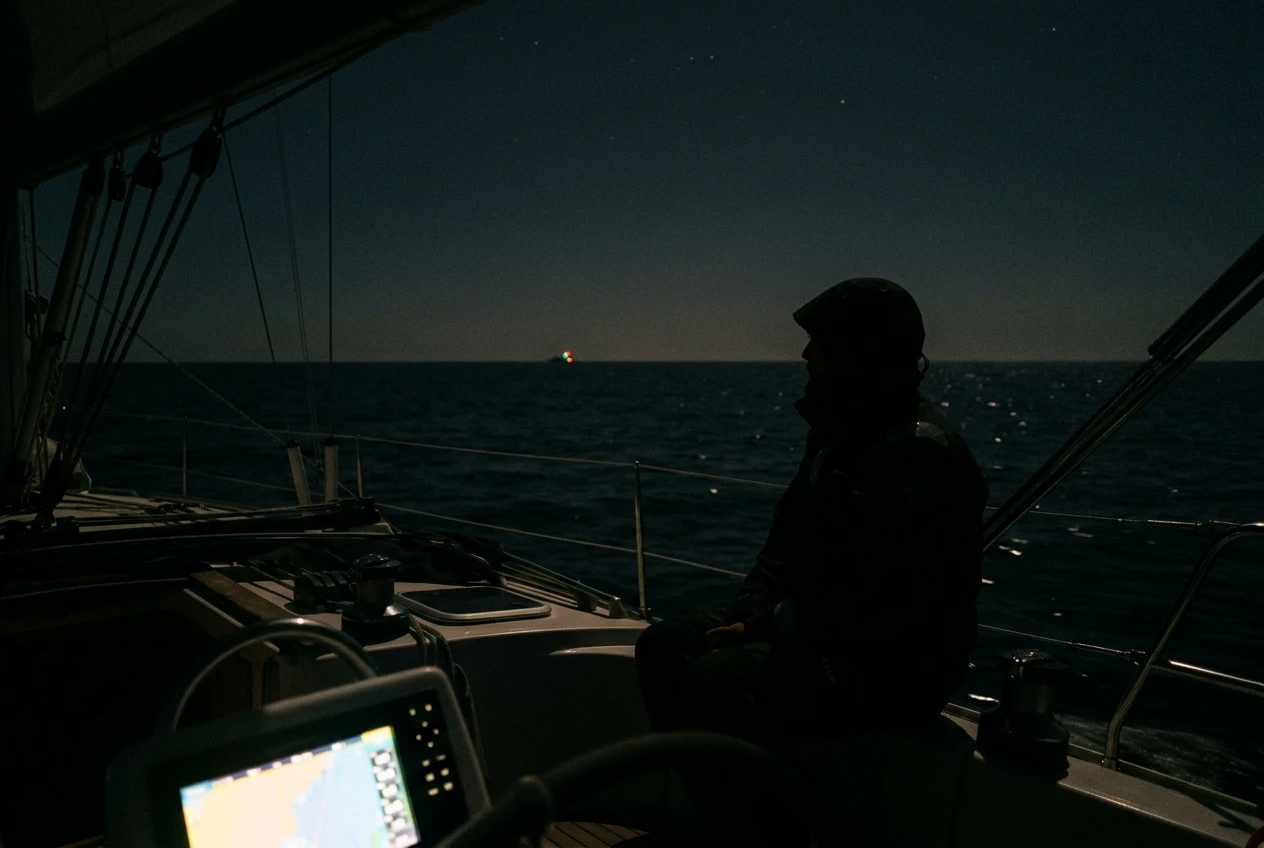
A workable order for each loop:
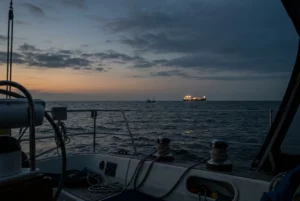
- Look outside first. Scan the full horizon, ahead, abeam and astern, before you look at any screen. Do it slowly and with a little deliberate head movement, because your eyes see faint lights better when they are not fixed on one spot.
- Check the radar picture. Look for new echoes, and for existing echoes that have changed bearing or range. Check that the range setting suits the situation.
- Check AIS targets. Read the target list, not only the symbols on the chart. Look at closest point of approach (CPA), time to CPA, and any new arrivals.
- Check the plotter. Confirm position against the planned track, cross-track error, depth, and the next waypoint or hazard.
- Check the boat. Check sail trim, wind angle and speed, autopilot course, battery voltage, and anything in the rig or on deck that has changed.
- Look outside again. Finish where you started, because a lot can change in the minutes you spent looking at screens.
Looking outside at the start and end keeps screens from taking over the watch. Screens are easy to fall into at night because they are bright, tidy, and full of information, while the real world is dark and mostly empty.
Logging
Write a short log entry at a fixed interval, perhaps hourly: position, course, speed, wind, barometer and any contacts of note. The entry has two uses. It forces a pause to actually read the instruments instead of glancing at them, and it gives you a fallback if the electronics fail. If the plotter dies at 4am, a position written down at 3am is a position you can work from.
Staying alert
The routine also has to deal with the person doing it. Tiredness shows first as skipped steps, slower reactions, and a tendency to accept the first explanation for anything odd. Stand up for part of each loop, move around the cockpit, and drink and eat on a schedule. If you notice yourself nodding off despite the timer, that is the signal to wake the other crew member, heave to if the situation allows, or alter the plan so rest happens somewhere safe. The routine cannot compensate for a watch keeper who is past the point of being useful.
Cross-check every contact: what AIS, radar, and your eyes each tell you
No single source gives you the whole picture of another vessel. Each has strengths and blind spots, and you understand a contact only when you compare at least two of them.
What AIS tells you
AIS gives you identity, vessel type, course, speed, and calculated CPA and time to CPA, all from the other vessel’s own transmission. That is a lot of information, and it arrives without a clear view of the vessel. But it only shows vessels that carry and transmit AIS. Many fishing boats, small craft and some leisure boats do not transmit. Smaller transponders may report less often than larger ships. The data are only as good as what the other vessel feeds into its unit, so a wrongly entered status or a stale position is possible. For a fuller account of how AIS fits into collision avoidance, the post on how AIS prevents collisions on busy sailing routes covers it in detail.
What radar tells you
Radar detects objects whether or not they transmit anything. It shows range and bearing, and with a few sweeps you can see how a target is moving. It also has weaknesses. Small, low, or fiberglass vessels may return weak or intermittent echoes, and waves near the boat can hide small targets in sea clutter. Heavy rain can do the same. A sailboat that heels and rolls also tilts the beam up and down, making some echoes come and go. Adjusting gain, sea clutter, and rain settings changes what you see, so a blank screen isn’t proof that nothing is there.
What your eyes tell you
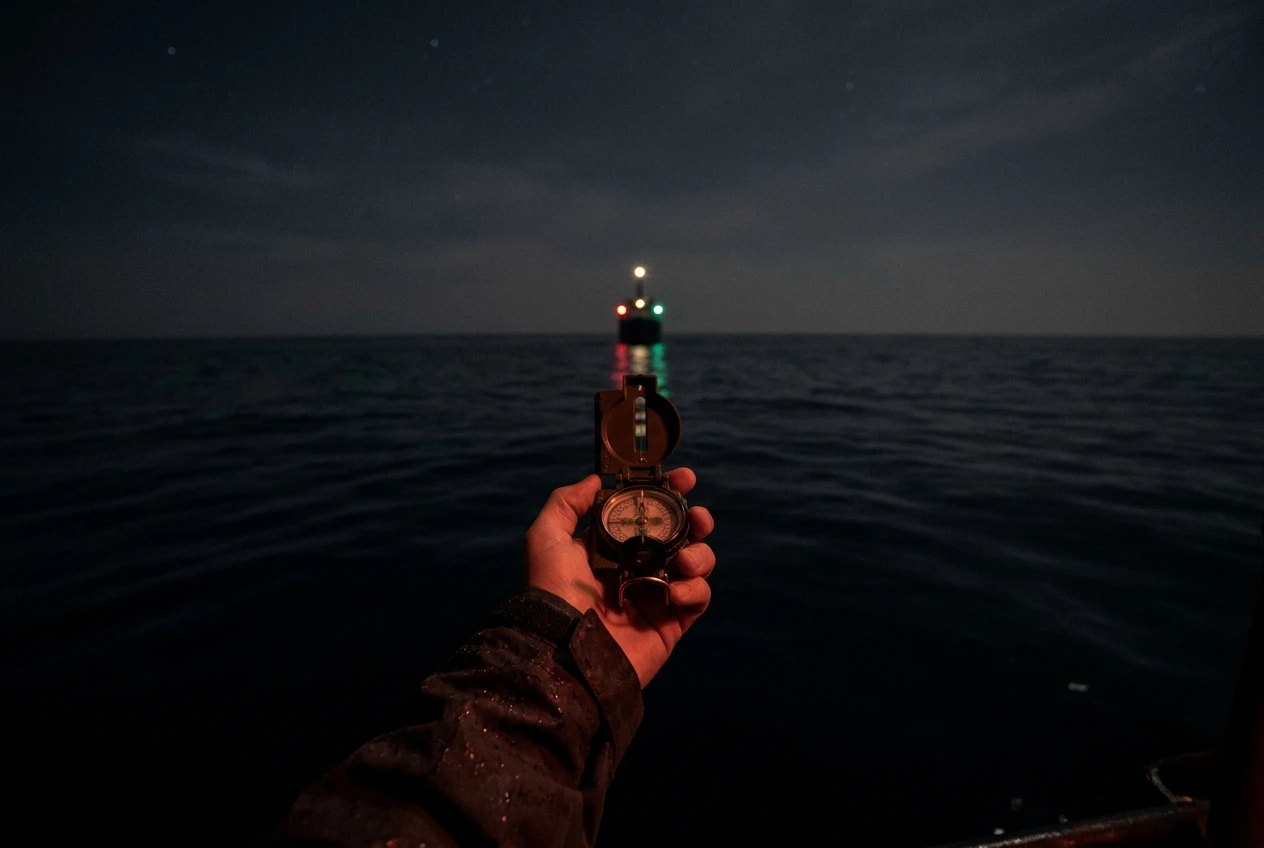
Your own eyes give the thing the other two cannot: the lights of the vessel. Navigation lights tell you the type of vessel, its aspect (whether you see its port side, starboard side, or stern), and roughly which way it is heading. A vessel showing red and green together is coming toward you. A vessel showing a single white light might be a ship’s stern or a small boat at anchor. Visual contact also tells you things neither AIS nor radar reports, such as an unlit vessel, a trawler with deck lights blazing, or a shore light mistaken for a ship.
Matching them up
For each contact, ask which of the three sources has seen it and which has not, then reason from the gap:
- AIS but no radar echo: the vessel may be beyond radar range, behind land, or lost in clutter. Check your gain and range settings.
- Radar echo but no AIS: the vessel may be a fishing boat, a small craft without a transponder, a buoy, or something on shore. Treat it as a real vessel until you know otherwise.
- A light you can see, but no radar echo and no AIS: probably a small vessel, or one very low. Take its bearing and watch for change.
- All three agree: you have a confirmed contact. You can then act on the CPA and the visual aspect together.
To judge collision risk, take a compass bearing of the approaching vessel with the hand bearing compass and repeat it a few minutes later. If the bearing is not changing and the range is closing, there is a risk of collision regardless of what any screen predicts. This is the old method, and it remains valid because it requires no electronics or assumptions.
Guard zones, CPA alarms and anchor-drag alerts: set them so they help, not nag
An alarm that goes off constantly teaches you to ignore it. Setting alarms well means picking thresholds that fit your boat and the waters you are in, and revisiting them when conditions change.
Radar guard zones
A guard zone alarms when an echo enters a defined area. On a passage, a sector ahead and to each side, out to a range that gives you time to react, is usually more useful than a full circle. A full-circle zone picks up every wave return and every passing boat, so you’ll learn to switch it off. Make the zone small enough that an alarm means something, then watch how often it triggers over the first hour and adjust. If it triggers on waves, adjust sea clutter or shrink the zone, and do not simply mute it.
CPA and TCPA alarms
The AIS dangerous-target alarm warns when a target is predicted to pass within a set distance in a set time. The settings depend on the water. Offshore with plenty of room, a wider CPA and longer time are workable. In a busy lane or near a coast, the same settings may trigger constant alarms from ships that pose no threat. Raise or lower the thresholds to fit, and remember the alarm covers only targets that transmit AIS. It does nothing about a fishing boat with no transponder.
Cross-track, depth and anchor alarms
Several other alarms are worth setting before the watch begins:
- Cross-track error: warns that you have drifted off the planned track, which can catch an autopilot problem or a current setting you didn’t expect.
- Depth: useful on any approach to shoal water or a coast, with a threshold that leaves room to act.
- Anchor-drag: if you anchor overnight, set the radius from the actual scope you have let out and the boat’s swing, and make sure the alarm range isn’t so tight that wind shifts set it off every hour.
- Off-course or wind shift: if your system offers one, it can wake you to a change you would otherwise miss.
Test each alarm so you know what it sounds like and which screen it comes from. Under stress, you don’t want to be figuring out which unit is beeping.
When the electronics disagree with what you see
Sooner or later a screen will show something your eyes contradict. A ship on the plotter that is not where you can see its lights, or a light ahead that no screen shows. Handle it by slowing down and sorting the discrepancy before trusting either side.
Check your own position data first
The plotter draws other vessels relative to your position and heading. If your own heading source is off, or your GPS position is wrong, everything on the display shifts. Compare your plotter’s position with a second source, such as a handheld GPS. Compare heading with the steering compass. At low speeds, course over ground can differ noticeably from heading, and some displays may use one when you expect the other.
Look for the likely cause
Common reasons for a mismatch include:
- AIS data that is old or comes from a target that has stopped updating.
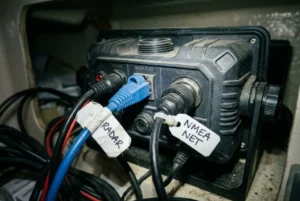
- A misaligned radar overlay because of a heading input problem, so echoes sit in the wrong place on the chart.
- Chart offsets, especially in areas with older or less accurate survey data.
- Lights on shore or on a bright vessel can merge, making the target seem to be somewhere it isn’t.
If you are working on getting radar overlay to behave, the post on connecting marine radar to a chartplotter explains the network and settings issues behind a misaligned picture.
The rule for close quarters
When a vessel is close, and the electronics and your eyes disagree, trust what you can see and act on it: take its bearing, assess its lights, and make an early, large alteration that the other vessel can see under the collision regulations. Then work out what went wrong with the screen. Your eyes can also be wrong, particularly against a background of shore lights, so keep taking bearings instead of settling on a first impression.
If you cannot resolve the discrepancy, wake the other crew member. A second person with fresh eyes is the best cross-check, and disagreement is exactly the situation that warrants it.
Power, battery and screen failures: your night fallback plan
Radar, plotter, autopilot, lights, and AIS all draw from the same batteries, and a long night with everything running can drain the house bank more than you expect. Know before you leave what your electronics draw together, and watch battery voltage as part of the scan loop. A falling voltage trend tells you something is wrong with charging or demand before a unit shuts down.
Reduce the load deliberately
If power is short, decide what to shed in an order you chose in daylight. Radar is typically one of the larger loads. Many units offer standby or timed transmit modes, which reduce draw while still giving you periodic sweeps. Dimming screens also reduces consumption. Decide ahead of time which units you can switch off and which you must keep on, so you aren’t deciding under pressure.
Plan for a dead screen
Assume the plotter will go black at night one day, because it eventually will. The fallback should already be in place:
- A charged handheld GPS, stored where you can reach it without going below. The post on handheld GPS devices for emergency use at sea covers what to look for.
- Paper charts of your route and the hourly log positions, so you can plot a fix and carry on.
- A hand bearing compass and a steering compass with its own light.
- Spare batteries for torches and handheld devices, and a handheld VHF.
- A written note of the essential waypoints, in case you lose the stored route.
Practice switching to the fallback once in daylight. A fallback you have never used will cost you time you don’t have when you need it. The essential safety equipment checklist is a good place to confirm the basics are aboard before you leave.
Handover notes: what the next watch needs to know
The handover is where information is most often lost. A tired watchkeeper handing over at 3am will forget what felt obvious an hour ago, and a sleepy replacement will not ask. Use a written handover note, filled in as part of the final loop, and read it aloud to the incoming watch.
A useful note includes:
- Position, course, and speed, plus the next waypoint and expected time to reach it.
- Weather and sea state, including the wind trend and the barometer.
- Contacts: any vessels currently being tracked, with their bearing, range, whether they transmit AIS, and what you decided to do about them.
- Alarm settings: which alarms are active and at what thresholds, plus any you changed during the watch.
- Boat state: sail plan, reefs, autopilot mode, battery voltage, and anything that needs watching or repair.
- Plans: when the next course change, sail change, or fuel or power check is due.
- Anything odd: a light you could not identify, a noise, a screen that behaved strangely.
Before you go off watch, have the incoming person do one full scan loop while you are still in the cockpit. They can ask questions while the situation is fresh, and you can see that they have the picture before you leave them with it.
Where to go next
The routine above works with whatever combination of aids you carry, but the order in which you trust them matters, and that depends on what each one misses. If you are still deciding which aid to rely on first, the next read is the guide on radar versus AIS for sailboats, what each one misses and which to buy first.
This article was created with AI assistance and reviewed by a human editor.
Disclosure: This post contains Amazon affiliate links. If you buy through them, we may earn a small commission at no extra cost to you.
About The Author