Disclosure: This post contains affiliate links. As an Amazon Associate, I earn from qualifying purchases, at no extra cost to you.
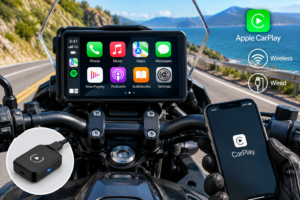
The verdict below is the same one we give friends who ask. If your car has wired Apple CarPlay but you’re tired of plugging in a Lightning or USB-C cable every time you drive, a wireless CarPlay adapter solves that in under a minute of setup. These small dongles plug into your car’s existing wired CarPlay port and convert the connection to Wi-Fi and Bluetooth, so your iPhone connects automatically the moment you sit down — no cable required.
Apple CarPlay wireless adapters have become one of the fastest-growing categories in Amazon’s car electronics section, and the lineup changes constantly as new models launch and older ones get discontinued. This guide breaks down the current best sellers, what actually separates a good adapter from a bad one, and how to avoid the compatibility mistakes that lead to returns.
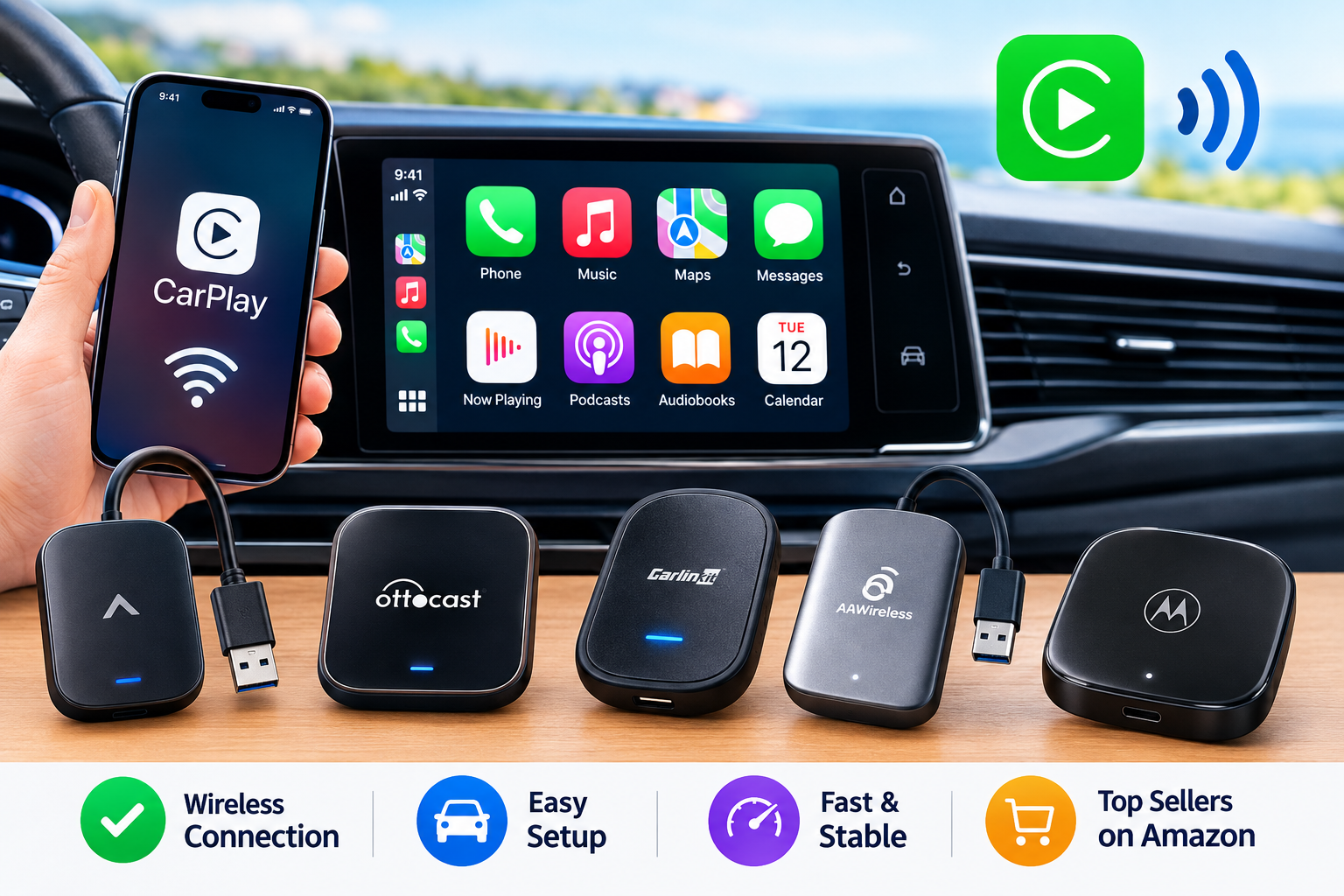
Quick Answer: Best Apple CarPlay Wireless Adapters Right Now
- Best overall: CarlinKit Mini Ultra 3
- Best budget pick: CarlinKit Mini Ultra
- Best for premium/import cars: OttoCast U2-Air Pro
- Best 2-in-1 (CarPlay + Android Auto): Teeran 2-in-1 Wireless Adapter
- Best ultra-compact: AAWireless
- Best true budget option: Generic USB-A/C dongles under $30 (with caveats — see below)
Important: Check This Before You Buy Anything
Every wireless CarPlay adapter on Amazon requires your car to already have factory wired Apple CarPlay. These adapters do not add CarPlay to a car that doesn’t already support it — they only remove the cable from a system that already works with CarPlay via USB. If your infotainment screen has never shown a “Connect via CarPlay” prompt when you plug in an iPhone, a wireless adapter won’t help; you’d need a separate head-unit replacement or an aftermarket CarPlay-enabled stereo instead.
Second, compatibility is car-model-dependent, not just phone-model-dependent. The chipset inside these adapters has to “speak” correctly to your specific infotainment software, and some manufacturers (Sony-based aftermarket stereos, certain Stellantis and older GM systems) are notorious for pairing issues with generic adapters.
How These Adapters Were Evaluated
Rather than ranking by star count alone, this roundup weighs:
- Connection speed — how long it takes to pair after you start the car
- Latency — delay between touching the screen and the action registering, and audio/video sync
- Wi-Fi band — 5GHz and Wi-Fi 6 adapters are meaningfully more stable than older 2.4GHz-only models
- Heat management — cheaper chipsets run hot and can shut down mid-drive
- Vehicle compatibility list size — how many confirmed car models the manufacturer supports
- Return/support policy — since compatibility can’t be guaranteed for every car
Top Apple CarPlay Wireless Adapters on Amazon
1. CarlinKit Mini Ultra 3 — Best Overall
CarlinKit has been one of the longest-running names in this category, and the Mini Ultra 3 is its current flagship. It’s built for both Apple CarPlay and Android Auto and further shrinks the footprint of earlier CarlinKit models while improving heat management. Independent testing found fast, reliable connections and smooth operation over repeated use, with one reviewer clocking a 10-second boot time and connection times of roughly 7 seconds for iPhone and 11 seconds for Android in a real-world vehicle test.
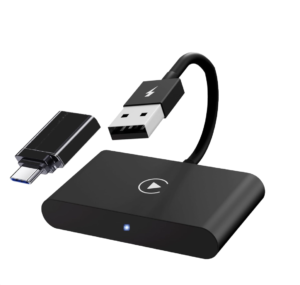
At roughly 25mm across, it’s about the size of a coat button and tucks into most USB ports without sticking out. One trade-off worth knowing: the angled 90-degree USB plug can block a neighboring port depending on how closely spaced your car’s USB sockets are.
Amazon pricing: Typically listed around $49.99, though it fluctuates with coupon promotions.
Best for: Drivers who want the smallest possible footprint and near-universal compatibility, and who use both CarPlay and Android Auto across household drivers.
2. CarlinKit Mini Ultra — Best Value
The step-down model from the same manufacturer, the Mini Ultra trades a bit of polish for a lower price. Reviewers describe it as the smallest 2-in-1 adapter tested, delivering fast, reliable CarPlay and Android Auto performance in a compact, affordable package, without a premium build to match its top-tier results. It particularly stands out for excellent pairing speed, low audio delay, and sharp responsiveness on CarPlay, though Android Auto pairing runs a bit slower and there’s no multi-device switching.
Amazon pricing: Around $40–45.
Best for: Budget-conscious buyers who still want a name-brand chipset rather than an unknown reseller brand.
3. OttoCast U2-Air Pro — Best for Problem Cars
OttoCast has built a reputation for adapters that work in vehicles where cheaper, generic dongles fail to pair reliably. The current U2-Air Pro revision adds dual-band Wi-Fi with faster boot times and over-the-air updates, and has consistently connected in under roughly 20 seconds while staying stable on long drives, according to hands-on testing across multiple vehicles. It’s a CarPlay-focused device (some versions also support Android Auto), and the shell has a premium diamond-textured finish if it ends up visible in your console.
Amazon pricing: Typically in the $60–80 range, positioning it as a mid-premium pick rather than a budget buy.
Best for: Owners of European or luxury imports, which are more likely to have pairing issues with generic adapters.
4. Teeran 2-in-1 Wireless CarPlay & Android Auto Adapter
Teeran has climbed Amazon’s bestseller charts largely due to review volume and price. It has more than 5,000 ratings with a 4.3-star average and uses a straightforward three-step pairing process aided by a 5 GHz Wi-Fi module that speeds up connection time. Reported weak points include occasional pairing issues with certain aftermarket stereos, particularly Sony head units, and mild latency when switching tracks. It supports iPhone 6 and later on iOS 10+.
Amazon pricing: Usually under $40.
Best for: Households wanting a single adapter that reliably supports both CarPlay and Android Auto without paying flagship prices.
5. AAWireless — Best Ultra-Compact Option
AAWireless built its name in the Android Auto space before expanding into dual-platform support, and remains one of the smallest form factors on the market. It’s a strong pick specifically for drivers who want the adapter to disappear into the dash rather than dangle visibly from the USB port. Its trade-off is a narrower list of confirmed compatibility than CarlinKit or OttoCast, so it’s worth checking your exact car model against the manufacturer’s list before ordering.
Best for: Compact installs where the adapter needs to sit flush and stay hidden.
6. Generic Budget Dongles (Sub-$30 Category)
Amazon’s best-seller lists for this category are dominated by rotating private-label brands, names like Cleviton, Burnt Sugar, UFOself, and similar sellers that frequently rebrand the same handful of underlying chipsets. These listings typically advertise 3-second auto-connect, zero-lag performance, and compatibility with 800–1,200+ car models, at price points well below those of name-brand options.
The honest take: some of these work fine, especially in newer, mainstream vehicles (Toyota, Honda, Hyundai, most domestic brands). But because the brand names rotate so quickly, long-term firmware support and warranty follow-through are inconsistent; availability and long-term firmware support “come and go,” as one reviewer put it about a similarly positioned budget adapter. Treat these as a reasonable gamble under $30, not a guaranteed long-term purchase, and buy from a seller with an easy return window in case your specific car isn’t compatible.
Wireless CarPlay Adapter Buying Guide
1. Confirm Wired CarPlay First
Before comparing adapters, confirm your infotainment system already supports wired Apple CarPlay via USB. This is the single most common reason for returns — buyers assume the adapter adds CarPlay support when it only removes the cable from an existing connection.
2. Check the Manufacturer’s Vehicle Compatibility List
Every major brand (CarlinKit, OttoCast, AAWireless) publishes a list of tested and confirmed vehicles. Generic Amazon brands rarely do this with the same rigor, instead advertising broad numbers like “1,000+ cars supported” without naming them. If your car is an aftermarket stereo, a European import, or a less common trim, spend the extra few minutes checking before buying.
3. Prioritize 5GHz or Wi-Fi 6 Over 2.4GHz-Only
Cheaper adapters that rely solely on the 2.4 GHz band are more prone to interference from other devices in the car (phones, hotspots, Bluetooth accessories) and tend to show more lag during video-heavy use, such as navigation or streaming. Dual-band or Wi-Fi 6 adapters connect faster and maintain a more reliable connection on longer drives.
4. Watch for Heat and Shutdown Issues
Adapters that run hot for extended periods can silently drop the connection or shut off mid-drive, especially in summer heat or direct sunlight through the windshield. This is one of the most common complaints in reviews of no-name budget dongles, and one of the main improvements manufacturers highlight between generations — CarlinKit specifically marketed its Mini Ultra 3 as running at less than half the heat of its predecessor.
5. USB-A vs. USB-C Port
Check your car’s CarPlay-enabled USB port before ordering. Most current adapters ship with both a USB-A and USB-C connector or an adapter tip, but it’s worth confirming rather than assuming, particularly in newer vehicles that have moved to USB-C only.
6. Multi-User Support
If more than one person regularly drives the car with different iPhones, look specifically for adapters that advertise multi-device pairing or auto-reconnect switching between paired phones. Budget adapters frequently skip this feature, requiring a manual re-pair every time a different phone connects.
Installation: What to Expect
Setup across nearly every adapter in this category follows the same basic process:
- Plug the adapter into your car’s wired CarPlay USB port.
- Start the car and wait for the adapter’s onboard light to indicate it’s ready (usually 10–15 seconds).
- On your iPhone, go to Bluetooth settings and pair with the adapter the first time (it will appear under a name like “CPAdapter” or similar).
- Once paired, most adapters auto-reconnect on future drives without repeating this step — some in as little as 3–7 seconds after the car starts.
If your phone doesn’t connect on the first try, toggling Wi-Fi and Bluetooth off and back on and making sure the iPhone isn’t already tethered to another Bluetooth accessory resolve the majority of first-time pairing failures.
Frequently Asked Questions
Do wireless CarPlay adapters work with any car?
No. Your car must already support wired Apple CarPlay through a USB connection. The adapter converts that existing wired connection to wireless — it does not add CarPlay capability to a car that never had it.
Will a wireless adapter drain my car‘s battery?
Adapters draw very little power and are only active while the car is running (most infotainment USB ports cut power when the ignition is off), so battery drain is not a realistic concern for the vast majority of vehicles.
Are cheap –30 adapters worth buying, or should I spend more on a known brand?
For mainstream, newer vehicles, budget adapters often work fine. For imports, aftermarket stereos, or older infotainment systems, a name-brand adapter like CarlinKit or OttoCast is more likely to pair reliably and be backed by an actual compatibility list and support team.
Why does my adapter keep disconnecting?
The most common causes are heat buildup, a weak 2.4GHz-only Wi-Fi connection, or another Bluetooth device competing for the connection. Switching to a dual-band adapter, keeping the port out of direct sun, and disconnecting other paired Bluetooth accessories usually fixes intermittent drops.
Do these adapters work with Android phones too?
Some do, and some don’t. “2-in-1” adapters like the CarlinKit Mini Ultra models and Teeran support both Apple CarPlay and Android Auto, automatically switching based on which phone is connected. CarPlay-only adapters like some OttoCast models are built exclusively for iPhone.
Final Verdict
For most drivers, the CarlinKit Mini Ultra 3 is the strongest all-around pick on Amazon right now — it balances price, size, dual-platform support, and connection reliability better than most competitors. Budget shoppers who mainly use CarPlay (not Android Auto) can save money with the standard CarlinKit Mini Ultra, while owners of trickier import or aftermarket systems are better served paying up for the OttoCast U2-Air Pro‘s stronger compatibility track record. Whatever you choose, confirm your car’s exact model against the manufacturer’s compatibility list before buying — it’s the single step that prevents almost every return in this category.
Disclosure: This post contains affiliate links. As an Amazon Associate, I earn from qualifying purchases, at no extra cost to you.
This article was created with AI assistance and reviewed by a human editor.
About The Author