Garmin has carved out a respected space in marine electronics. Their GPSMAP 1022, also known as the Garmin 010-01740-00, has sparked plenty of interest among boaters, anglers, and navigators looking for a reliable, easy-to-use chartplotter.
With a worldwide basemap and a wide array of advanced features, this unit often ranks among the best Garmin GPSMAP models for both serious and casual users.
Before I check out my detailed Garmin GPSMAP 1022 review, here’s a quick look at how I rate this device based on personal use and research.
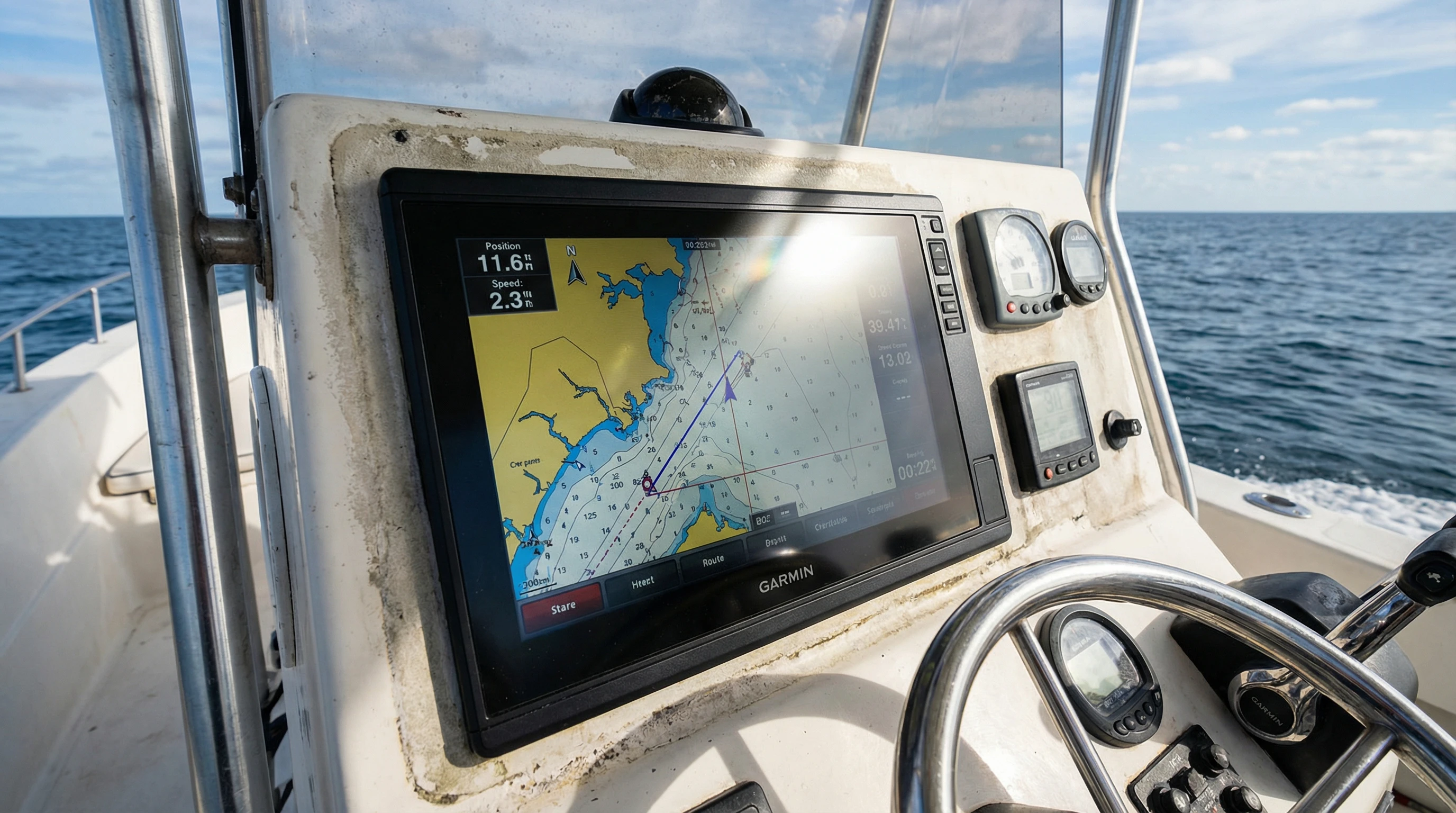
Product Name: Garmin GPSMAP 1022 with Worldwide Basemap
Product Link: Visit Garmin’s Official Product Page
Display Size: 10-inch WSVGA display
Resolution: 1024 x 600 pixels
Touchscreen: No, keypad and knob control
Price Range: $1,000–$1,300 (check local retailers for latest pricing)
Includes Charts: Yes, Worldwide Basemap
Networking: NMEA 2000, NMEA 0183, Wi-Fi, and Ethernet
Sonar Capable: Yes (with compatible transducer, sold separately)
My Overall Rating: 4.6/5
This chartplotter is well-known for its clear display, excellent networking, and rugged construction. It’s often recommended among the best Garmin GPSMAP models due to its sweet spot of affordability, size, and performance. You can find additional information, technical specifications, and support at the official Garmin Support site.
The all-in-one approach of the GPSMAP 1022 means you enjoy core navigation tools, flexible expansion capability, and reliable operation. Whether you are heading out on a fishing trip or taking a longer cruise, it covers a wide range of user needs.
What Makes the Garmin GPSMAP 1022 a Popular Choice?
When I started searching for a good marine chartplotter, the GPSMAP 1022 kept popping up in forums, online reviews, and dockside chats for several compelling reasons. The 10-inch display is large enough for clear split-screen views (maps, sonar, engine data). The physical keypad and rotary knob are intuitive, especially when rough conditions make using a touchscreen harder.
The worldwide basemap lacks the detail of fancier charts like BlueChart g3 Vision, but it gives you a solid base right out of the box. Upgrades are easy, just add a microSD card.
Networking is another highlight. Connecting to radar, engine sensors, autopilots, and other Garmin marine devices is straightforward. Thanks to Ethernet and NMEA 2000 compatibility, setup is flexible. For anglers, support for Panoptix and other sonar gear is a major perk. Whether you’re upgrading or starting your first system, the GPSMAP 1022 can work with almost any setup.
Breaking Down the Key Features: What You Get With the GPSMAP 1022
I’ve spent a lot of time with this chartplotter, so here’s a full breakdown of what stands out. The key specs might appear similar to other Garmin units at first, but several details are worth shining a light on.
- 10-Inch, Non-Touch Keyed Display: Remains easy to read, even in sunlight. I appreciate the keypad layout and physical rotary wheel for menu use and data entry.
- High-Resolution Screen: 1024 x 600 pixels provide excellent detail. Split screens don’t feel cramped.
- Worldwide Basemap: Out-of-the-box basic mapping for most waterways. For more detail, Garmin offers upgraded chart packs like BlueChart g3.
- Garmin Marine Network: Expand to add radar, sonar, audio, or even additional displays via Ethernet, great if you’re planning to build out your helm setup in stages.
- Wi-Fi and ANT Tech: Connects to smartphones for chart updates and route planning using apps like Garmin ActiveCaptain. This wireless flexibility is a boon, especially before setting out for a trip.
- NMEA 2000 & NMEA 0183: Hook up autopilots, sensors, AIS, engines, and more. NMEA 2000 makes it simple to display data from connected equipment on a single screen.
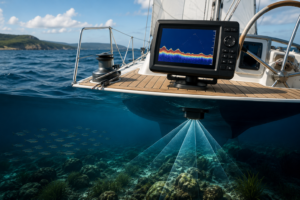
- Sonar Capable: Although it lacks built-in sonar, you can use Garmin’s CHIRP and Panoptix systems with the right transducer or black box add-ons.
- Customizable Data Pages: Sketch out your dashboard with just the data you want engine, water temp, speed, fuel, and more.
- Waypoints and Route Management: Save thousands of waypoints, routes, and tracks, perfect for returning to favorite fishing holes or regular stops.
Day-to-day user experience really matters. The GPSMAP 1022 boots quickly and keeps up even when overlays and data networks are busy. Switching between charts, sonar, and engine info is effortless.
Real-World Impressions: My Garmin GPSMAP 1022 Review
Installing the GPSMAP 1022 on my centerconsole was simple. The mounting template and hardware were all included. I like that it supports both flush and bracket mounting. Once it’s on, the unit powers up fast. The display is visible in bright daylight a must for summer trips.
The user interface is classic Garmin: it’s menu-based, and the shortcut buttons let me hop between tasks with zero fuss. I usually keep split screens open for charts and engine stats or swap in sonar when it’s time to fish.
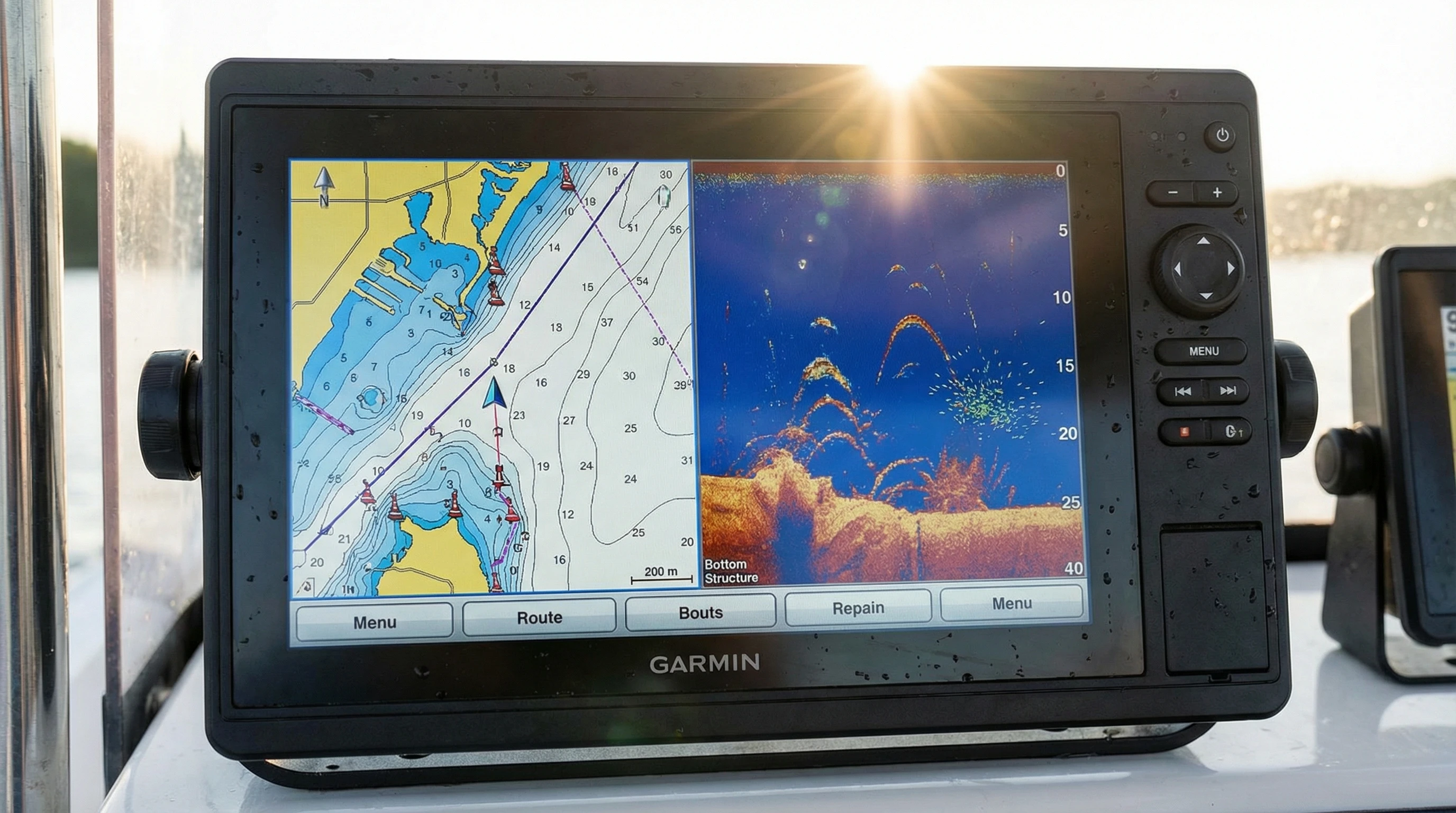
I’ve depended on this chartplotter for countless daytrips and never lost a GPS signal or had a freeze-up. It gets a satellite lock quickly and sticks with it. Marking waypoints is as straightforward as pressing a button and turning the dial even with gloves on deck.
Software updates are much simpler thanks to the ActiveCaptain app. Now, I download updates to my phone over Wi-Fi at home, then sync with the unit later. No more shuffling cards, keeping things current is now a breeze. I don’t worry about missing new features or refreshed map data anymore.
How Garmin GPSMAP Works: Navigation Made Simple
Using the GPSMAP is pretty intuitive, even if you’re new to marine tech. GPS satellites pin down your position within a few meters. You can follow preset routes, monitor your direction, and steer clear of hazards, with support from the worldwide basemap and chart upgrades.
The rotary dial and arrow buttons help you move through menus, zoom, and scan maps. Waypoints are created fast, and plotting a route only takes a few turns and clicks.
Connect extra gear like wind sensors, engines, or autopilots, and the display pulls in real-time data in configurable boxes. This is a big bonus if you want to build a hub for navigation and boat control.
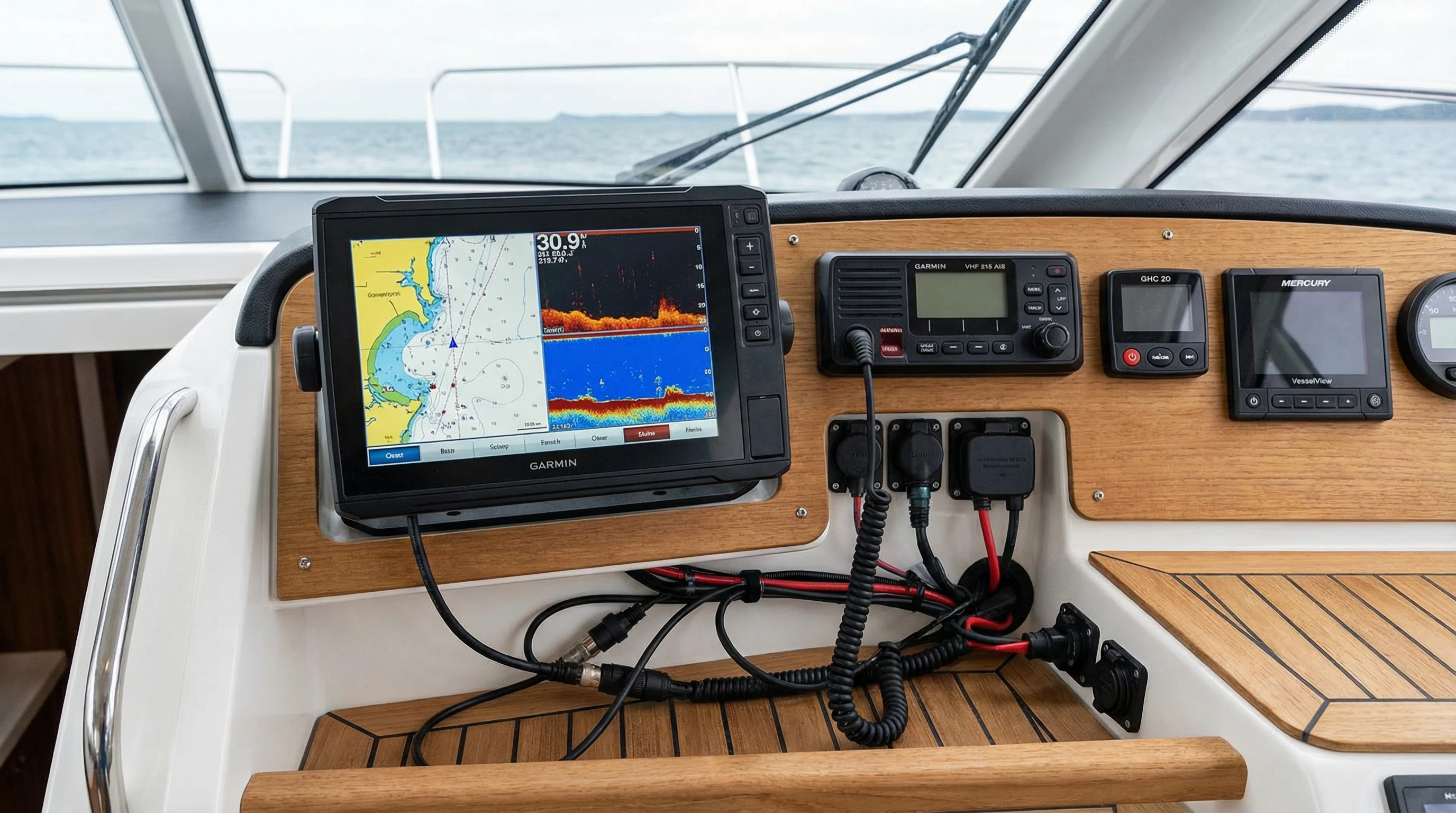
Garmin GPSMAP 1022 Features and Specifications Detailed
Here’s a deeper look at the main tech specs that help set the GPSMAP 1022 apart in the line-up of the best Garmin GPSMAP models:
- Physical Dimensions: 12.5” x 7.3” x 2.7” (31.9 x 18.5 x 6.9 cm)
- Weight: About 3.5 lbs (1.59 kg)
- Display: 10.1” sunlight-readable WSVGA, 1024 x 600 pixels
- Water Rating: IPX7 (withstands rain, spray, and short-term immersion)
- GPS Receiver: 10 Hz, internal/GLONASS compatible
- Waypoints: 5,000
- Routes: 100
- Track Points: 50,000 (50 saved tracks)
- Basemap: Worldwide (generalized, upgradeable to BlueChart or LakeVü)
- Ports: Dual Garmin Marine Network ports, NMEA 2000, NMEA 0183, video-in, USB, microSD slot
- Wi-Fi / Wireless: Yes, supports ActiveCaptain and ANT+ gear
- Sonar Support: CHIRP, SideVü, ClearVü, and Panoptix (via compatible networked gear)
- Voltage: 10–32 VDC (works with most 12V and 24V systems)
In practice, these features deliver a high quality display and strong reliability, matching up well with newer touchscreen units. Sometimes, the physical controls even turn out to be an edge when the deck is wet or waves are choppy.
Comparing Garmin GPSMAP 1022 vs 1042: Key Differences to Know
Deciding between the GPSMAP 1022 and the 1042 can be a little confusing since they’re almost the same size and share most of their features. Here’s what you actually need to know:
- GPSMAP 1022 uses only a keypad and rotary wheel. If you often wear gloves or steer your boat in tough conditions, this control style holds up well.
- GPSMAP 1042 boasts touchscreen capability. If you prefer tapping and swiping, or value pinch-to-zoom and smoother menu navigation, it could be worth the added cost. Backup physical buttons mean you’re not stuck if water splashes on the screen.
- Pricing: The 1042’s touch feature typically adds a few hundred dollars compared to the 1022’s price. Shop around for deals.
- Display: Both models come with the same 10.1” display at 1024 x 600, including the same brightness and clarity. The 1042 just adds touch sensitivity.
- All other features: Chart support, sonar compatibility, networking, and data-sharing are the same for both models.
If you’re comfortable with touchscreens, the 1042 adds a bit of convenience. If you’re rough on gear or prioritize durability, the 1022 still shines as a reliable, lower-cost pick. For my personal use, I prefer physical buttons, they handle salt and splash really well over the years.
How to Update Garmin GPSMAP 1022: Keeping Software and Charts Fresh
It’s easy to keep your GPSMAP 1022 current now that Garmin offers the ActiveCaptain app. The old method—downloading updates to a computer, copying to a microSD card, and manually loading them has faded away. I now handle almost everything via my phone.
Here’s my update routine for the GPSMAP 1022:
- Get the ActiveCaptain app on your smartphone or tablet.
- Connect your device to Wi-Fi and register the GPSMAP 1022 using the app interface.
- Install a microSD card (I use a 32GB or smaller card) in the chartplotter’s slot.
- Pair the GPSMAP 1022 to your phone/tablet via Wi-Fi while docked.
- Use ActiveCaptain to check for software updates, chart upgrades, or to sync your waypoints/routes.
- Follow prompts on the chartplotter to finish the update. The unit will reboot after updating.
This system lets you keep system software, maps, and your data up to date quickly, no laptop required. It’s one of the biggest time-savers for last-minute chart updates before heading out.
Best Accessories for Garmin GPSMAP 1022 That I Recommend
This chartplotter works great as a standalone device, but you can uncover more features with the right add-ons. Here are a few I’ve tried and recommend for boosting your setup:
- Garmin GT51MTM or GT52HWTM transducers: Perfect for anglers who need crisp CHIRP sonar, SideVü, and DownVü. These connect directly or through a GSD box depending on your setup.
- Garmin GMR radar dome: Better situational awareness offshore. Linking radar is simple and works well with the 1022.
- Garmin Reactor autopilot: Takes the stress out of long runs. Full control is possible from the GPSMAP screen.
- Garmin AIS 800 transceiver: Lets you view Automatic Identification System (AIS) traffic over your map, helpful in busy waters.
- Extra microSD cards: For added charts and backup data. I always carry a spare just in case.
- Protective cover and sun cover: Great for keeping the display in good shape, both on trips and in storage.
- Aftermarket mounts: If the included bracket isn’t a perfect fit, thirdparty arms let you adjust for your ideal viewing angle.
Investing in sensors, antennas, or network cables can turn the 1022 into the core of a super detailed helm station. What I love about the Garmin system is how plug-and-play most extras are just hook up, configure, and go.
Garmin GPSMAP 1022 Troubleshooting Guide: Common Issues and Quick Fixes
At some point, every boat owner faces a hiccup with their navigation gear. Here are the most common GPSMAP 1022 snags I’ve seen or fixed myself:
- Unit doesn’t turn on: Make sure all wiring is secure—fuse, battery, and connections. Check for a healthy fuse and no corrosion. Sometimes a tired power switch is the culprit.
- No GPS signal or slow fix: Clear any metal or electronics blocking the GPS receiver (right above the unit). If needed, leave the device powered up outdoors for 10–15 minutes so it can lock in the first time.
- Frozen screen or sluggish response: Update software to the latest version. If that fails, reinsert the microSD card or try a restart (hold the power button ten seconds). Bad SD cards or map files are rare but possible; try swapping.
- ActiveCaptain not syncing: Remove and re-add the connection under wireless settings. Restart both chartplotter and phone. Updates may fix this, so double-check your app version too.
- Transducer or radar missing: Check cable connections and make sure everything’s seated. Head to the network menu to confirm devices appear.
- Backlight too dim: Use the power button for quick brightness access. In intense sun, set it to full. If always dim, try a firmware update or tinker with display settings.
Regular updates and pre-season wiring checks keep issues rare and simple. I rely on Garmin’s support resources for deeper troubleshooting or advanced fixes, along with their user guides and how-to videos.
Why the GPSMAP 1022 is Among the Best Garmin GPSMAP Models
I’ve compared plenty of Garmin chartplotters, from big-screen 8610xsvs down to the smaller GPSMAP 743. The 1022 lands right in the middle for screen, power, and price. It shows up on “best of” lists for many owners because it fits so many boats. It’s great for midsize fishing craft, and also makes an ideal second station on bigger vessels.
You’re not boxed in with the 1022. Add-ons for sonar, radar, autopilot, or AIS keep your system growing as you add gear. The menus are straightforward and feel quick, with durable hardware that stands up to years of salt and spray. When friends ask for a mid-price, reliable chartplotter, I still send them to the 1022. Buttons continue to win out for old-school captains who fish in all weather.
Small Tricks and User Tips: Getting the Most Out of Your GPSMAP 1022
After putting my GPSMAP 1022 to the test, here are a few tricks that have saved me time or made days out easier:
- Build custom Home layouts: Press and hold the Home key to make your preferred split-screen layouts for quick access at sea.
- The shortcut button: Set this for instant access to your most used function, like nearest waypoints or a favorite overlay.
- Use split-screen mode: See up to three data types at once: map, sonar, engine, or chart. It’s a huge help before a tricky approach or during rapid-fire fishing days.
- Set overlays: I always keep speed over ground and water temp visible. Customize overlays in the menu for at-a-glance info.
- Backup waypoints often: Use an SD card or ActiveCaptain sync. Lost data happens, even the best systems crash, so better safe than sorry.
A little upfront organization saves headaches when you’re busy docking or weaving channels in bad weather. I always recommend setting up the device dockside before pushing off.
Support and Resources: Where to Learn More and Get Help
If you run into any problems or just want to learn more, Garmin’s digital library is well-stocked. I prefer browsing their online manuals, instructional videos, and user forums for solutions and new ideas. You can grab the full owners manual for stepwise guides.
- Garmin Support for GPSMAP 1022
- Garmin Marine User Forums
- About ActiveCaptain App
If you hit a wall troubleshooting, start with these official outlets. There’s also no shortage of tips from seasoned owners in boating Facebook groups and on dedicated marine forums.
Price and Value: Where Does Garmin GPSMAP 1022 Fit?
The GPSMAP 1022 sits in the midrange of Garmin’s selection. You’ll spot prices between $1,000 and $1,300 at big-box sites, in local shops, and online. This usually gets you the display, mount, power/data cable, sun cover, and basic global map. Remember that charts for specific lakes or coasts can cost extra, check your area first if you want tight detail.
Sometimes, bundle deals appear with radar, sonar, or premium chart cards at a discount. Look around for these, especially during seasonal sales or from local marine outfitters who may throw in installation advice or extras.
My Final Thoughts on the Garmin GPSMAP 1022 With Worldwide Basemap
After using this chartplotter season after season, for everything from angling to family boating, I can confidently say it works as promised. Setup is straightforward, and the network options let your system scale up as your boat grows. Firmware and navigation updates take just minutes, giving me peace of mind before any new outing.
With its sharp big screen, fast GPS, no-fuss controls, and lots of room for accessories, the 1022 earns its place as one of the top midsize Garmin models. Whether you’re chasing offshore game fish or running short hops along the coast, this unit checks all the right boxes. It’s priced well for what you get, and I’d still pick it over some pricier touchscreen-only models that don’t offer much extra for the cash.
I’ll continue to recommend the Garmin GPSMAP 1022 to anyone in the market for their first chartplotter step up or a trusty second unit. Install it, keep it current, and enjoy the confidence it brings to every trip out on the water.
About The Author